
Simviation Forums
Flight Simulator and other chat
Flight Simulator and other chat
 by Modlerbob » Sat Aug 09, 2014 9:54 pm


by Hagar » Sun Aug 10, 2014 4:52 am



by Modlerbob » Sun Aug 10, 2014 7:13 am
by Hagar » Sun Aug 10, 2014 7:30 am
by Modlerbob » Sun Aug 10, 2014 2:16 pm
by Hawkeye07 » Sun Aug 10, 2014 10:46 pm


by pete » Mon Aug 11, 2014 2:16 am
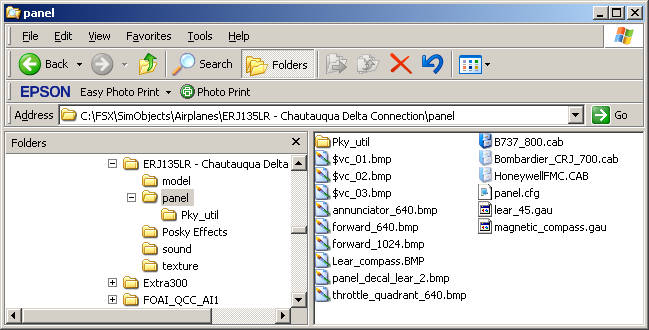
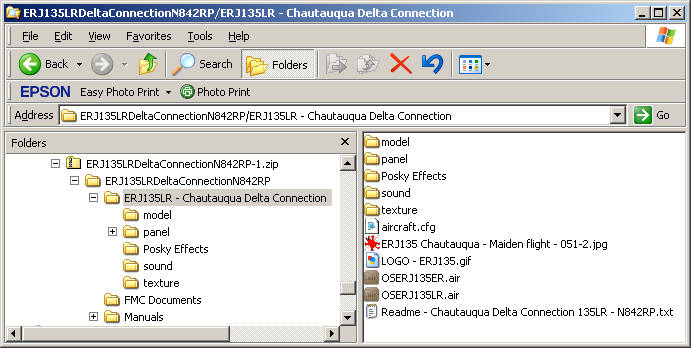
Followed the instructions again
Install FSX:
1. Unzip to a Temp folder.
2. Move the folders 'ERJ135LR - Chautauqua Delta Connection' to the 'FSX\SimObjects\Airplanes' directory.
3. Move the GPWS folder inside the Sounds folder into the main Sound folder in FSX
4. Start FSX and select aircraft under Embraer ERJ-135LR Delta Chautauqua


by Hawkeye07 » Mon Aug 11, 2014 2:30 am
by Hagar » Mon Aug 11, 2014 3:24 am
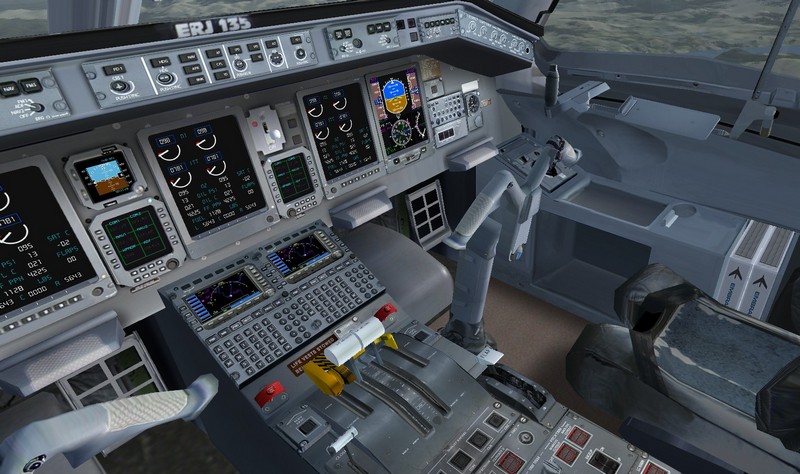
Hawkeye07 wrote:Hagar, I have to agree with Modlerbob on this one. It must have something to do with system configuration or some other FSX VooDoo quirk. I've downloaded both the U.S. Air force and the Cityline versions and I've got the same problem with both of them. @#No instruments except the Standby Attitude Ind. I even tranferred the files to the standard "Airplanes" folder and no joy. Besides no instruments in the VC view when you select the minipanel you get the usual "No panel is mapped to the panel 6 key combination" and when you select the throttle quad you get the panel but no levers for the spoiler, throttles or the flaps. Too bad because the exterior model is very nice. The T/R's pop a little too quiickly but that's NBD. Oh well, I'm tired of screwing with it.
Hawkeye
P.S. Hagar you're right about the install, pretty straight forward affair just like most of the addons.
when you select the throttle quad you get the panel but no levers for the spoiler, throttles or the flaps.
by PhantomTweak » Mon Aug 11, 2014 3:49 am


by pete » Mon Aug 11, 2014 6:10 am
by whizard » Mon Aug 11, 2014 6:20 am
Install FSX:
1. Unzip to a Temp folder.
2. Move the folders 'ERJ135LR - Chautauqua Delta Connection' to the 'FSX\SimObjects\Airplanes' directory.
3. Move the GPWS folder inside the Sounds folder into the main Sound folder in FSX
4. Start FSX and select aircraft under Embraer ERJ-135LR Delta Chautauqua

by whizard » Mon Aug 11, 2014 6:27 am

by Hagar » Mon Aug 11, 2014 7:36 am
whizard wrote:Here is a screen shot.
by pete » Mon Aug 11, 2014 7:39 am
Return to Flight Simulator X (FSX) and Steam
Users browsing this forum: No registered users and 240 guests