Randoms at Pearl (plus one bonus)

Flight Simulation Screenshots displaying your Flight Simulation Experience. MSFS, FSX, Prepar3D, XPlane and other Flight Simulators. Focus is your Flight Simulator Experience. Please upload to Simviation (Button at top right)

Randoms at Pearl (plus one bonus)

Postby patchz » Mon May 11, 2009 11:31 am

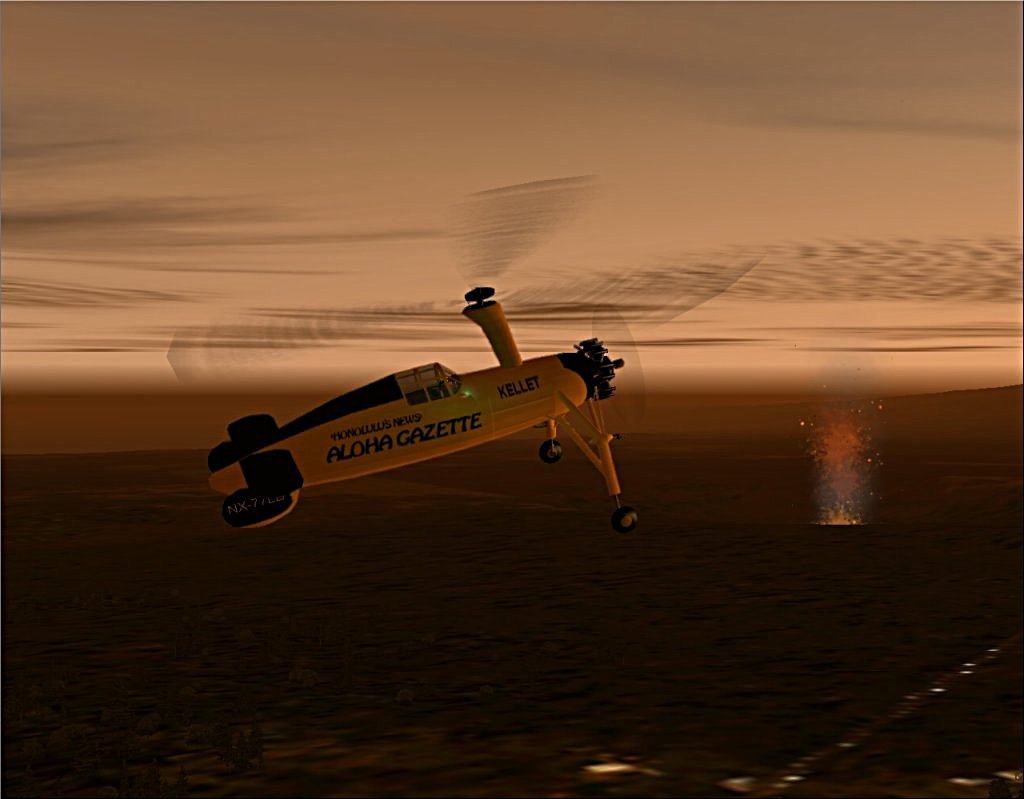
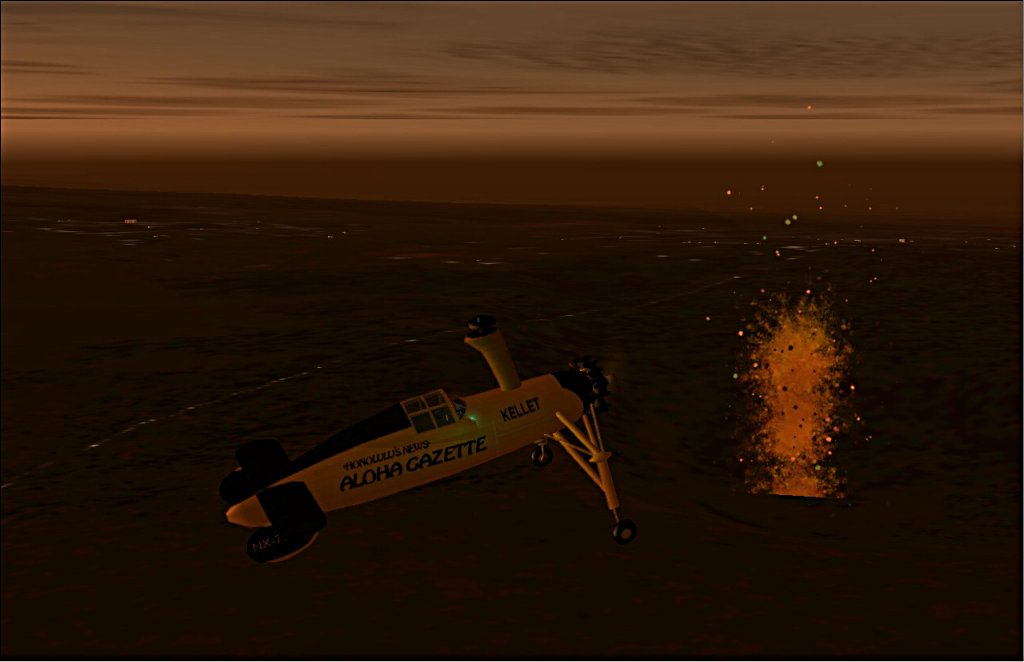
These shots don't really do the scenery justice, especially the volcano.

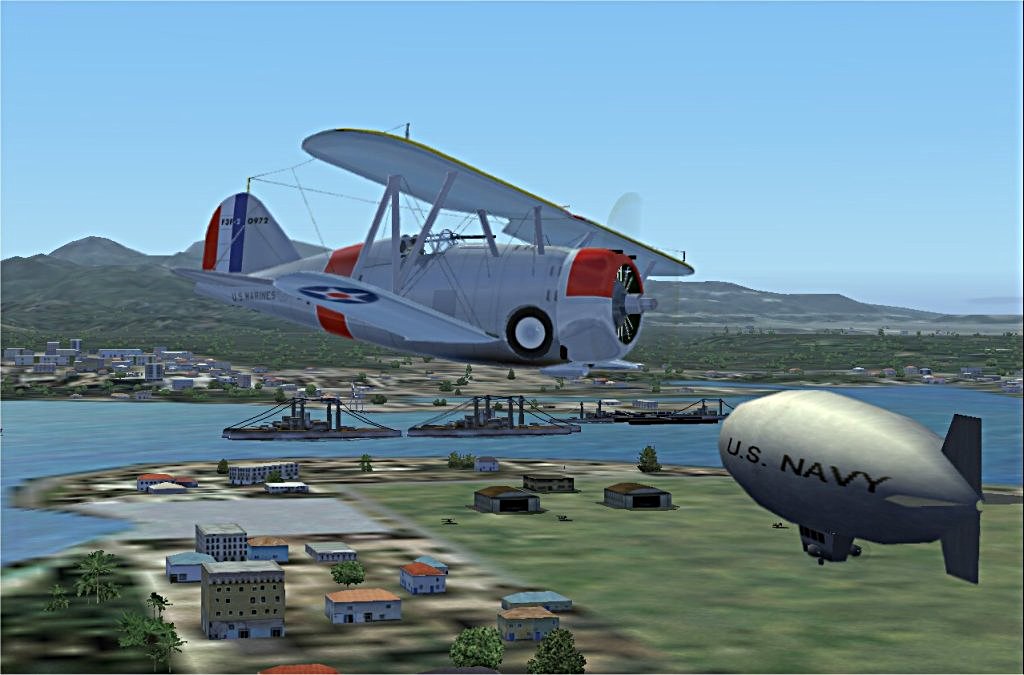
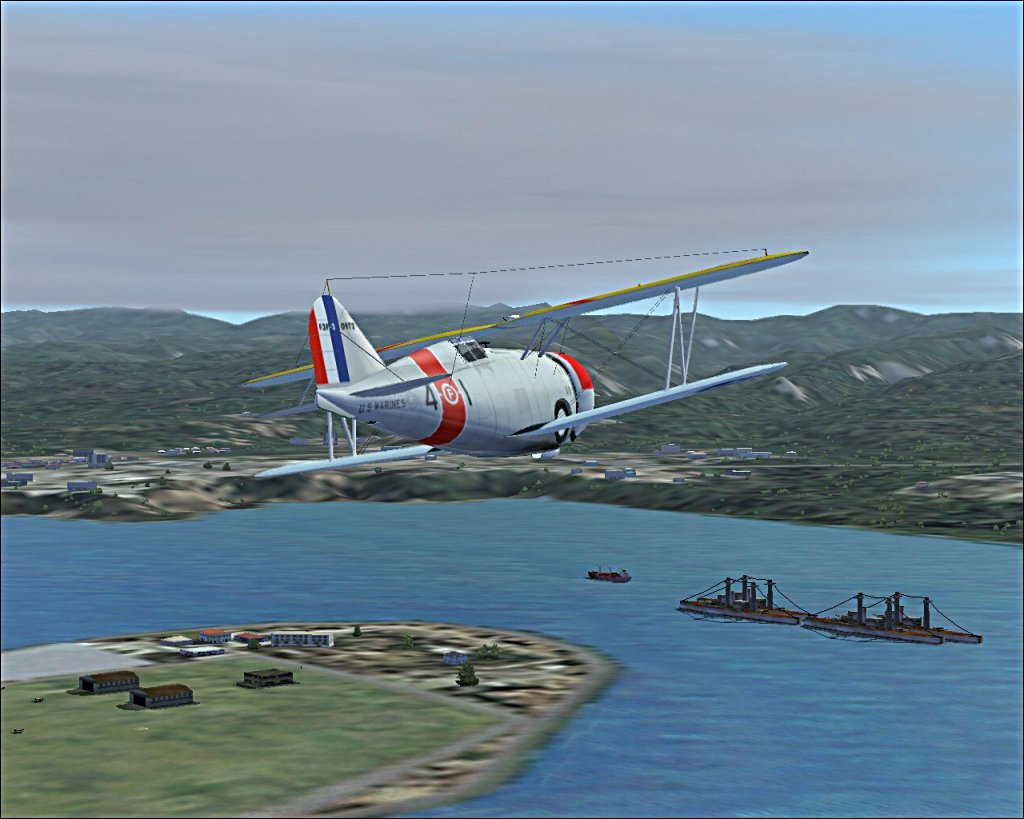
Prewar Pearl


Image

Image

Newsworthy

Image

Image

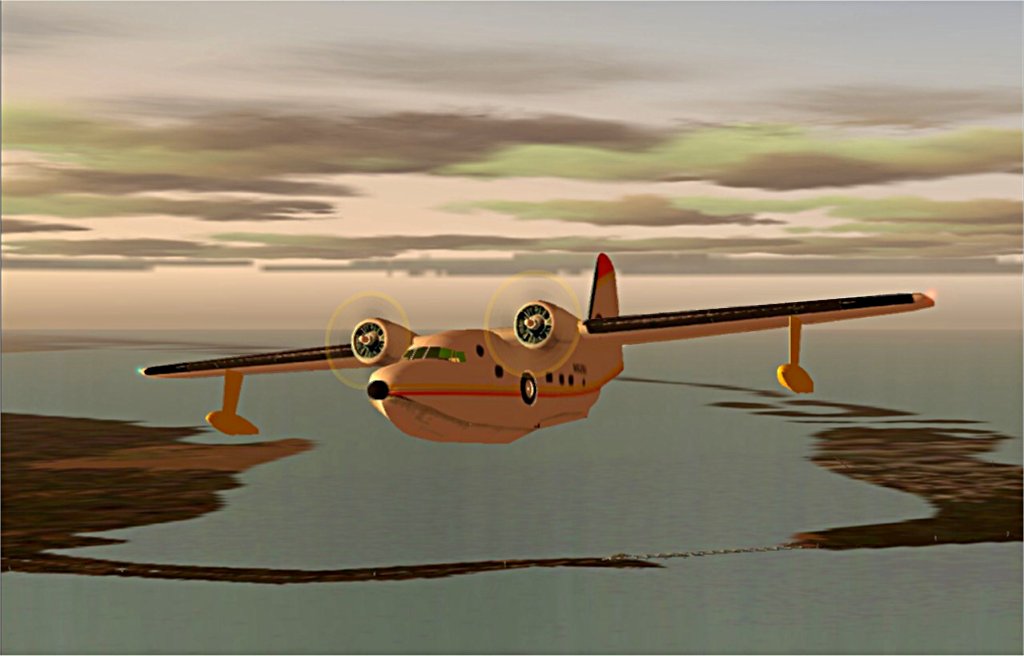
I love flying Jimmy Buffett around the keys.
Hemishpere Dancer

Image
Last edited by patchz on Mon May 11, 2009 11:55 am, edited 1 time in total.
Image
If God intended aircraft engines to have horizontally opposed engines, Pratt and Whitney would have made them that way.
User avatar
patchz
Colonel
Colonel
 
Posts: 10424
Joined: Wed Mar 11, 2009 7:33 pm
Location: IN THE FUNNY PAPERS

Re: Randoms at Pearl (plus one bonus)

Postby tcco94 » Mon May 11, 2009 10:10 pm

Yeah the scenery on these shots are low.

Nice shots though. 8-)
User avatar
tcco94
Major
Major
 
Posts: 3946
Joined: Mon Apr 07, 2008 1:41 am
Location: Bay Area, California

Re: Randoms at Pearl (plus one bonus)

Postby Brando14100 » Tue May 12, 2009 3:11 pm

Awesome plane in 3 and 4. Try using different camera angles to make your shots look more interesting and to show more of the plane.

8-)
Brando14100
 

Re: Randoms at Pearl (plus one bonus)

Postby patchz » Tue May 12, 2009 3:46 pm

Awesome plane in 3 and 4. Try using different camera angles to make your shots look more interesting and to show more of the plane.

8-)


I had planned to later. I was just showing off the volcano here. I thought it was kinda neat. But as I said, stills just don't do it justice.
Image
If God intended aircraft engines to have horizontally opposed engines, Pratt and Whitney would have made them that way.
User avatar
patchz
Colonel
Colonel
 
Posts: 10424
Joined: Wed Mar 11, 2009 7:33 pm
Location: IN THE FUNNY PAPERS

Re: Randoms at Pearl (plus one bonus)

Postby Daube » Tue May 12, 2009 4:44 pm

I like the first and last shots. The last one has something... I don't know, it's so classic, but still looks good. The first one has some interesting details in it, and I like the plane.

Just one remark, sorry if you already explained it in a previous topic of yours, but your screenshots look all blurry ! I'm not referering to the blurriness of the terrain, I'm really refering the the picture itself ! What program do you use for scaling and saving your screenshots ?
User avatar
Daube
Lieutenant Colonel
Lieutenant Colonel
 
Posts: 6611
Joined: Wed Oct 05, 2005 8:34 am
Location: Nice (FR)

Re: Randoms at Pearl (plus one bonus)

Postby Brando14100 » Tue May 12, 2009 5:17 pm

Just one remark, sorry if you already explained it in a previous topic of yours, but your screenshots look all blurry ! I'm not referering to the blurriness of the terrain, I'm really refering the the picture itself ! What program do you use for scaling and saving your screenshots ?


I've said that before too.

8-)
Brando14100
 

Re: Randoms at Pearl (plus one bonus)

Postby patchz » Tue May 12, 2009 9:25 pm

I like the first and last shots. The last one has something... I don't know, it's so classic, but still looks good. The first one has some interesting details in it, and I like the plane.

Just one remark, sorry if you already explained it in a previous topic of yours, but your screenshots look all blurry ! I'm not referering to the blurriness of the terrain, I'm really refering the the picture itself ! What program do you use for scaling and saving your screenshots ?


I use RapidShot to capture and Jasc Paint Shop Pro 7 to resize/edit. And I think therein lies the problem. First, I can't get AA to work, no matter what I do. I've tried turning it on in the card and off in FS9, on in FS9 and off in the card, and on in both. That is where I left it. I still end up with jaggies. So, I end up having to manually remove the jaggies which causes a little blur. But when I resize, the compression worsens the blur. PSP 7, as far as I can tell, has no provision for adjusting the amount of compression. I am getting some help from Harold, but it is going to take some time. Hopefully soon, some, if not all of my problems will be fixed.
Image
If God intended aircraft engines to have horizontally opposed engines, Pratt and Whitney would have made them that way.
User avatar
patchz
Colonel
Colonel
 
Posts: 10424
Joined: Wed Mar 11, 2009 7:33 pm
Location: IN THE FUNNY PAPERS

Re: Randoms at Pearl (plus one bonus)

Postby Brando14100 » Tue May 12, 2009 9:39 pm

I like the first and last shots. The last one has something... I don't know, it's so classic, but still looks good. The first one has some interesting details in it, and I like the plane.

Just one remark, sorry if you already explained it in a previous topic of yours, but your screenshots look all blurry ! I'm not referering to the blurriness of the terrain, I'm really refering the the picture itself ! What program do you use for scaling and saving your screenshots ?


I use RapidShot to capture and Jasc Paint Shop Pro 7 to resize/edit. And I think therein lies the problem. First, I can't get AA to work, no matter what I do. I've tried turning it on in the card and off in FS9, on in FS9 and off in the card, and on in both. That is where I left it. I still end up with jaggies. So, I end up having to manually remove the jaggies which causes a little blur. But when I resize, the compression worsens the blur. PSP 7, as far as I can tell, has no provision for adjusting the amount of compression. I am getting some help from Harold, but it is going to take some time. Hopefully soon, some, if not all of my problems will be fixed.


Manually removing jaggies is called editing.  ;)

8-)
Brando14100
 

Re: Randoms at Pearl (plus one bonus)

Postby Daube » Wed May 13, 2009 3:35 am

I like the first and last shots. The last one has something... I don't know, it's so classic, but still looks good. The first one has some interesting details in it, and I like the plane.

Just one remark, sorry if you already explained it in a previous topic of yours, but your screenshots look all blurry ! I'm not referering to the blurriness of the terrain, I'm really refering the the picture itself ! What program do you use for scaling and saving your screenshots ?


I use RapidShot to capture and Jasc Paint Shop Pro 7 to resize/edit. And I think therein lies the problem. First, I can't get AA to work, no matter what I do. I've tried turning it on in the card and off in FS9, on in FS9 and off in the card, and on in both. That is where I left it. I still end up with jaggies. So, I end up having to manually remove the jaggies which causes a little blur. But when I resize, the compression worsens the blur. PSP 7, as far as I can tell, has no provision for adjusting the amount of compression. I am getting some help from Harold, but it is going to take some time. Hopefully soon, some, if not all of my problems will be fixed.


Paint Shop Pro 7... I was using that in the past.
When you save your shot, choose "Save As".
In the popup window, choose the JPG format. Then you should see a new button, kind of "advanced options", or "optimisation assistant" or something like that. There, you will be able to precisely thune the compression according to the filesize.
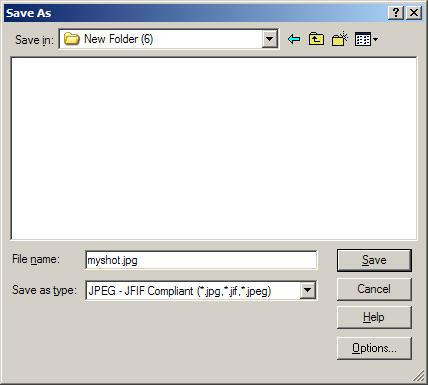
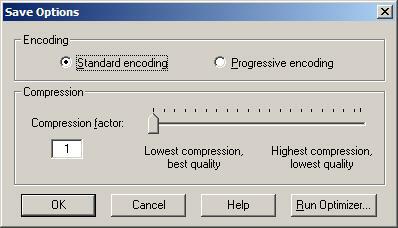
And yes, manual removal of jaggies is editing ;)
In your driver settings, check if you have adjusted the FS9 profile, not only the general one. Also, make sure you're not in "Best Performance" mode, but rather in "Best Quality".
User avatar
Daube
Lieutenant Colonel
Lieutenant Colonel
 
Posts: 6611
Joined: Wed Oct 05, 2005 8:34 am
Location: Nice (FR)

Re: Randoms at Pearl (plus one bonus)

Postby Hagar » Wed May 13, 2009 4:44 am

I like the first and last shots. The last one has something... I don't know, it's so classic, but still looks good. The first one has some interesting details in it, and I like the plane.

Just one remark, sorry if you already explained it in a previous topic of yours, but your screenshots look all blurry ! I'm not referering to the blurriness of the terrain, I'm really refering the the picture itself ! What program do you use for scaling and saving your screenshots ?


I use RapidShot to capture and Jasc Paint Shop Pro 7 to resize/edit. And I think therein lies the problem. First, I can't get AA to work, no matter what I do. I've tried turning it on in the card and off in FS9, on in FS9 and off in the card, and on in both. That is where I left it. I still end up with jaggies. So, I end up having to manually remove the jaggies which causes a little blur. But when I resize, the compression worsens the blur. PSP 7, as far as I can tell, has no provision for adjusting the amount of compression. I am getting some help from Harold, but it is going to take some time. Hopefully soon, some, if not all of my problems will be fixed.


Paint Shop Pro 7... I was using that in the past.
When you save your shot, choose "Save As".
In the popup window, choose the JPG format. Then you should see a new button, kind of "advanced options", or "optimisation assistant" or something like that. There, you will be able to precisely thune the compression according to the filesize.
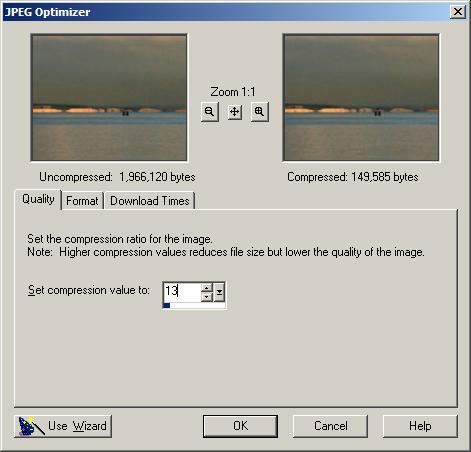
To elaborate. This is in PSP7.

First resize your shot to the required pixel width.

Click File/Save As & choose a location to save it to. Give it a suitable file name & select JPEG as file type. Click the Options button.
Image

Click the Run Optimizer button
Image

Adjust the compression as required. This is as close as I can get to 150k on this image.
Image
Image

Founder & Sole Member - Grumpy's Over the Hill Club for Veteran Virtual Aviators
Member of the Fox Four Group
My Google Photos albums
My Flickr albums
User avatar
Hagar
Colonel
Colonel
 
Posts: 30869
Joined: Wed Jun 19, 2002 7:15 am
Location: Costa Geriatrica

Re: Randoms at Pearl (plus one bonus)

Postby Daube » Wed May 13, 2009 8:40 am

Thanks a lot Hagar for the screenshots !
User avatar
Daube
Lieutenant Colonel
Lieutenant Colonel
 
Posts: 6611
Joined: Wed Oct 05, 2005 8:34 am
Location: Nice (FR)

Re: Randoms at Pearl (plus one bonus)

Postby patchz » Wed May 13, 2009 2:02 pm

[color=#000000]I've been using Save As for a long time. But, it had been so long since I used the Options Button, when I started uploading screen shots I had forgotten it was there and did not notice it when saving. When I looked for compression adjustment, that is the one place I did not look. Have compassion, you're dealing with a half-blind, 60 year old with few resources.
Last edited by patchz on Wed May 13, 2009 2:05 pm, edited 1 time in total.
Image
If God intended aircraft engines to have horizontally opposed engines, Pratt and Whitney would have made them that way.
User avatar
patchz
Colonel
Colonel
 
Posts: 10424
Joined: Wed Mar 11, 2009 7:33 pm
Location: IN THE FUNNY PAPERS


Return to Simulation Screenshots Showcase

Who is online

Users browsing this forum: No registered users and 544 guests