
Simviation Forums
Flight Simulator and other chat
Flight Simulator and other chat
 by patchz » Thu Mar 12, 2009 11:19 pm



by patchz » Sat Mar 14, 2009 3:45 am
Some AA would be nice.
 :-?
:-?by machineman9 » Sat Mar 14, 2009 6:18 am


by patchz » Sat Mar 14, 2009 7:09 am
AA = Anti-Aliasing.
It removes those pixelated 'jaggy' edges around 3D objects by replacing it with a sort of blend between the object and the background. Wikipedia page
To do this, in the graphics settings you will have to enable Anti Aliasing... Or sometimes you have to do this through your graphic device's software.
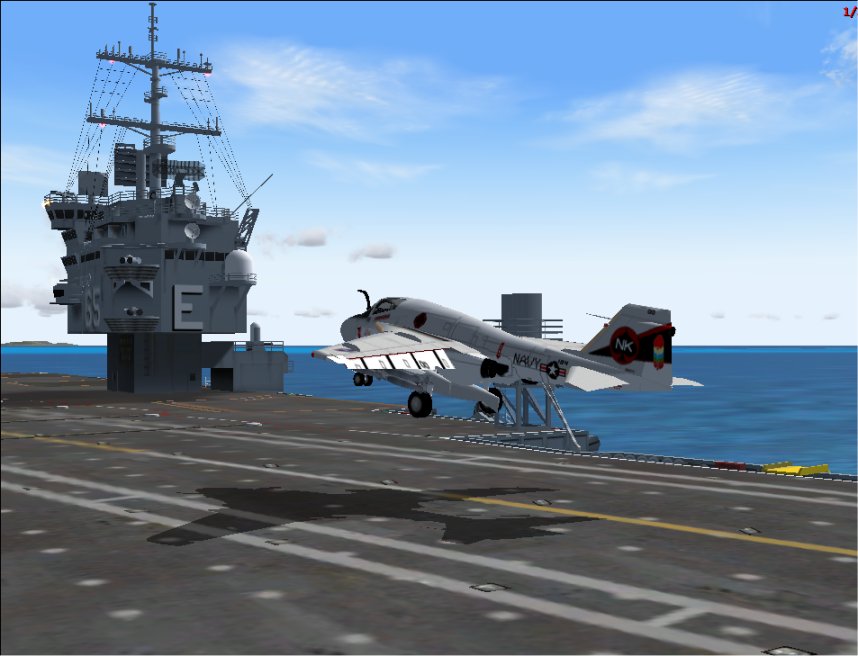
Anywhoo..... I think it is a pretty nice shot, it's a good position and I think it is something a little bit different.
But, there is red text on the right of the screen... Is that from a recording or something? And the actual image quality is a bit low so you might want to try to take the settings up a bit within Flight Simulator.
But I like it. I think it makes a bit of a change.
Return to Simulation Screenshots Showcase
Users browsing this forum: No registered users and 311 guests