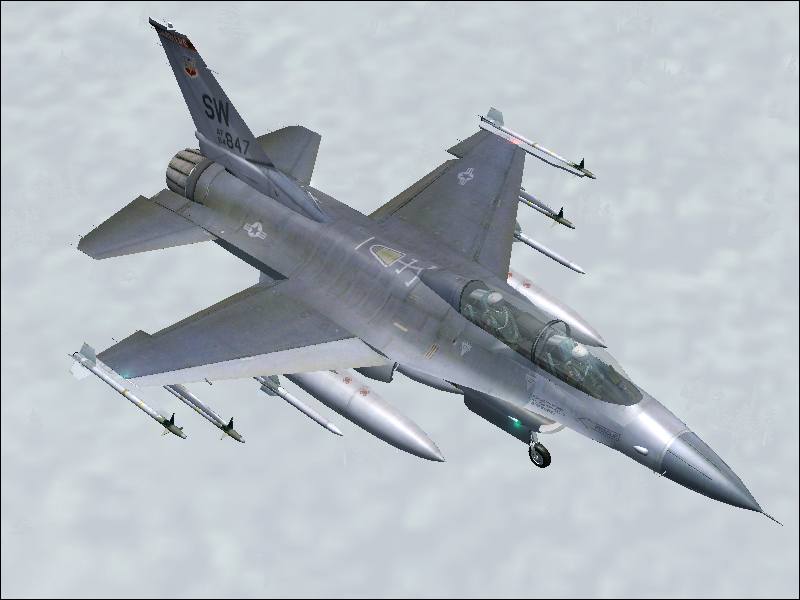
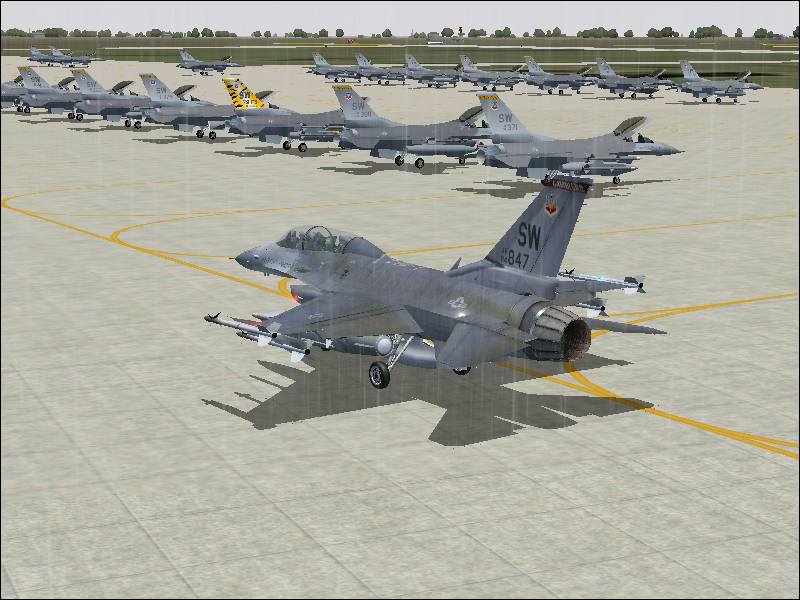
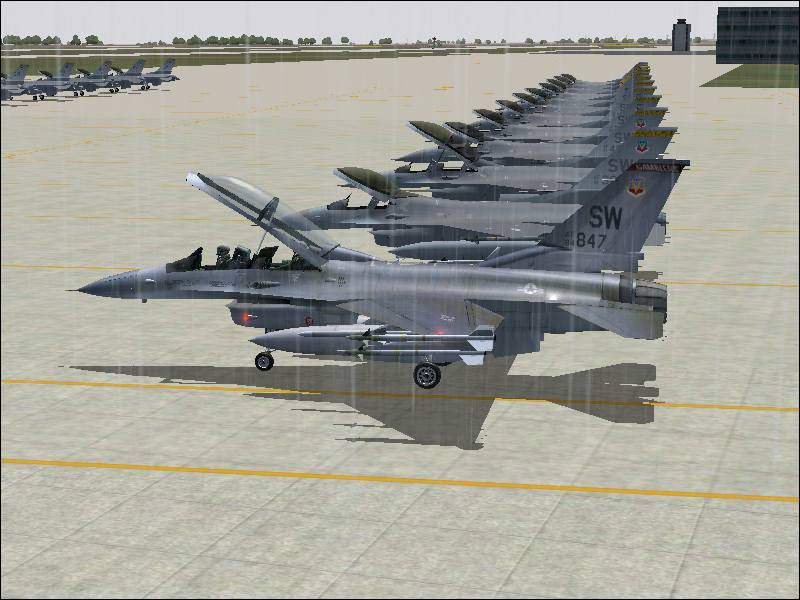
F-16D Fighting Falcon

Flight Simulation Screenshots displaying your Flight Simulation Experience. MSFS, FSX, Prepar3D, XPlane and other Flight Simulators. Focus is your Flight Simulator Experience. Please upload to Simviation (Button at top right)

F-16D Fighting Falcon

Postby Ben R » Mon Jul 16, 2007 3:04 pm

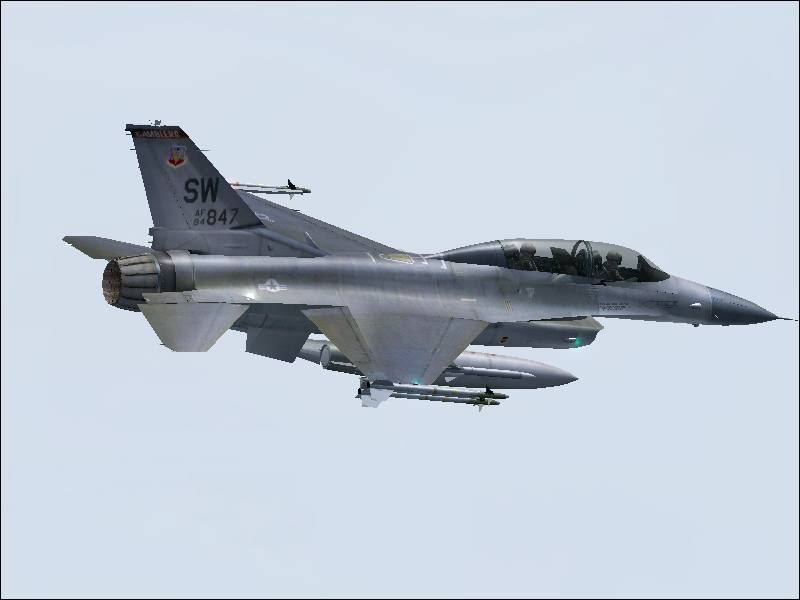
hope you like!

Image

Image

Image

Image

Image

Image


c and c welcome!

ben

Last edited by Ben R on Mon Jul 16, 2007 3:05 pm, edited 1 time in total.
Image
User avatar
Ben R
Major
Major
 
Posts: 1135
Joined: Wed Jul 05, 2006 3:51 am
Location: ipswich

Re: F-16D Fighting Falcon

Postby Pappy44 » Mon Jul 16, 2007 3:11 pm

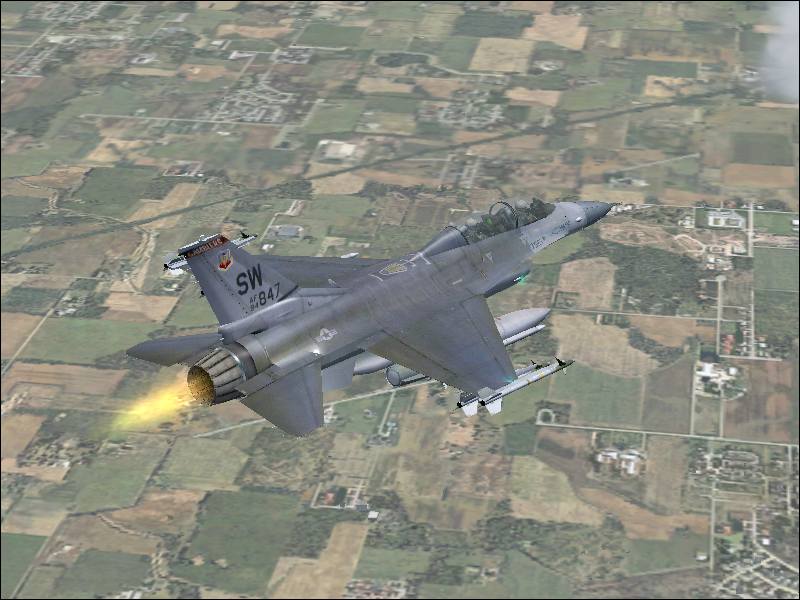
looks nice, though the afterburner effect looks photoshopped in....not saying you did, just saying it looks weird...
Pappy44
2nd Lieutenant
2nd Lieutenant
 
Posts: 253
Joined: Tue May 08, 2007 10:44 am
Location: Maryland Heights, MO

Re: F-16D Fighting Falcon

Postby spitfire boy » Mon Jul 16, 2007 3:14 pm
Jaggies are the main problem with these shots. Other than that, very nice indeed!
Image


[center]
User avatar
spitfire boy
Major
Major
 
Posts: 2587
Joined: Mon May 21, 2007 4:46 pm
Location: Wherever you think I'm not

Re: F-16D Fighting Falcon

Postby Ben R » Mon Jul 16, 2007 3:20 pm

lol...its not photoshopped in..its all normal freeware..

and with the jaggies..i dno how to get em off with infranview and AA is on..
Image
User avatar
Ben R
Major
Major
 
Posts: 1135
Joined: Wed Jul 05, 2006 3:51 am
Location: ipswich

Re: F-16D Fighting Falcon

Postby spitfire boy » Mon Jul 16, 2007 3:42 pm

lol...its not photoshopped in..its all normal freeware..

and with the jaggies..i dno how to get em off with infranview and AA is on..


Have you turned it on in your graphics card interface, as opposed to in the sim?

Also, in Irfanview, when clicking on the 'resize/resample' option, choose resample, and make sure to have the 'preserve aspect ratio' box checked.

Hope this helps, I'll be happy to give more detailed advice if you have further difficulties.
Image


[center]
User avatar
spitfire boy
Major
Major
 
Posts: 2587
Joined: Mon May 21, 2007 4:46 pm
Location: Wherever you think I'm not

Re: F-16D Fighting Falcon

Postby Ben R » Mon Jul 16, 2007 3:48 pm

okay thanks..just i still have a few jaggies
Image
User avatar
Ben R
Major
Major
 
Posts: 1135
Joined: Wed Jul 05, 2006 3:51 am
Location: ipswich

Re: F-16D Fighting Falcon

Postby Ben R » Mon Jul 16, 2007 3:54 pm

could u tell me what boxes should be checked and what other things i need to do please mate..

thanks
Image
User avatar
Ben R
Major
Major
 
Posts: 1135
Joined: Wed Jul 05, 2006 3:51 am
Location: ipswich

Re: F-16D Fighting Falcon

Postby haroldkip » Mon Jul 16, 2007 4:08 pm

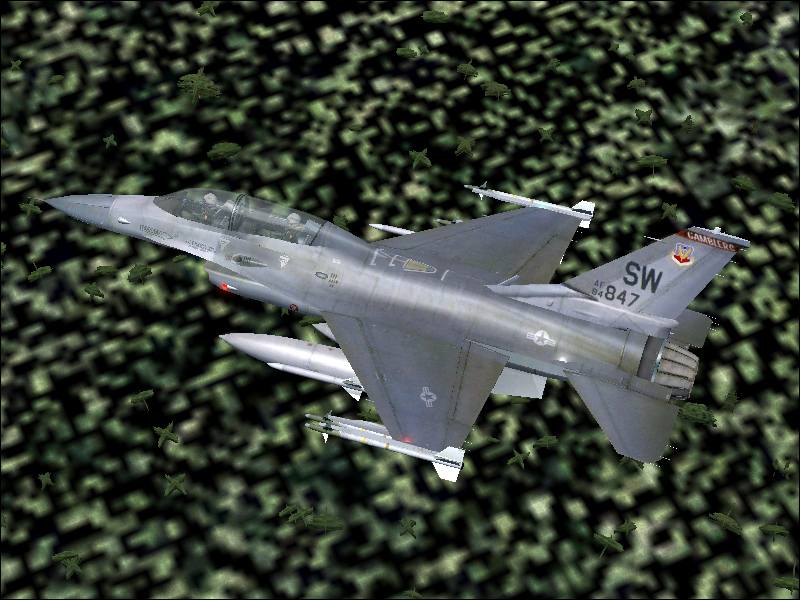
Those last two shots are really very cool! Is that your 'regular' AI or is that the Recorder Module?
Last edited by haroldkip on Mon Jul 16, 2007 4:08 pm, edited 1 time in total.
User avatar
haroldkip
Lieutenant Colonel
Lieutenant Colonel
 
Posts: 5906
Joined: Wed Apr 12, 2006 5:13 am
Location: Amsterdam, The Netherlands

Re: F-16D Fighting Falcon

Postby spitfire boy » Mon Jul 16, 2007 4:10 pm

I'm not all that familiar with the graphics card interface - mine's rubbish - but I manage to get past the jaggies problem by taking a 1280x1024 shot in my sim (FS9) and then opening it in irfannview. I click on the 'image' menu, then 'resize/resample', then I make sure I have the resample box checked (as opposed to the resized option) and I also make sure I have 'preserve aspect ratio' checked. Then in the 'width' box, I type in '800', and this should automatically bring up a number in the second box, for me it's always 640, but it may vary depending on your monitor. Point is, the resample feature almost always is able to blur the edges of the planes in my shot so that it looks as though I have used anti-aliasing.

I would recommend running a couple of testruns in irfanview to see whether you can get this to work. Also, see if you can find the antialiasing settings in your graphics card interface, and set it to 'X4' (I'm unable to help you much more in that area, sorry).

If you are unable to turn on antialiasing, take your problem over to the hardware section of the forums. Make sure to be specific about what card you are running.

P.S. It is unadvisable to turn antialiasing on in the sim - it eats framerate and has very little benefit if you turn it on in-simulator.

Again, hope this helps.
Image


[center]
User avatar
spitfire boy
Major
Major
 
Posts: 2587
Joined: Mon May 21, 2007 4:46 pm
Location: Wherever you think I'm not

Re: F-16D Fighting Falcon

Postby Conan Edogawa » Mon Jul 16, 2007 4:57 pm

The last one is quit interesting!
Image

Specs: Intel Core2Quad Q6600 2,4GHz; 3,25GB RAM; nVidia EN8800GTS 512MB; Flight Simulator 9.1.
User avatar
Conan Edogawa
1st Lieutenant
1st Lieutenant
 
Posts: 488
Joined: Tue Dec 26, 2006 5:14 pm
Location: Hamburg, Germany

Re: F-16D Fighting Falcon

Postby Ben R » Tue Jul 17, 2007 1:11 am

that is regualar AI my friend..


straight from military ai works..shaw AFB..eats framerate but great for pics!!
Image
User avatar
Ben R
Major
Major
 
Posts: 1135
Joined: Wed Jul 05, 2006 3:51 am
Location: ipswich


Return to Simulation Screenshots Showcase

Who is online

Users browsing this forum: No registered users and 244 guests