Great card! ;D Thanks for the advice. Now to tweak alittle bit.

Flight Simulator and other chat
 by JW49 » Tue Aug 31, 2004 2:19 pm

by jordonj » Tue Aug 31, 2004 2:23 pm



by chomp_rock » Tue Aug 31, 2004 2:28 pm


by JW49 » Tue Aug 31, 2004 3:02 pm
by Omag 2.0 » Tue Aug 31, 2004 3:15 pm

by jordonj » Tue Aug 31, 2004 6:20 pm
by Silver1SWA » Thu Sep 09, 2004 4:04 am

by jordonj » Thu Sep 09, 2004 7:47 am
by Silver1SWA » Thu Sep 09, 2004 8:10 am
by JBaymore » Thu Sep 09, 2004 8:15 am

 Intel i7 960 quad 3.2G LGA 1366, Asus P6X58D Premium, 750W Corsair, 6 gig 1600 DDR3, Spinpoint 1TB 720

by jordonj » Thu Sep 09, 2004 8:19 am
Heya HSV,
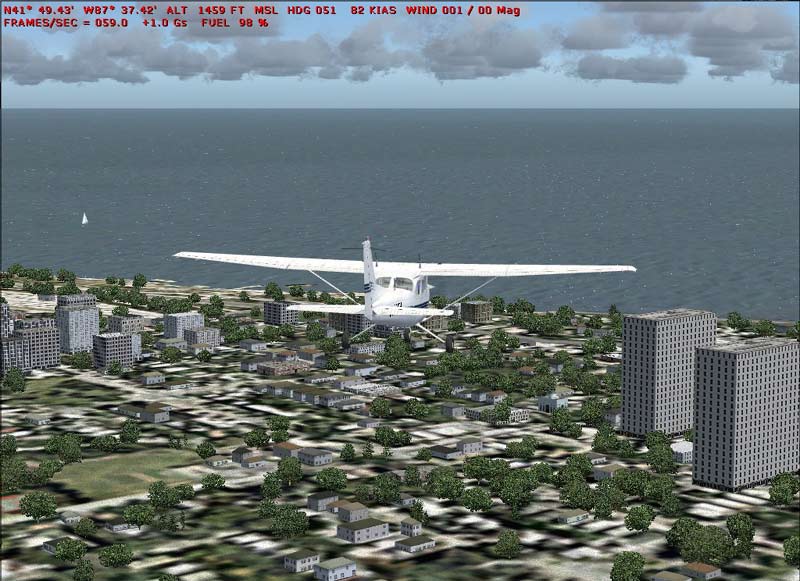
A common issue with FS 2004 are all of the restaurant signs clogging the memory (especially in urban areas). This over a period of time can cause frame rates to drop.
Two things that you may do to avoid this:
1. In the main FS2004 folder you will find a subfolder called Autogen. In that folder there is a single file named Default.xml . I renamed this file to default.BAK.
2. Find the line in the [Graphics] section of FS9.cfg file that reads TERRAIN_USE_VECTOR_OBJECTS=1 and change the 1 to a 0 so that the new line reads TERRAIN_USE_VECTOR_OBJECTS=0 .
You'll be missing some fastfood restaurant signs, however, you should see both an end to the poor FPS when returning to the airport to land and an increase in framerates when flying in the city.
by coolamon » Thu Sep 09, 2004 9:41 am
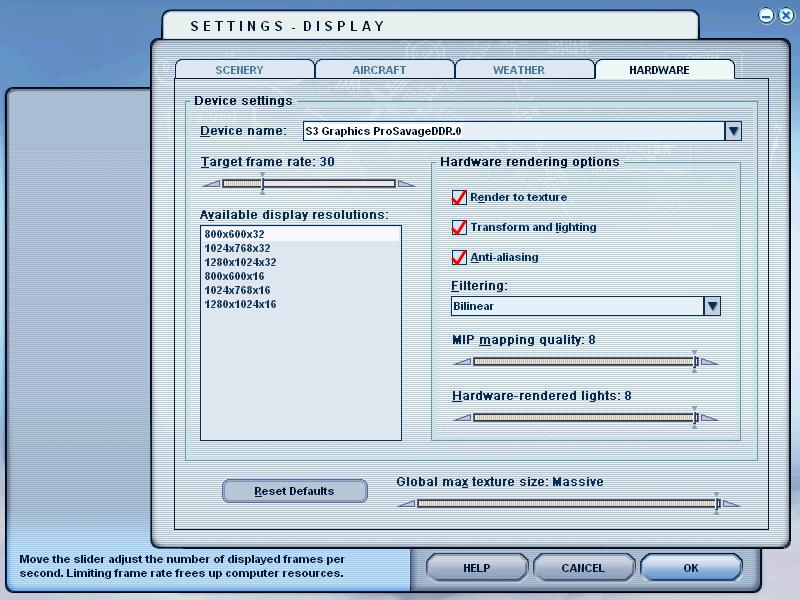 look at my dumb graphics card
by 4_Series_Scania » Thu Sep 09, 2004 11:53 am
Thats crazy...I can only get a steady 30 frames MOST of the time with my setup...and there is still plenty in FS9 that can bring my system down.
Something is not right...I have a bottleneck somewhere but I can't figure out what it is...

by JW49 » Thu Sep 09, 2004 2:39 pm

by Silver1SWA » Thu Sep 09, 2004 7:03 pm
Return to Simulation Screenshots Showcase
Users browsing this forum: No registered users and 161 guests
