how to set light hotkeys?

FSX including FSX Steam version.

how to set light hotkeys?

Postby smeely » Sat Apr 28, 2012 6:28 am

Is there anyway of setting a hotkey for the aircraft lights? The strobes and landing lights are easy, but what about taxi, nav, bcn. I have never been able to find something that will allow me to set them.
You never know what other places/countries are like untill you travel there. More people should get out of their home contries, just so they can understand/know more of/about the world
User avatar
smeely
2nd Lieutenant
2nd Lieutenant
 
Posts: 64
Joined: Sun Mar 27, 2011 11:46 pm

Re: how to set light hotkeys?

Postby BlackAce » Sat Apr 28, 2012 9:18 am

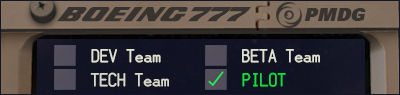
Press L.  Or you can turn them on in the aircraft
http://downloads.precisionmanuals.com/i ... _Pilot.jpg [http://pic.yupoo.com/frank1223/BhFQbsLl/yeEIP.gif
User avatar
BlackAce
Major
Major
 
Posts: 1398
Joined: Thu Nov 17, 2011 6:26 pm
Location: KBOI/KMAN/KEUL

Re: how to set light hotkeys?

Postby smeely » Sun Apr 29, 2012 1:13 am

so there isn't a way to get just things like taxi lights to come on when i push a button or a key?
You never know what other places/countries are like untill you travel there. More people should get out of their home contries, just so they can understand/know more of/about the world
User avatar
smeely
2nd Lieutenant
2nd Lieutenant
 
Posts: 64
Joined: Sun Mar 27, 2011 11:46 pm

Re: how to set light hotkeys?

Postby BlackAce » Sun Apr 29, 2012 8:44 am

Go to your settings>controls>and you should see a list of there where the buttons and controls are. Mind the taxi light switch and make a keyboard or joystick assignment.
http://downloads.precisionmanuals.com/i ... _Pilot.jpg [http://pic.yupoo.com/frank1223/BhFQbsLl/yeEIP.gif
User avatar
BlackAce
Major
Major
 
Posts: 1398
Joined: Thu Nov 17, 2011 6:26 pm
Location: KBOI/KMAN/KEUL

Re: how to set light hotkeys?

Postby dave3cu » Sun Apr 29, 2012 9:05 am

Blackace, the problem is not all individual light types are available in the control assignment list.

Smeely,

For those events that do not show up for assignment in the Settings>Controls window......

..I have by manually editing the 'standard.xml' file that stores the key/button/axis assignments. The file is stored in the same location as your fsx.cfg file, in the Controls sub-folder. Back up the file before editing so you don't lose your current assignments should your editing efforts 'go south'.

I have assigned my electrical and light switches to the numpad keys, as I don't use them otherwise in 'normal mode'.
Last edited by dave3cu on Sun Apr 29, 2012 12:22 pm, edited 1 time in total.
At that time [1909] the chief engineer was almost always the chief test pilot as well. That had the fortunate result of eliminating poor engineering early in aviation.

dave3cu
Major
Major
 
Posts: 3141
Joined: Sun May 19, 2002 9:55 am
Location: 3CU, Northern Wisconsin, USA

Re: how to set light hotkeys?

Postby smeely » Mon Apr 30, 2012 2:42 am

Thankyou dave3cu

This is what I was looking for... now to find those files... not quite sure where I have them stored on my system, but I will find them sometime
You never know what other places/countries are like untill you travel there. More people should get out of their home contries, just so they can understand/know more of/about the world
User avatar
smeely
2nd Lieutenant
2nd Lieutenant
 
Posts: 64
Joined: Sun Mar 27, 2011 11:46 pm


Return to Flight Simulator X (FSX) and Steam

Who is online

Users browsing this forum: No registered users and 1094 guests