getting fsx working in w7 ultimate ( any ideas )

FSX including FSX Steam version.

getting fsx working in w7 ultimate ( any ideas )

Postby bombardier » Sun Jan 01, 2012 11:08 am

hello:  I have the standard fsx not acceration not gold  if that helps any.  gold edition is compatible with w7 I just cannot find it.

I'm trying to get fsx working in w7 ultimate what do I need to do by the box its compatible with windows vista so I thought it will be same with w7 also need your views on this also. would I install it with the w7 x86 file sysem if not how would I do that? how about a extrenal hard drive install it there and put it on screen. is that an option?    8-)

User avatar
bombardier
2nd Lieutenant
2nd Lieutenant
 
Posts: 288
Joined: Sat Sep 04, 2010 2:58 pm
Location: united states

Re: getting fsx working in w7 ultimate ( any ideas )

Postby Gypsy_Baron » Sun Jan 01, 2012 12:31 pm

[quote]hello:
Image
User avatar
Gypsy_Baron
1st Lieutenant
1st Lieutenant
 
Posts: 467
Joined: Tue Oct 05, 2004 6:33 pm
Location: Daly City, California

Re: getting fsx working in w7 ultimate ( any ideas )

Postby bombardier » Sun Jan 01, 2012 12:50 pm

reply to gypsy-baron:  thanks for the reply

first what is sdk next I just have 1 hd the os and drive
Last edited by bombardier on Sun Jan 01, 2012 12:54 pm, edited 1 time in total.
User avatar
bombardier
2nd Lieutenant
2nd Lieutenant
 
Posts: 288
Joined: Sat Sep 04, 2010 2:58 pm
Location: united states

Re: getting fsx working in w7 ultimate ( any ideas )

Postby Fozzer » Sun Jan 01, 2012 2:09 pm

I know it may seen strange to some.....

..but in my version of Windows 7 Home Edition, all my flight sims, etc, are automatically installed into C/Program Files/Microsoft Games/FS2002, FS2004, FSX, etc, with no problems at all.
As Administrator I don't suffer any conflicts, strange requests, etc, at any time, (similar to my previous Win XP pro OS).
All my FS downloads fit nicely into their respective FS Folders, and only the FS .cfg files are stored in the root directory of my C Drive.
So, there you go...its "Program Files" default location for me...and it works!... :)...!

Paul...C Drive...Win 7....FS 2004 + FSX... [smiley=thumbsup.gif]...!
Last edited by Fozzer on Sun Jan 01, 2012 3:11 pm, edited 1 time in total.
Win 8.1 64-bit. DX11. Advent Tower. Intel i7-3770 3.9 GHz 8-core. 8 GB System RAM. AMD Radeon HD 7700 1GB RAM. DVD ROM. 2 Terra Byte SATA Hard Drive. Philips 17" LCD Monitor. Saitek Cyborg X Fly-5 Joystick. ...and a Briggs and Stratton Petrol Lawn Mower.
User avatar
Fozzer
Colonel
Colonel
 
Posts: 27369
Joined: Thu Jan 31, 2002 3:11 pm
Location: Hereford. England. EGBS.

Re: getting fsx working in w7 ultimate ( any ideas )

Postby bombardier » Sun Jan 01, 2012 2:53 pm

hello fozzer: you got me thinking  . it might work for me

I would called it c:/program files/microsoft games/ fsx. my c drive is my os so thats out of the question.  you had a good idea; now its back to quare one with me again.
User avatar
bombardier
2nd Lieutenant
2nd Lieutenant
 
Posts: 288
Joined: Sat Sep 04, 2010 2:58 pm
Location: united states

Re: getting fsx working in w7 ultimate ( any ideas )

Postby Fozzer » Sun Jan 01, 2012 3:14 pm

[quote]hello fozzer: you got me thinking
Win 8.1 64-bit. DX11. Advent Tower. Intel i7-3770 3.9 GHz 8-core. 8 GB System RAM. AMD Radeon HD 7700 1GB RAM. DVD ROM. 2 Terra Byte SATA Hard Drive. Philips 17" LCD Monitor. Saitek Cyborg X Fly-5 Joystick. ...and a Briggs and Stratton Petrol Lawn Mower.
User avatar
Fozzer
Colonel
Colonel
 
Posts: 27369
Joined: Thu Jan 31, 2002 3:11 pm
Location: Hereford. England. EGBS.

Re: getting fsx working in w7 ultimate ( any ideas )

Postby Gypsy_Baron » Sun Jan 01, 2012 6:00 pm

[quote]hello fozzer: you got me thinking
Image
User avatar
Gypsy_Baron
1st Lieutenant
1st Lieutenant
 
Posts: 467
Joined: Tue Oct 05, 2004 6:33 pm
Location: Daly City, California

Re: getting fsx working in w7 ultimate ( any ideas )

Postby Fozzer » Sun Jan 01, 2012 6:46 pm

..actually...

..the reason I like installing programs to "Program Files", is that if the program does not come with its own "uninstaller" program, it can safely be uninstalled via the Windows Control Panel* where "Delete" would be a bad thing to do to get rid of the program!
(The same thing also applied to Win XP).
All my programs are in one Folder, easy to trace alphabetically, and easy to uninstall safely.... :)...!
(Note that the Flight Sims come with their own built-in uninstaller on the Installation CD/DVD).

Paul.... :)....!

* Start > Control Panel > Programs and Features > [Program]...Right Click > Uninstall.

P.S. If you only have one Hard Drive, you have no other choice but to install Windows and all other programs on the same Hard Drive.
Last edited by Fozzer on Sun Jan 01, 2012 7:07 pm, edited 1 time in total.
Win 8.1 64-bit. DX11. Advent Tower. Intel i7-3770 3.9 GHz 8-core. 8 GB System RAM. AMD Radeon HD 7700 1GB RAM. DVD ROM. 2 Terra Byte SATA Hard Drive. Philips 17" LCD Monitor. Saitek Cyborg X Fly-5 Joystick. ...and a Briggs and Stratton Petrol Lawn Mower.
User avatar
Fozzer
Colonel
Colonel
 
Posts: 27369
Joined: Thu Jan 31, 2002 3:11 pm
Location: Hereford. England. EGBS.

Re: getting fsx working in w7 ultimate ( any ideas )

Postby DentProof » Mon Jan 02, 2012 6:42 pm

If you install the flight sim you have and download sp2 for FSX and load It your FSX is then the acceration patched verion :).
Dent
DentProof
Ground hog
Ground hog
 
Posts: 5
Joined: Sat Sep 03, 2011 4:34 pm
Location: usa

Re: getting fsx working in w7 ultimate ( any ideas )

Postby andy190 » Mon Jan 02, 2012 8:19 pm

I've got fsx on windows 7 installed in
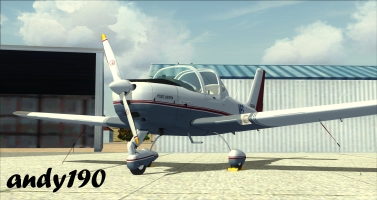
C:\Program Files (x86)\Microsoft Games\Microsoft Flight Simulator X & I don't have any problems. If you do install it there the only thing I would recommend doing is changing the folder from read only so it won't always ask for administrator permission when you try to add aircraft.
Image

Intel Core i5-2310 CPU @ 2.90GHz, 6GB RAM, AMD Radeon HD 6450, Windows 7 Professional 64 bit, Logitech Extreme 3D Pro
User avatar
andy190
Major
Major
 
Posts: 1376
Joined: Wed Nov 16, 2011 3:16 am
Location: Havelock North, NZ


Return to Flight Simulator X (FSX) and Steam

Who is online

Users browsing this forum: No registered users and 471 guests