Fog layering...

FSX including FSX Steam version.

Fog layering...

Postby michaelb15 » Sun Nov 13, 2011 2:07 pm

Im having troubles with FSX fog.

the fog works untill I get to the ceiling of the fog layer, then once im above it, thers no more fog whatso ever.. None below me, none above.. Just unlimited visibility. I remember playing fsx a long time ago, and there was fog layers that you couldnt see through, even if you were above the main fog layer. I dont kno what I have done, but once im above the fog, I have unlimited visibility, and can see the ground below me, with no problem at all.

How can I fix this issue?
I am somwhere I don't know where I am!!!
User avatar
michaelb15
Captain
Captain
 
Posts: 915
Joined: Tue Aug 05, 2003 10:52 pm
Location: Lindsay, Ontario, Canada

Re: Fog layering...

Postby FoxThree » Sun Nov 13, 2011 3:43 pm

That's just a default problem with FSX - there's no (relatively easy) way to fix it.
User avatar
FoxThree
Captain
Captain
 
Posts: 801
Joined: Thu Sep 08, 2011 6:04 pm
Location: KRFD

Re: Fog layering...

Postby Strategic Retreat » Mon Nov 14, 2011 7:01 am

Under FS9, which has pretty much the same sim engine to FSX though some people may think otherwise, it's almost 8 years now I'm trying and constantly failing to obtain a decent fog layering. After all this time I have reached the conclusion that it's something like the cloud's shadow: should be there, it's not impossible to achieve, other sims have it... but for the FS franchise the only thought to obtain such fanciful effects it is pure heresy.

Nothing to do about it.
There is no such a thing as overkill. Only unworthy targets.
Strategic Retreat
Captain
Captain
 
Posts: 643
Joined: Tue Apr 19, 2011 10:40 am

Re: Fog layering...

Postby ArcticFox » Mon Nov 14, 2011 8:12 am

Such a shame that MS Flight seems to be just more of the same: that same old ancient inefficient game-engine.

And yeah: that's something you just can not do about. Darn shame I think the following for this franchise is strong and can be even stronger. As is it seems X-Plane is making a good run for taking over the lead position.
[ASUS P8H67]- [Intel core5 2500k]- [4gb Corsair DDR] - [Asus 560ti]
ArcticFox
2nd Lieutenant
2nd Lieutenant
 
Posts: 79
Joined: Sat Oct 15, 2011 5:01 am

Re: Fog layering...

Postby michaelb15 » Mon Nov 14, 2011 3:38 pm

well this isnt what I wanted to hear
Last edited by michaelb15 on Mon Nov 14, 2011 3:44 pm, edited 1 time in total.
I am somwhere I don't know where I am!!!
User avatar
michaelb15
Captain
Captain
 
Posts: 915
Joined: Tue Aug 05, 2003 10:52 pm
Location: Lindsay, Ontario, Canada

Re: Fog layering...

Postby michaelb15 » Mon Nov 14, 2011 4:11 pm

ok hers some screen shots showing exactly what happens.. I hope maybe it will give ya's a better understanding of whats happening... I hope..
Last edited by michaelb15 on Mon Nov 14, 2011 4:12 pm, edited 1 time in total.
I am somwhere I don't know where I am!!!
User avatar
michaelb15
Captain
Captain
 
Posts: 915
Joined: Tue Aug 05, 2003 10:52 pm
Location: Lindsay, Ontario, Canada

Re: Fog layering...

Postby FSX_Dude » Mon Nov 14, 2011 4:25 pm

Hmmmmm......

Interesting there could be a graphics card problem or a missing file thats all I can think of (but I'm not sure)
I don't need a Sign.....wait......Damn!
User avatar
FSX_Dude
Captain
Captain
 
Posts: 534
Joined: Fri Oct 14, 2011 10:29 pm
Location: Near M34

Re: Fog layering...

Postby FoxThree » Mon Nov 14, 2011 8:48 pm

ok hers some screen shots showing exactly what happens.. I hope maybe it will give ya's a better understanding of whats happening... I hope..  ;) :)

Like said earlier, that just a common default problem with FSX.

As for the YouTube video, I think he's using Active Sky Evolution (can't say for sure).
User avatar
FoxThree
Captain
Captain
 
Posts: 801
Joined: Thu Sep 08, 2011 6:04 pm
Location: KRFD

Re: Fog layering...

Postby Strategic Retreat » Mon Nov 14, 2011 9:29 pm

If it's related to some sparse incidents it may be that as soon you take off the weather engine locks on a station for which there is no fog and this is simply canceled (happens even with ActiveSky, though less often than with the default barebone weather engine). If it happens all too often it may be you lack some [unknown to me] texture.

Even if you lack a texture and you manage to bring it back, the fog layering under FS is pretty poor and in the default installations (texture or whatever effect it was I strove to delete, back in the days, because being without its eyesore presence is much better, I believe) looks like a sort of surface of a milky color that encircle and clings unrealistically to any hilly or mountainous surface. The visual effect is pretty much like the lands below you is awash with an off-white semi-transparent colored mercury that is unable to mesh with the orography and remains painfully separated from this by a sharp interface line, just like in the linked Youtube video around min 3:27.

Of course, if you want it back, I wish you luck in your pursuit... it's been YEARS ever since I managed to delete it and cannot remember what it was.
Last edited by Strategic Retreat on Mon Nov 14, 2011 9:34 pm, edited 1 time in total.
There is no such a thing as overkill. Only unworthy targets.

Strategic Retreat
Captain
Captain
 
Posts: 643
Joined: Tue Apr 19, 2011 10:40 am

Re: Fog layering...

Postby Ang2dogs » Tue Nov 15, 2011 1:01 am

Michaelb15, have you tried the
User avatar
Ang2dogs
Captain
Captain
 
Posts: 862
Joined: Sun Aug 19, 2007 12:38 am
Location: black mountain hills of Dakota

Re: Fog layering...

Postby jeff55 » Tue Nov 15, 2011 5:05 am

Hello Ang2dogs, Can you confirm (or explain) why the swarmcloud fix wouldnot work or fsx SP2 + accleration ?

Regards,
jeff55
User avatar
jeff55
Ground hog
Ground hog
 
Posts: 40
Joined: Wed Jul 07, 2004 3:49 am
Location: France

Re: Fog layering...

Postby jeff55 » Tue Nov 15, 2011 5:21 am

Hello MichaelB15,

In the past when I used Fs 2004, I purchased FSUIPC, which is a software running with Flight simulator. This soft allow plenty of tweaking of the simulator  including setting the visibility , level of fog and many other stuffs.
So you may have look on that software, that must be found in the simviation somewhere.

Regards,
jeff55
User avatar
jeff55
Ground hog
Ground hog
 
Posts: 40
Joined: Wed Jul 07, 2004 3:49 am
Location: France

Re: Fog layering...

Postby Ang2dogs » Wed Nov 16, 2011 10:38 pm

Hello Ang2dogs, Can you confirm (or explain) why the swarmcloud fix wouldnot work or fsx SP2 + accleration ?

Regards,


One of my buds installed acceleration (which includes Sp2), and when we were tweeking the sim, we got a fatal error at start up, and that was right after we did the swarmcloud fix. When we put back the orginal SwarmCloud.fx file, the sim fired up like normal. Tried it again on another computer and got the same result. That's why it's important to back up your original files before changing them people!
User avatar
Ang2dogs
Captain
Captain
 
Posts: 862
Joined: Sun Aug 19, 2007 12:38 am
Location: black mountain hills of Dakota

Re: Fog layering...

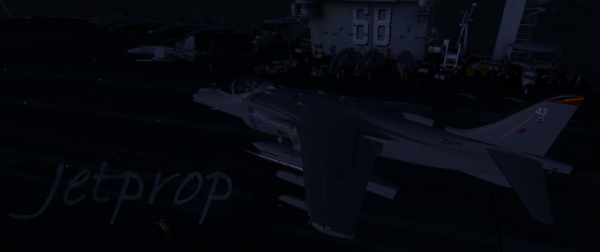
Postby jetprop » Thu Nov 17, 2011 4:36 pm

i know,totaly off-topic:
what aircraft is that?
it looks good.

and i don't have that problem,maybe it is just the settings.
Last edited by jetprop on Thu Nov 17, 2011 4:36 pm, edited 1 time in total.
Image
User avatar
jetprop
Major
Major
 
Posts: 1518
Joined: Tue Aug 16, 2011 10:03 am
Location: a chair infront of a monitor.


Return to Flight Simulator X (FSX) and Steam

Who is online

Users browsing this forum: No registered users and 621 guests