DHC - 2 Turbo Beaver problem....

FSX including FSX Steam version.

DHC - 2 Turbo Beaver problem....

Postby jon157uk » Tue Sep 06, 2011 12:05 pm

Any ideas please guys? I've just installed the Beaver at this link http://simviation.com/1/download?file=D ... leId=13274 and everything works great apart from in VC view the prop is just a big black spinning circle that I can't see through. Is there a fix for this type of thing please?

Thanks... Jon T.
User avatar
jon157uk
2nd Lieutenant
2nd Lieutenant
 
Posts: 52
Joined: Thu Sep 01, 2011 12:32 pm

Re: DHC - 2 Turbo Beaver problem....

Postby Capt.Propwash » Tue Sep 06, 2011 12:44 pm

downloading it now, will take a look in the Textures folder.  I think you have to delete one of the textures due to this being a "port-over" from FS9
The thoughts and expressions contained in the post above are solely my own, and not necessarily those of Simviation.com, its Moderators, its Staff, its Members, or other guests. They can not, are not, and will not be held liable for any thoughts, or expre

User avatar
Capt.Propwash
Major
Major
 
Posts: 1947
Joined: Tue Feb 20, 2007 12:34 am
Location: KCHS, Charleston, SC, USA

Re: DHC - 2 Turbo Beaver problem....

Postby Sir Puma » Tue Sep 06, 2011 12:57 pm

I've seen that on a few other aircraft that are originally from 2004 (FS9). I wish I knew the fix myself. :-/
"Guard well the words you use, for they can be the keys to your freedom or the manacles of your slavery." - me
Sir Puma
2nd Lieutenant
2nd Lieutenant
 
Posts: 192
Joined: Wed Nov 11, 2009 3:28 am
Location: KDEW

Re: DHC - 2 Turbo Beaver problem....

Postby Hagar » Tue Sep 06, 2011 1:26 pm

Works fine for me. Which version of FSX do you have? You might need to install the SP1 & SP2 updates.
Image

Founder & Sole Member - Grumpy's Over the Hill Club for Veteran Virtual Aviators
Member of the Fox Four Group
My Google Photos albums
My Flickr albums
User avatar
Hagar
Colonel
Colonel
 
Posts: 30868
Joined: Wed Jun 19, 2002 7:15 am
Location: Costa Geriatrica

Re: DHC - 2 Turbo Beaver problem....

Postby jon157uk » Tue Sep 06, 2011 1:45 pm

Works fine for me. Which version of FSX do you have? You might need to install the SP1 & SP2 updates.


I'm already using sp1 & 2 mate.
User avatar
jon157uk
2nd Lieutenant
2nd Lieutenant
 
Posts: 52
Joined: Thu Sep 01, 2011 12:32 pm

Re: DHC - 2 Turbo Beaver problem....

Postby JoBee » Tue Sep 06, 2011 2:00 pm

You might look at some of the fixes here- http://www.premaircraft.com/support/FSX ... index.html

cheers,
Joe
Don't argue with idiots, they drag you down to their level and beat you with experience.
User avatar
JoBee
Captain
Captain
 
Posts: 574
Joined: Sat Aug 29, 2009 2:14 am

Re: DHC - 2 Turbo Beaver problem....

Postby Capt.Propwash » Tue Sep 06, 2011 2:21 pm

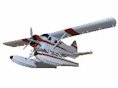
I do believe that THIS is what you are seeing.  I am still looking at the Texture folder to see what the problem is.  I believe that it is the "alpha channel" on the 'prop_TBX.bmp'  ... upon opening that .bmp in DXTBMP it is a black square with the propeller as the alpha channel.

FSX (sp2)
DHC2 Turbo Beaver - Emerald
Friday Harbor
REX
Orbx PNW

Image
The thoughts and expressions contained in the post above are solely my own, and not necessarily those of Simviation.com, its Moderators, its Staff, its Members, or other guests. They can not, are not, and will not be held liable for any thoughts, or expre
User avatar
Capt.Propwash
Major
Major
 
Posts: 1947
Joined: Tue Feb 20, 2007 12:34 am
Location: KCHS, Charleston, SC, USA

Re: DHC - 2 Turbo Beaver problem....

Postby JoBee » Tue Sep 06, 2011 2:47 pm

Go to the link in my previous post and download the fix for the FMPC Viking, filename- fmpc_vik.zip

That will fix it.

The problem lies not only with the prop texture, but the model as well.

cheers,
Joe
Don't argue with idiots, they drag you down to their level and beat you with experience.
User avatar
JoBee
Captain
Captain
 
Posts: 574
Joined: Sat Aug 29, 2009 2:14 am

Re: DHC - 2 Turbo Beaver problem....

Postby Capt.Propwash » Tue Sep 06, 2011 2:56 pm

ok ill stop helping you now that the ALL KNOWING JOBEE is here.


I downloaded the fix and it DOES NOT WORK!!!!! but who am i to say that.   oh well.   


Sorry that I can not help you.
The thoughts and expressions contained in the post above are solely my own, and not necessarily those of Simviation.com, its Moderators, its Staff, its Members, or other guests. They can not, are not, and will not be held liable for any thoughts, or expre
User avatar
Capt.Propwash
Major
Major
 
Posts: 1947
Joined: Tue Feb 20, 2007 12:34 am
Location: KCHS, Charleston, SC, USA

Re: DHC - 2 Turbo Beaver problem....

Postby jon157uk » Tue Sep 06, 2011 3:57 pm

[quote]ok ill stop helping you now that the ALL KNOWING JOBEE is here.


I downloaded the fix and it DOES NOT WORK!!!!! but who am i to say that.
User avatar
jon157uk
2nd Lieutenant
2nd Lieutenant
 
Posts: 52
Joined: Thu Sep 01, 2011 12:32 pm

Re: DHC - 2 Turbo Beaver problem....

Postby JoBee » Tue Sep 06, 2011 4:09 pm

Works great for me, I will add I am using FSX/Accel.

Maybe a different sim version?

cheers,
Joe
Don't argue with idiots, they drag you down to their level and beat you with experience.
User avatar
JoBee
Captain
Captain
 
Posts: 574
Joined: Sat Aug 29, 2009 2:14 am

Re: DHC - 2 Turbo Beaver problem....

Postby Capt.Propwash » Tue Sep 06, 2011 4:18 pm

AS I WAS SAYING....

i even tried changing the prop_TBX.bmp to a prop_TBX.dds and that did not work either.  Some aircraft's prop texture is a .dds and I was hoping that by changing it to a .dds that it would work.  .. guess not. 

I have another option up my sleeve, but I doubt that it will work too, but let me take a look before I open my keyboard.
Last edited by Capt.Propwash on Tue Sep 06, 2011 4:20 pm, edited 1 time in total.
The thoughts and expressions contained in the post above are solely my own, and not necessarily those of Simviation.com, its Moderators, its Staff, its Members, or other guests. They can not, are not, and will not be held liable for any thoughts, or expre

User avatar
Capt.Propwash
Major
Major
 
Posts: 1947
Joined: Tue Feb 20, 2007 12:34 am
Location: KCHS, Charleston, SC, USA

Re: DHC - 2 Turbo Beaver problem....

Postby Capt.Propwash » Tue Sep 06, 2011 4:42 pm

ok, i got the fix.


DO install the fix from the page supplied.

go into the MODEL folder, and rename the model file (the one ending in .mdl) BACK to:

BeaverMK3_viking_[glow=yellow,2,300]fix9[/glow].mdl (instead of it reading: BeaverMK3_viking_fix10.mdl)

[there should be only 1 .mdl file.   Delete the original fix9.mdl, and rename the fix10.mdl BACK to fix9.mdl as I describe]


THEN go into the model.cfg and change the only line in there to say:

[models]
normal=BeaverMK3_viking_[glow=yellow,2,300]fix9[/glow]
Last edited by Capt.Propwash on Tue Sep 06, 2011 4:44 pm, edited 1 time in total.
The thoughts and expressions contained in the post above are solely my own, and not necessarily those of Simviation.com, its Moderators, its Staff, its Members, or other guests. They can not, are not, and will not be held liable for any thoughts, or expre
User avatar
Capt.Propwash
Major
Major
 
Posts: 1947
Joined: Tue Feb 20, 2007 12:34 am
Location: KCHS, Charleston, SC, USA

Re: DHC - 2 Turbo Beaver problem....

Postby JoBee » Tue Sep 06, 2011 4:46 pm

[quote]AS I WAS SAYING....

i even tried changing the prop_TBX.bmp to a prop_TBX.dds and that did not work either.
Don't argue with idiots, they drag you down to their level and beat you with experience.
User avatar
JoBee
Captain
Captain
 
Posts: 574
Joined: Sat Aug 29, 2009 2:14 am

Re: DHC - 2 Turbo Beaver problem....

Postby Hagar » Tue Sep 06, 2011 5:13 pm

As I said earlier - it works fine for me (FSX Gold + Acceleration). Possibly a display setting on your system or FSX.
Image

Founder & Sole Member - Grumpy's Over the Hill Club for Veteran Virtual Aviators
Member of the Fox Four Group
My Google Photos albums
My Flickr albums
User avatar
Hagar
Colonel
Colonel
 
Posts: 30868
Joined: Wed Jun 19, 2002 7:15 am
Location: Costa Geriatrica

Next

Return to Flight Simulator X (FSX) and Steam

Who is online

Users browsing this forum: No registered users and 326 guests