
missing panels when inserting aircraft

FSX including FSX Steam version.

missing panels when inserting aircraft

Postby legindoow » Thu Apr 21, 2011 3:52 pm

Can anyone help.when I put new aircraft in and follow the read me.there are a lot of times when the panel does not appear.Is there a fix or am i missing something when I upload new aircraft 
legindoow
Ground hog
Ground hog
 
Posts: 5
Joined: Thu Apr 21, 2011 4:31 pm

Re: missing panels when inserting aircraft

Postby Hagar » Thu Apr 21, 2011 3:55 pm

Hi there. I suspect these aircraft have no VC. Press F10 to toggle the 2D panel view. F9 to revert to VC view.
Last edited by Hagar on Thu Apr 21, 2011 3:57 pm, edited 1 time in total.
Image

Founder & Sole Member - Grumpy's Over the Hill Club for Veteran Virtual Aviators
Member of the Fox Four Group
My Google Photos albums
My Flickr albums
User avatar
Hagar
Colonel
Colonel
 
Posts: 30868
Joined: Wed Jun 19, 2002 7:15 am
Location: Costa Geriatrica

Re: missing panels when inserting aircraft

Postby legindoow » Sat Apr 23, 2011 5:38 am

ok il try that ,thanks
legindoow
Ground hog
Ground hog
 
Posts: 5
Joined: Thu Apr 21, 2011 4:31 pm

Re: missing panels when inserting aircraft

Postby pete » Sun Apr 24, 2011 5:46 am

When an aircraft has a VC is nearly always mentions this in the description on simviation - and usually (80% of the time) also has an image of the VC.

If you have a particular problem with a file you downloaded from simviaiton, I (if I remember to check back here) or someone, will hopefully be able to check it out for you and advkise.
Last edited by pete on Sun Apr 24, 2011 11:26 am, edited 1 time in total.
Simplicity is the ultimate sophistication. – Leonardo da Vinci
User avatar
pete
Administrator
Administrator
 
Posts: 10243
Joined: Mon Jan 01, 2001 2:01 am
Location: Cloud Cuckoo Land

Re: missing panels when inserting aircraft

Postby legindoow » Sun Apr 24, 2011 2:52 pm

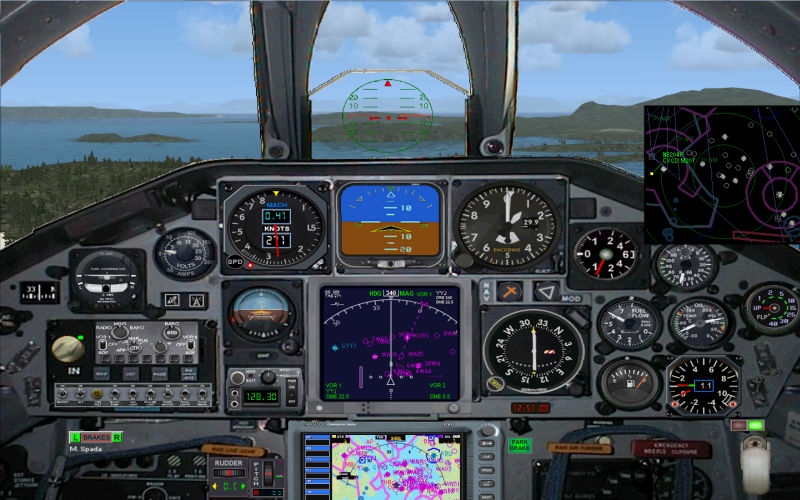
Hi thanks ,some of the panels worked as per the f10 and f9 option,but for example i downloaded the a10 warthog and when you press the f10 key all I get is a black screen.Is this a normal problem that happens?
legindoow
Ground hog
Ground hog
 
Posts: 5
Joined: Thu Apr 21, 2011 4:31 pm

Re: missing panels when inserting aircraft

Postby Hagar » Sun Apr 24, 2011 5:16 pm

If you give a link to the page the A-10 is posted on I can download it & check it out for you.
Image

Founder & Sole Member - Grumpy's Over the Hill Club for Veteran Virtual Aviators
Member of the Fox Four Group
My Google Photos albums
My Flickr albums
User avatar
Hagar
Colonel
Colonel
 
Posts: 30868
Joined: Wed Jun 19, 2002 7:15 am
Location: Costa Geriatrica

Re: missing panels when inserting aircraft

Postby legindoow » Tue Apr 26, 2011 2:19 pm

Hi yes thanks I think its the twin seated a10 battle creek on page 28,it must have moved as it says it has a bad link,I thought it was newer than page 28
legindoow
Ground hog
Ground hog
 
Posts: 5
Joined: Thu Apr 21, 2011 4:31 pm

Re: missing panels when inserting aircraft

Postby Hagar » Tue Apr 26, 2011 4:19 pm

Hi yes thanks I think its the twin seated a10 battle creek on page 28,it must have moved as it says it has a bad link,I thought it was newer than page 28

The A-10 is an FS9 port-over with no VC. The 2D panel works fine for me. I can't think why you're having problems.

Image
Image

Founder & Sole Member - Grumpy's Over the Hill Club for Veteran Virtual Aviators
Member of the Fox Four Group
My Google Photos albums
My Flickr albums
User avatar
Hagar
Colonel
Colonel
 
Posts: 30868
Joined: Wed Jun 19, 2002 7:15 am
Location: Costa Geriatrica

Re: missing panels when inserting aircraft

Postby legindoow » Wed Apr 27, 2011 11:42 am

Ok thanks for checking on this for me.I will remove it and reinstall it and hopefully get it to work,thanks nigel
legindoow
Ground hog
Ground hog
 
Posts: 5
Joined: Thu Apr 21, 2011 4:31 pm


Return to Flight Simulator X (FSX) and Steam

Who is online

Users browsing this forum: No registered users and 421 guests

