Fuselage missing with C310Q

FSX including FSX Steam version.

Fuselage missing with C310Q

Postby Demious » Fri Mar 18, 2011 9:50 am

Hello,
I'm totaly new to flightsims and I ran into some problems with installing the Cessna c310Q I downloaded from this site.
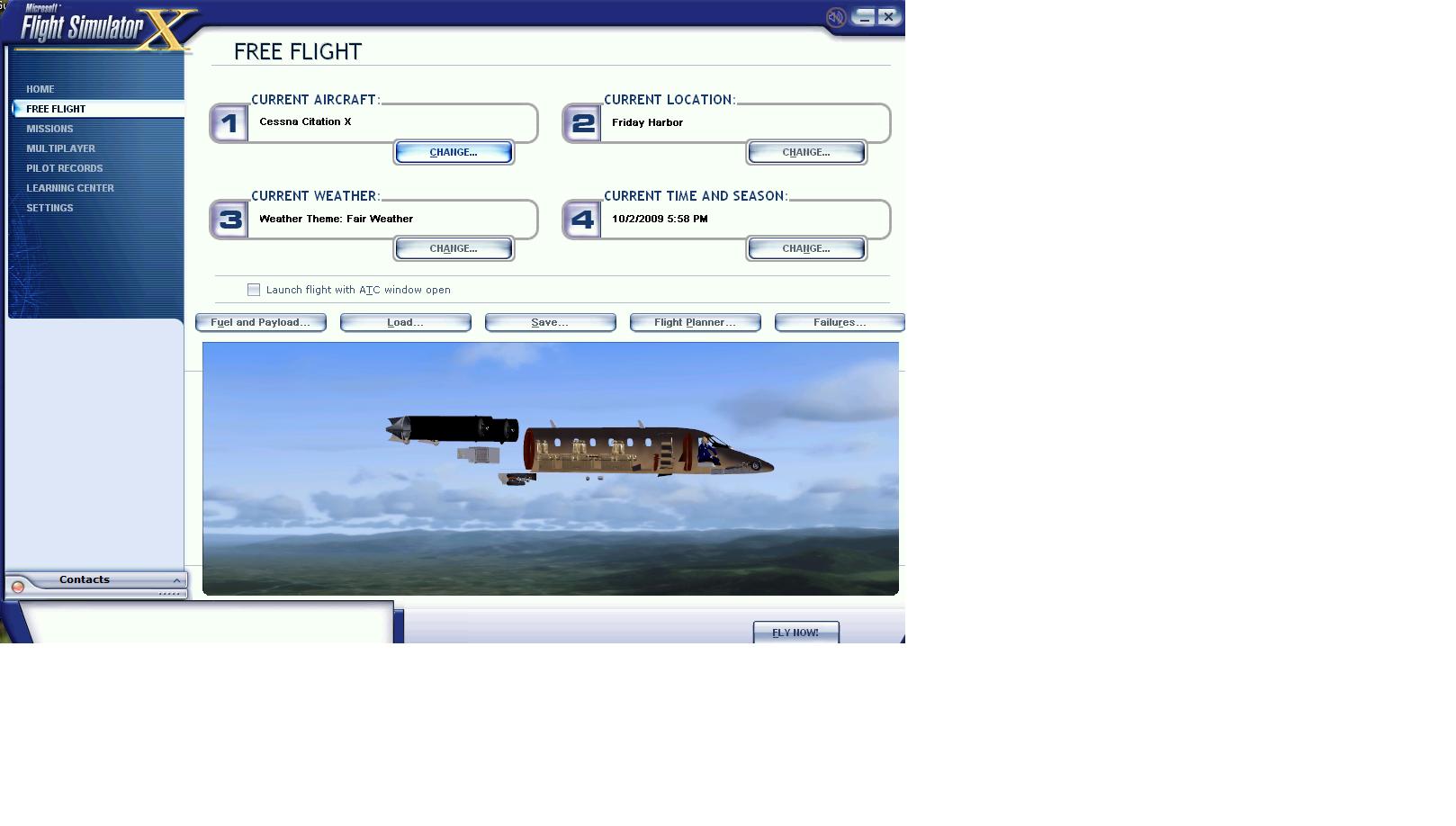
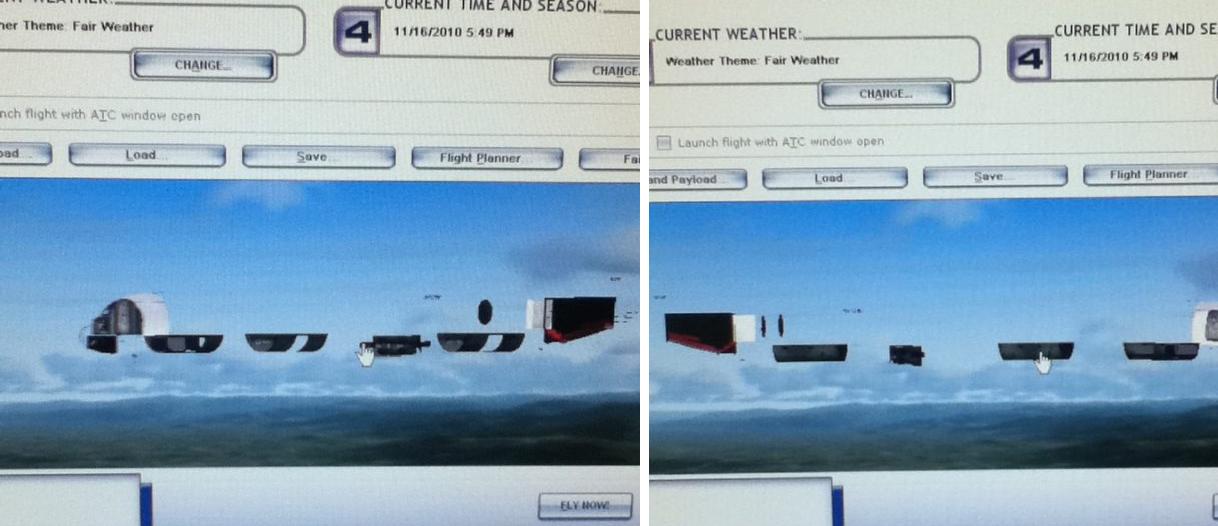
It shows up nicely in my selection window, but once I select it and go back to the page where I have to start up the flight, I only see the pilot and some small items from teh aircraft, but I'm missing the whole outside of the plane. Also ingame, the outside of the plane is missing.
I heard this has something to do with certain models running on specific video cards, but I cant find much about how to solve it.
I've got a Geforce 8800GT, running under win7

I also have problems with the Cessna 340 custom, which doesnt show the plane ingame, but only when viewed from the inside. From outside view everything looks fine.

The installation procedure seems to be in order, since the Lancair Legacy Gold Edition and the Laincair Legacy 2000 350HP work fine.

Can anyone please advise me how to fix this problem? Those Cessnas are the 2 planes I really would like to fly.

Demious
2nd Lieutenant
2nd Lieutenant
 
Posts: 134
Joined: Fri Mar 18, 2011 8:57 am
Location: Holland

Re: Fuselage missing with C310Q

Postby alrot » Fri Mar 18, 2011 10:59 am

Welcome to Simviation

I'm going to post one of my old threads I made in another forum

-----------------------------------------

Any One who experience this

Image

the Plane won't work properly in onboard PCs ,  uses 2048 x 2048 DDS images for a better and higher resolution,

in other words:
Older video cards, especially those with less RAM, cannot display 2048X2048 textures properly

the Symptoms are:

You will see that the airplane its missing part and you see the interior
in a better words the textures of the fuselage are missing. the plane,will show it transparent.

You Need:
at least a newer video AGP card from the lower and cheaper FX6200(that's the one I use) and up
or any 8000 series.. and 1gb RAM memory at least.
.


Image


and Especially this one


Image
Last edited by alrot on Fri Mar 18, 2011 11:01 am, edited 1 time in total.
Image

Venezuela
User avatar
alrot
Lieutenant Colonel
Lieutenant Colonel
 
Posts: 8961
Joined: Wed Oct 08, 2003 10:47 am

Re: Fuselage missing with C310Q

Postby Demious » Fri Mar 18, 2011 2:36 pm

Hello Alrot,
Thanks for the fast reply. This indeed looks very much like the pictures on my screen and what you say sounds very logical.

You mention the 8000 series, I asume you refer to the GeForce 8000 series?
I've got the Geforce 8800GT, which I bought in 2008 and I just compared the specifications of mine with the curent 8800GT on the Nvidia website and mine is exactly the same as what Nvidia offers at this moment for that card.
So that's up to date. Also all drivers are updated.

I originaly bought an Acer Aspire desktop, Intell Core2 Duo E8200@2.66GHz, with 3GB RAM.
The original motherboard has been replaced with an Asus P5QL-E and it is running on win7 32-bit servicepack1.

So it seems to me that with the specifications you mention, I shouldnt be having these problems.
Can there be something that might prevent the computer from using its full capacity?
Demious
2nd Lieutenant
2nd Lieutenant
 
Posts: 134
Joined: Fri Mar 18, 2011 8:57 am
Location: Holland

Re: Fuselage missing with C310Q

Postby Demious » Fri Mar 18, 2011 3:19 pm

Just a stupid lucky guess, but I found the problem. SO for people who have this problem but the computer seems to be up to it, try this:

My computer runs DirectX 11 and then I saw something in the settings of the game.
Got to settings and click 'customise'.
On the graphics page, on the right side, is a setting called 'preview directX 10', check the box and click OK.

On my computer the aircraft showed up after this change.
Demious
2nd Lieutenant
2nd Lieutenant
 
Posts: 134
Joined: Fri Mar 18, 2011 8:57 am
Location: Holland


Return to Flight Simulator X (FSX) and Steam

Who is online

Users browsing this forum: No registered users and 467 guests