
FTX problem

FSX including FSX Steam version.

FTX problem

Postby CHUCK79 » Sat Dec 18, 2010 2:06 pm

I recently had my operating system go "Tango Uniform" and had to install a new system. After getting things running again I re-downloaded FTX PNW and also NRM. They install but, when I try to apply a region from the FTX control panel I get a message saying that there is an error. It says something like this: There is an un handled exception in the application and Could not find path to FSX. That is not the exact wording, just off the top of my head. If anyone has had a similiar problem, and has found a solution, please help.
Thanks in advance :)
User avatar
CHUCK79
Global Moderator
Global Moderator
 
Posts: 6168
Joined: Fri Mar 26, 2010 10:13 am
Location: KOMK

Re: FTX problem

Postby patchz » Sat Dec 18, 2010 5:23 pm

I'm afraid I am not going to be much help Chuck, as my forgetter is working very well. I just spent thirty minutes trying to find a program that I can not remember the name of, with no luck. I had a similar problem several

months ago. This program will set the correct path to FSX when it is not installed to C:\Program Files (x86). If you can find and download it, you need to first uninstall FTX, run the program to set the correct path (it will let

you point to it) and then reinstall FTX. Sorry I can't remember more, but I did try very hard to find it.
Image
If God intended aircraft engines to have horizontally opposed engines, Pratt and Whitney would have made them that way.
User avatar
patchz
Colonel
Colonel
 
Posts: 10424
Joined: Wed Mar 11, 2009 7:33 pm
Location: IN THE FUNNY PAPERS

Re: FTX problem

Postby Bob70 » Sat Dec 18, 2010 5:24 pm

I recently had my operating system go "Tango Uniform" and had to install a new system. After getting things running again I re-downloaded FTX PNW and also NRM. They install but, when I try to apply a region from the FTX control panel I get a message saying that there is an error. It says something like this: There is an un handled exception in the application and Could not find path to FSX. That is not the exact wording, just off the top of my head. If anyone has had a similiar problem, and has found a solution, please help.
Thanks in advance :)


You might check out this utility. It sounds like what you are looking for. I used a program like this a long time ago.
Last edited by Bob70 on Sat Dec 18, 2010 5:33 pm, edited 1 time in total.
Image
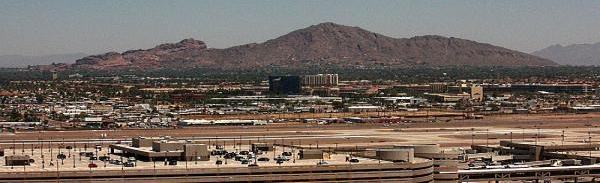
Camelback Mountain....Looking north from Sky Harbor Int.
User avatar
Bob70
Global Moderator
Global Moderator
 
Posts: 3069
Joined: Thu Nov 30, 2006 12:23 pm
Location: Phoenix Arizona , USA


Return to Flight Simulator X (FSX) and Steam

Who is online

Users browsing this forum: No registered users and 402 guests


