What the ffffffffffffffffffffffff !

FSX including FSX Steam version.

What the ffffffffffffffffffffffff !

Postby jime59 » Tue Sep 07, 2010 12:35 pm

Was being nice and didn't say it.

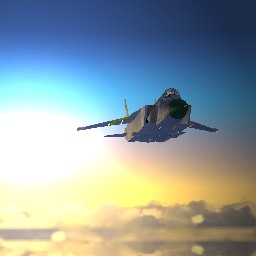
The water looked a little funny yesterday so I ran FSWaterconfigurator,which I've had from the beginning with not one problem,to see if it would change,and this is what happened.
The first 2 pics show before and the last 2 after.
Image
Image
Image
Image
I've done just about everything to fix this,including restore,and I'm out of ideas. >:(

I run XP32 Pro
Last edited by jime59 on Tue Sep 07, 2010 12:39 pm, edited 1 time in total.
The mind is like a parachute...it only works when it's open.
User avatar
jime59
Major
Major
 
Posts: 1607
Joined: Thu Oct 11, 2007 4:13 pm
Location: Streamwood,Il

Re: What the ffffffffffffffffffffffff !

Postby Daube » Tue Sep 07, 2010 1:00 pm

Your video card is dying... or getting hot... or almost out of memory.
User avatar
Daube
Lieutenant Colonel
Lieutenant Colonel
 
Posts: 6611
Joined: Wed Oct 05, 2005 8:34 am
Location: Nice (FR)

Re: What the ffffffffffffffffffffffff !

Postby jime59 » Tue Sep 07, 2010 1:22 pm

No problems with anything else,graphics-wise.

Video:XFX 250/216 768 Black Edition.
Temp:49C
Driver:182.50
System is very clean with good air flow.
No new installs recently either.
The mind is like a parachute...it only works when it's open.
User avatar
jime59
Major
Major
 
Posts: 1607
Joined: Thu Oct 11, 2007 4:13 pm
Location: Streamwood,Il

Re: What the ffffffffffffffffffffffff !

Postby jime59 » Tue Sep 07, 2010 7:11 pm

I uninstalled FSW and then re-installed it. Went to FSX menu,chose a flight,and the same graphics glitch,I  hit escape to end flight and the screen flickered and lo and behold my graphics are as good as new. :)
Image
Image
Image
Image

Go figure. :-/  :-?
The mind is like a parachute...it only works when it's open.
User avatar
jime59
Major
Major
 
Posts: 1607
Joined: Thu Oct 11, 2007 4:13 pm
Location: Streamwood,Il

Re: What the ffffffffffffffffffffffff !

Postby Cessnaporsche01 » Wed Sep 08, 2010 2:40 pm

I've had similar troubles. See, I usually run FSX at completely full graphics in exchange for some fps just because I can, despite my two, rather aged 1024MB 9600 GSO SLI video cards. I noticed the past couple of weeks that I'd been getting black flashy-spots and the trees occasionally lose their background transparency (like your screenshots show) and not to mention, my fps dropped to like 2.

Anyways, I found that the "clear video RAM on startup" setting on my BIOS was turned off, so I turned it on, which helped. Also, switching to an HDMI screen from VGA greatly improved video performance, since no RAM is necessary for conversion from DVI to HDMI.
User avatar
Cessnaporsche01
2nd Lieutenant
2nd Lieutenant
 
Posts: 69
Joined: Sun Aug 02, 2009 1:13 pm
Location: Northwest Ohio


Return to Flight Simulator X (FSX) and Steam

Who is online

Users browsing this forum: No registered users and 565 guests