A Free Moving Map for FSX

FSX including FSX Steam version.

A Free Moving Map for FSX

Postby Bob70 » Sun Jun 13, 2010 4:12 pm

A Free Moving Map for FSX
Image
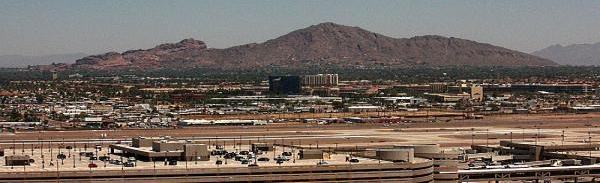
Camelback Mountain....Looking north from Sky Harbor Int.
User avatar
Bob70
Global Moderator
Global Moderator
 
Posts: 3069
Joined: Thu Nov 30, 2006 12:23 pm
Location: Phoenix Arizona , USA

Re: A Free Moving Map for FSX

Postby FuturePilot » Sun Jun 13, 2010 4:34 pm

Cool! Thanks for sharing!!!
ASUS M4A89GTD, 16GB 1333MHz DDR3 RAM, 160GB 10,000 RPM HDD + 1TB 7200 RPM HDD, AMD Phenom II x4 965BE 3.4
User avatar
FuturePilot
Major
Major
 
Posts: 1553
Joined: Wed Apr 08, 2009 9:47 pm
Location: MD, TN, and Grand Cayman

Re: A Free Moving Map for FSX

Postby Fozzer » Sun Jun 13, 2010 5:07 pm

Duelling Monitors?... :o...!

Whatever next!... ;D...!

Trying out the FS 2004 version... :)...!

(Wont beat FS Navigator tho'... ;)..)..!

Paul...G-BPLF...FS 2004..FS Nav... 8-)...!

It looks very similar to the Real Time GPS Map that WS Pilots.com use for live Multiplayer identification of all the Pilots on line.
Last edited by Fozzer on Sun Jun 13, 2010 5:35 pm, edited 1 time in total.
Win 8.1 64-bit. DX11. Advent Tower. Intel i7-3770 3.9 GHz 8-core. 8 GB System RAM. AMD Radeon HD 7700 1GB RAM. DVD ROM. 2 Terra Byte SATA Hard Drive. Philips 17" LCD Monitor. Saitek Cyborg X Fly-5 Joystick. ...and a Briggs and Stratton Petrol Lawn Mower.
User avatar
Fozzer
Colonel
Colonel
 
Posts: 27369
Joined: Thu Jan 31, 2002 3:11 pm
Location: Hereford. England. EGBS.

Re: A Free Moving Map for FSX

Postby ShaneG_old » Sun Jun 13, 2010 6:12 pm


Trying out the FS 2004 version... :)...!

(Wont beat FS Navigator tho'... ;)..)..!


Glad you mentioned there was one, getting it now.
Last edited by ShaneG_old on Sun Jun 13, 2010 6:13 pm, edited 1 time in total.
ShaneG_old
Lieutenant Colonel
Lieutenant Colonel
 
Posts: 9700
Joined: Tue Mar 11, 2008 11:52 am

Re: A Free Moving Map for FSX

Postby patchz » Sun Jun 13, 2010 7:40 pm

[color=#000000]That's the best thing since sliced bread, at least where FSX is close to having the real world objects/roads etc. My initial trial was from Sea-Tac and it was really nice. I will be able to identify/locate things I never could before. But alas, the Scottish castle on Loch Duich Dave told me about does not exist in FSX. I expected as much. Thanks Bob, great find.
Image
If God intended aircraft engines to have horizontally opposed engines, Pratt and Whitney would have made them that way.
User avatar
patchz
Colonel
Colonel
 
Posts: 10424
Joined: Wed Mar 11, 2009 7:33 pm
Location: IN THE FUNNY PAPERS

Re: A Free Moving Map for FSX

Postby olderndirt » Sun Jun 13, 2010 8:35 pm

[quote][color=#000000]That's the best thing since sliced bread, at least where FSX is close to having the real world objects/roads etc. My initial trial was from Sea-Tac and it was really nice. I will be able to identify/locate things I never could before. But alas, the Scottish castle on Loch Duich Dave told me about does not exist in FSX. I expected as much. Thanks Bob, great find.
[img]http://www.simviation.com/yabbuploads/oldrt18.jpg
User avatar
olderndirt
Major
Major
 
Posts: 3495
Joined: Sat Dec 20, 2008 3:07 pm
Location: Rochester, WA

Re: A Free Moving Map for FSX

Postby Bob70 » Sun Jun 13, 2010 10:25 pm

[quote][color=#000000]That's the best thing since sliced bread, at least where FSX is close to having the real world objects/roads etc. My initial trial was from Sea-Tac and it was really nice. I will be able to identify/locate things I never could before. But alas, the Scottish castle on Loch Duich Dave told me about does not exist in FSX. I expected as much. Thanks Bob, great find.
Image
Camelback Mountain....Looking north from Sky Harbor Int.
User avatar
Bob70
Global Moderator
Global Moderator
 
Posts: 3069
Joined: Thu Nov 30, 2006 12:23 pm
Location: Phoenix Arizona , USA

Re: A Free Moving Map for FSX

Postby patchz » Sun Jun 13, 2010 11:46 pm

I still have my old flat panel 19", but I don't think my setup will run two monitors. But I will find out. If it will, the big problem is, where the heck do I put it? I need a bigger desk.
Image
If God intended aircraft engines to have horizontally opposed engines, Pratt and Whitney would have made them that way.
User avatar
patchz
Colonel
Colonel
 
Posts: 10424
Joined: Wed Mar 11, 2009 7:33 pm
Location: IN THE FUNNY PAPERS

Re: A Free Moving Map for FSX

Postby Bob70 » Mon Jun 14, 2010 12:02 am

I still have my old flat panel 19", but I don't think my setup will run two monitors. But I will find out. If it will, the big problem is, where the heck do I put it? I need a bigger desk.


As you can see I'm pretty tight also but I managed to squeeze it in. My NVidia 8800GTS video card has two monitor output connectors. If yours don't you can buy a video adapter cable.
Last edited by Bob70 on Mon Jun 14, 2010 12:04 am, edited 1 time in total.
Image
Camelback Mountain....Looking north from Sky Harbor Int.
User avatar
Bob70
Global Moderator
Global Moderator
 
Posts: 3069
Joined: Thu Nov 30, 2006 12:23 pm
Location: Phoenix Arizona , USA

Re: A Free Moving Map for FSX

Postby JakesF14 » Mon Jun 14, 2010 1:22 am

Glad you mentioned there was one, getting it now.
Maybe a nice companion for FSNav?
If my system will hold on with all 3 running together.


Here is also a flight planner that links with FS and uses google maps as well.you can import and export your flight plans, adding waypoints, ect. Also freeware

http://205.252.250.26/cgi-bin/yabb2/YaB ... 1275897297

Enjoy!
Image
User avatar
JakesF14
Major
Major
 
Posts: 1866
Joined: Wed May 13, 2009 5:42 am
Location: South Africa

Re: A Free Moving Map for FSX

Postby Fozzer » Mon Jun 14, 2010 2:50 am

The gorgeous thing about FS Navigator, is that as well as showing yourself on the GPS Nav Charts, it also shows the real-time position of everyone else who is on line with the Multiplayer Server, in real time!

I don't think there is another program which supplies so much information at a click of a button during flight as FS Navigator!

Without it, I wouldn't have been using the various M$ Flight Sims daily, for the past 10 years*.... ;)....!

Paul...G-BPLF..FS 2004..FS Nav.... 8-)...!

* ..and therefore prevents me from using my copy of FSX (Not compatible with it)!

P.S. If you have Dual, Duelling Monitors, how many Monitors do you have?... ::)... ;)... ;D....!
Last edited by Fozzer on Mon Jun 14, 2010 2:53 am, edited 1 time in total.
Win 8.1 64-bit. DX11. Advent Tower. Intel i7-3770 3.9 GHz 8-core. 8 GB System RAM. AMD Radeon HD 7700 1GB RAM. DVD ROM. 2 Terra Byte SATA Hard Drive. Philips 17" LCD Monitor. Saitek Cyborg X Fly-5 Joystick. ...and a Briggs and Stratton Petrol Lawn Mower.
User avatar
Fozzer
Colonel
Colonel
 
Posts: 27369
Joined: Thu Jan 31, 2002 3:11 pm
Location: Hereford. England. EGBS.

Re: A Free Moving Map for FSX

Postby flaminghotsauce » Mon Jun 14, 2010 3:05 pm

I was trying to read up on it. What is simconnect? Is that extra or part of FSX?
flaminghotsauce
2nd Lieutenant
2nd Lieutenant
 
Posts: 181
Joined: Tue May 04, 2004 6:59 pm

Re: A Free Moving Map for FSX

Postby patchz » Mon Jun 14, 2010 6:03 pm

I was trying to read up on it. What is simconnect? Is that extra or part of FSX?

I have no idea. All I can tell you is that I downloaded the EB version because I don't have two monitors. I moved the .exe file to the desktop and it works, but only in window mode. It does not support full screen. You can toggle 'always on top' on and off at the bottom right of the map window, as well as change from terrain to roads to satellite to hybrid, zoom in by double clicking the map. If you click on the zoom out icon, it zooms all the way out and you will have to double click repeatedly until you get it to the zoom you want. I imagine the dual monitor setup is really nice, as it uses I.E. and is full screen.
Image
If God intended aircraft engines to have horizontally opposed engines, Pratt and Whitney would have made them that way.
User avatar
patchz
Colonel
Colonel
 
Posts: 10424
Joined: Wed Mar 11, 2009 7:33 pm
Location: IN THE FUNNY PAPERS

Re: A Free Moving Map for FSX

Postby vgbaron » Tue Jun 15, 2010 11:42 am

Only thing I don't like about it is that it doesn't show AI and doesn't support multiplayer.

In this case, Plan-G has it beat hands down - and it's also free.

However, if you don't care about other aircraft in the sky, it works perfectly.
Last edited by vgbaron on Tue Jun 15, 2010 11:42 am, edited 1 time in total.
I7 980x 4.43G P6X58D 6G Mushkin 1612 6-8-6-24 1T EVGA GTX480 826/4200
User avatar
vgbaron
1st Lieutenant
1st Lieutenant
 
Posts: 479
Joined: Mon Dec 10, 2007 1:40 pm
Location: Burbank CA USA

Re: A Free Moving Map for FSX

Postby Bob70 » Fri Jun 18, 2010 12:42 am

Only thing I don't like about it is that it doesn't show AI and doesn't support multiplayer.

In this case, Plan-G has it beat hands down - and it's also free.

However, if you don't care about other aircraft in the sky, it works perfectly.


Thanks for the heads up on Plan-G. I downloaded it. It's quite a bit more elaborate. Haven't figured out how to drag it on to my second monitor though.

:) Bob
Image
Camelback Mountain....Looking north from Sky Harbor Int.
User avatar
Bob70
Global Moderator
Global Moderator
 
Posts: 3069
Joined: Thu Nov 30, 2006 12:23 pm
Location: Phoenix Arizona , USA

Next

Return to Flight Simulator X (FSX) and Steam

Who is online

Users browsing this forum: No registered users and 516 guests