Multiple Installations

FSX including FSX Steam version.

Multiple Installations

Postby B-Valvs » Thu Jun 10, 2010 4:37 pm

Is it possible to have multiple intsallations of FSX on 1 computer? If so, how do you install the second one? Thanks.

8-)

User avatar
B-Valvs
Lieutenant Colonel
Lieutenant Colonel
 
Posts: 5904
Joined: Mon Aug 24, 2009 7:05 pm
Location: 5B2

Re: Multiple Installations

Postby hhomebrewer » Thu Jun 10, 2010 6:27 pm

I doubt it. The only way I can see it is if you could somehow change the name of the second program so the computer would not get into a conflict regarding which one to execute. Changing the name would most likely require tens of thousands of name-changes deep, deep inside the program. But, I could be wrong...
I am homebrewer. I had 633 posts when for some unknown reason, my account disappeared...
AMD Phenom II X4 940 (Deneb), Asus M3N72-D motherboard, 2 x nVidia 8800GTS @640MB RAM, 1 x Seagate Barracuda 500Gb HDD (storage), 1 x Western Digital Black 250Gb
User avatar
hhomebrewer
Captain
Captain
 
Posts: 600
Joined: Sat Aug 22, 2009 8:44 pm
Location: United States of Good Beer

Re: Multiple Installations

Postby BigTruck » Thu Jun 10, 2010 6:41 pm

I think if your machine had two hard drives it could work, since the paths would point to two different drives they shouldn't conflict, but I don't know if it would cause issues in the registry, that gets a little too deep for my knowledge.
Alienware X51_R2 (thank you wife) Windows 8.1, 6GB Ram, Intel Core i3-4150 CPU @3.50GHz
FSX Acceleration settings on max, no twitches or glitches.
Saitek X52 Stick and Throttle
User avatar
BigTruck
Global Moderator
Global Moderator
 
Posts: 7048
Joined: Wed Jun 20, 2007 2:35 pm
Location: Tuscaloosa, AL

Re: Multiple Installations

Postby B-Valvs » Thu Jun 10, 2010 9:35 pm

Oh okay. I was wondering because I want to have a "Freeware" FSX running. One without REX so I can enter the monthly screenshot competition. There's no way to disable REX is there? And yes, I do have two hard drives.

8-)
User avatar
B-Valvs
Lieutenant Colonel
Lieutenant Colonel
 
Posts: 5904
Joined: Mon Aug 24, 2009 7:05 pm
Location: 5B2

Re: Multiple Installations

Postby Bob70 » Fri Jun 11, 2010 12:27 am

Oh okay. I was wondering because I want to have a "Freeware" FSX running. One without REX so I can enter the monthly screenshot competition. There's no way to disable REX is there? And yes, I do have two hard drives.

8-)


Yes.  Talk to Patchz. He did this just recently. You have to have a second hard-drive.

:) Bob
Image
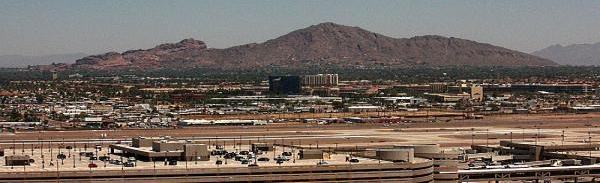
Camelback Mountain....Looking north from Sky Harbor Int.
User avatar
Bob70
Global Moderator
Global Moderator
 
Posts: 3069
Joined: Thu Nov 30, 2006 12:23 pm
Location: Phoenix Arizona , USA

Re: Multiple Installations

Postby patchz » Fri Jun 11, 2010 12:33 am

Yes, it is possible, and all on the same drive. You need to ask Shane for the exact instructions, but if memory serves (doubtful), after installing the first, make a copy and paste it, renaming it. Also rename the second FSX.cfg to the same name, but keep it in the same location as the first install's FSX.cfg. Also rename the FSX.exe but leave it in the 2nd install location.

Example:
C:/Users/(your user name)/AppData/Roaming/Microsoft/FSX/FSX.cfg

C:/Users/(your user name)/AppData/Roaming/Microsoft/FSX/Payware FSX.cfg

C:/FSX/FSX.exe
C:/Payware FSX/FSX.exe

Do not install in C:/Program Files or C:/Program Files (x86)
Last edited by patchz on Fri Jun 11, 2010 12:34 am, edited 1 time in total.
Image
If God intended aircraft engines to have horizontally opposed engines, Pratt and Whitney would have made them that way.
User avatar
patchz
Colonel
Colonel
 
Posts: 10424
Joined: Wed Mar 11, 2009 7:33 pm
Location: IN THE FUNNY PAPERS

Re: Multiple Installations

Postby B-Valvs » Fri Jun 11, 2010 2:55 pm

Yes, it is possible, and all on the same drive. You need to ask Shane for the exact instructions, but if memory serves (doubtful), after installing the first, make a copy and paste it, renaming it. Also rename the second FSX.cfg to the same name, but keep it in the same location as the first install's FSX.cfg. Also rename the FSX.exe but leave it in the 2nd install location.

Example:
C:/Users/(your user name)/AppData/Roaming/Microsoft/FSX/FSX.cfg

C:/Users/(your user name)/AppData/Roaming/Microsoft/FSX/Payware FSX.cfg

C:/FSX/FSX.exe
C:/Payware FSX/FSX.exe

Do not install in C:/Program Files or C:/Program Files (x86)


Thanks, I'll try it. I can't wait for this 39.8GB copy-paste.  :P

8-)
User avatar
B-Valvs
Lieutenant Colonel
Lieutenant Colonel
 
Posts: 5904
Joined: Mon Aug 24, 2009 7:05 pm
Location: 5B2

Re: Multiple Installations

Postby patchz » Fri Jun 11, 2010 10:20 pm

Yes, it is possible, and all on the same drive. You need to ask Shane for the exact instructions, but if memory serves (doubtful), after installing the first, make a copy and paste it, renaming it. Also rename the second FSX.cfg to the same name, but keep it in the same location as the first install's FSX.cfg. Also rename the FSX.exe but leave it in the 2nd install location.

Example:
C:/Users/(your user name)/AppData/Roaming/Microsoft/FSX/FSX.cfg

C:/Users/(your user name)/AppData/Roaming/Microsoft/FSX/Payware FSX.cfg

C:/FSX/FSX.exe
C:/Payware FSX/FSX.exe

Do not install in C:/Program Files or C:/Program Files (x86)


Thanks, I'll try it. I can't wait for this 39.8GB copy-paste.
Image
If God intended aircraft engines to have horizontally opposed engines, Pratt and Whitney would have made them that way.
User avatar
patchz
Colonel
Colonel
 
Posts: 10424
Joined: Wed Mar 11, 2009 7:33 pm
Location: IN THE FUNNY PAPERS


Return to Flight Simulator X (FSX) and Steam

Who is online

Users browsing this forum: No registered users and 304 guests