DC/_cc Unable to Install

FSX including FSX Steam version.

DC/_cc Unable to Install

Postby wlix261 » Sat Feb 27, 2010 8:52 am

I have followed instructions from files at www.calclassic.com for new DC7 Base Pack with United Airlines 1958 Livery GMAX vers 4 1/2010 Painted by Tom Gibson Plane by Greg Pepper into my FSX SP2 system.

http://www.calclassic.com/files/dc7_cc.zip

However, I could not see the plane upon installation despite of adding the thumbnail.jpg file inside texture.united folder.

The structure of the download pack and (the several txt files with) instructions are a bit confussing because those have pieces for FS2002, FS2004 and FSX. The instructions referred to "the DC-7BC Liveries Guide.txt file, found in the plane's folder" which I could not find anywhere in the download pack.

Does anyone have a clean cut set of instructions for FSX and a clean cut install pack for FSX?, or can anyone help me with hints?

I run Windows Vista and FSX SP2

Win7 64 Bit O/S Intel Core-2 6420 2.13Ghz 2.14 Ghz 4.0GB-RAM NVIDIA GForce-210
FSX Acceleration SP2
wlix261
2nd Lieutenant
2nd Lieutenant
 
Posts: 55
Joined: Sat Jul 24, 2004 2:23 pm

Re: DC/_cc Unable to Install

Postby Hagar » Sat Feb 27, 2010 10:22 am

The structure of the download pack and (the several txt files with) instructions are a bit confussing because those have pieces for FS2002, FS2004 and FSX. The instructions referred to "the DC-7BC Liveries Guide.txt file, found in the plane's folder" which I could not find anywhere in the download pack.

Does anyone have a clean cut set of instructions for FSX and a clean cut install pack for FSX?, or can anyone help me with hints?

The file you're looking for is named fsx.txt. After you run the installer from Setup.exe it's hidden away in a folder named FSX Conversion in this location -->
Last edited by Hagar on Sat Feb 27, 2010 10:26 am, edited 1 time in total.
Image

Founder & Sole Member - Grumpy's Over the Hill Club for Veteran Virtual Aviators
Member of the Fox Four Group
My Google Photos albums
My Flickr albums
User avatar
Hagar
Colonel
Colonel
 
Posts: 30868
Joined: Wed Jun 19, 2002 7:15 am
Location: Costa Geriatrica

Re: DC/_cc Unable to Install

Postby wlix261 » Sat Feb 27, 2010 1:09 pm

I had that fsx.txt file (instructions) yet that does not seem to be what they refer in point 6 of the instructions on file named DC72K4 titled version 4 1/2010 (asing me to: "refer to the DC-7BC Liveries Guide.txt, found in the plane's folder")

Its a shame one cant install what seems to be a cool plane and livery for the DC7
Win7 64 Bit O/S Intel Core-2 6420 2.13Ghz 2.14 Ghz 4.0GB-RAM NVIDIA GForce-210
FSX Acceleration SP2
wlix261
2nd Lieutenant
2nd Lieutenant
 
Posts: 55
Joined: Sat Jul 24, 2004 2:23 pm

Re: DC/_cc Unable to Install

Postby Hagar » Sat Feb 27, 2010 2:58 pm

There's a file named Adding Liveries.txt in the DC-7 folder. Is that what you're looking for?
Image

Founder & Sole Member - Grumpy's Over the Hill Club for Veteran Virtual Aviators
Member of the Fox Four Group
My Google Photos albums
My Flickr albums
User avatar
Hagar
Colonel
Colonel
 
Posts: 30868
Joined: Wed Jun 19, 2002 7:15 am
Location: Costa Geriatrica

Re: DC/_cc Unable to Install

Postby wlix261 » Sat Feb 27, 2010 7:50 pm

unfortunatelt is not.
Win7 64 Bit O/S Intel Core-2 6420 2.13Ghz 2.14 Ghz 4.0GB-RAM NVIDIA GForce-210
FSX Acceleration SP2
wlix261
2nd Lieutenant
2nd Lieutenant
 
Posts: 55
Joined: Sat Jul 24, 2004 2:23 pm

Re: DC/_cc Unable to Install

Postby Steve M » Sat Feb 27, 2010 8:00 pm

Please check to see if your file is the same size as the download.
Last edited by Steve M on Sat Feb 27, 2010 8:03 pm, edited 1 time in total.
Image
User avatar
Steve M
Major
Major
 
Posts: 4765
Joined: Sun Aug 31, 2008 1:02 pm
Location: Cambridge On.

Re: DC/_cc Unable to Install

Postby Hagar » Sun Feb 28, 2010 6:08 am

Its a shame one cant install what seems to be a cool plane and livery for the DC7

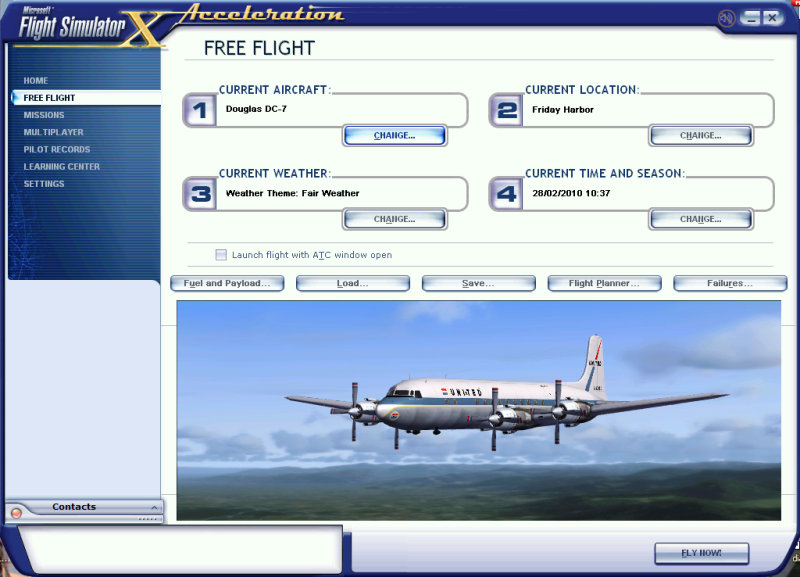
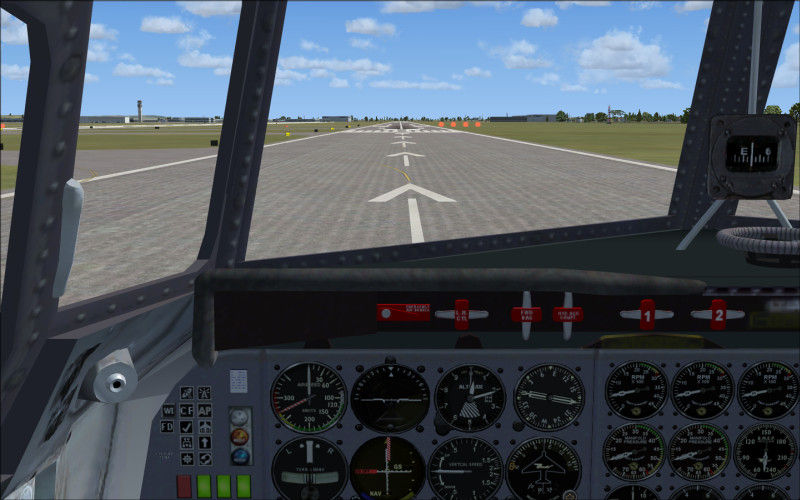
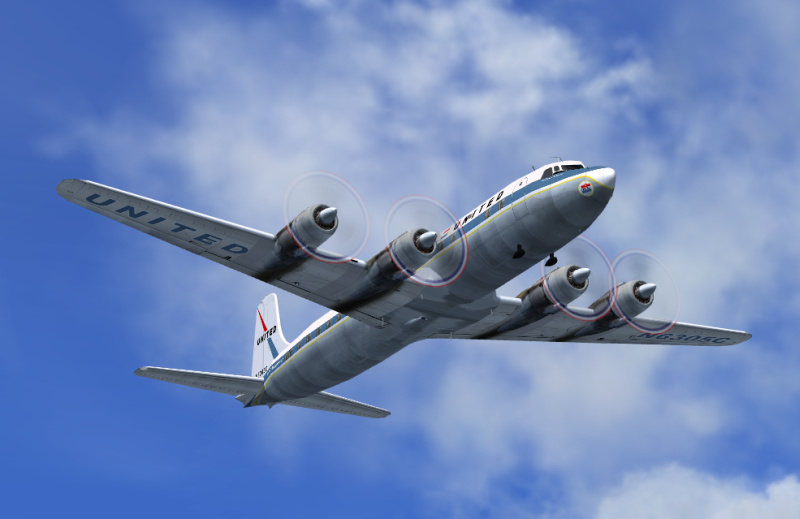
I installed the DC-7 from your link into my brand spanking new FSX following the instructions in fsx.txt in the included "FSX Conversion" folder.

Installation to FSX is not as difficult as it might appear. I assume you ran the file named Setup.exe & installed it direct to your FSX.* If this is the case go to your FSX root directory (Microsoft Flight Simulator X folder) & find a folder named Aircraft. You should see 3 folders in there named dc7pnlKMCC, DC-7 & PropSound. Move (Cut & Paste) all 3 folders into your FSX\SimObjects\airplanes folder. That's all there is to it.

Note that there's a couple more tweaks for the gauges to work properly. This is addressed in item 3 in fsx.txt.

This is the result.
Image

Image

Image

*I would never recommend this especially with FS9 files in FSX. With auto-installers always redirect the install path to a Temp folder anywhere on your HDD to see what you've got without the chance of messing up FS.
Last edited by Hagar on Sun Feb 28, 2010 7:00 am, edited 1 time in total.
Image

Founder & Sole Member - Grumpy's Over the Hill Club for Veteran Virtual Aviators
Member of the Fox Four Group
My Google Photos albums
My Flickr albums
User avatar
Hagar
Colonel
Colonel
 
Posts: 30868
Joined: Wed Jun 19, 2002 7:15 am
Location: Costa Geriatrica

Re: DC/_cc Unable to Install

Postby wlix261 » Sun Feb 28, 2010 8:07 am

Your instructions worked well. I of course added the thumbnail file also. What was not working for me is that I was running the setup.exe into a temp file then copy the files by hand.

I must have been doing doing something wrong, or, could have to do with the way the install pack is built.

In any case, many thanks. I like this plane.
Win7 64 Bit O/S Intel Core-2 6420 2.13Ghz 2.14 Ghz 4.0GB-RAM NVIDIA GForce-210
FSX Acceleration SP2
wlix261
2nd Lieutenant
2nd Lieutenant
 
Posts: 55
Joined: Sat Jul 24, 2004 2:23 pm


Return to Flight Simulator X (FSX) and Steam

Who is online

Users browsing this forum: No registered users and 647 guests