Adding Airports........

FSX including FSX Steam version.

Adding Airports........

Postby Jase35 » Thu Feb 18, 2010 7:09 pm

Am having problems adding Airports?
I am wondering if its the programs i am downloading,perhaps they just don't work very well for freeware,i don't know,but they are meant for FSX anyway.
The only airport i got to work is London City,simple folder has the scenery and textures and i just slot it into the add-on scenery folder within,done,and it works fine.
But i have tried numerous others and nothing,they all have scenery and textures within their folder,so cannot understand why it not works.
Would love to tell exactly the programs i have downloaded and not worked but i tried absolutely loads this evening,so too many to say,sorry if thats no help to you.
I presume their is probably somethin g very simple that i am doing wrong,but for the life of me i cannot think what it is,any idea's appreciated.Also i have added new scenery within the settings in FSX,,so done that.

Thank you

Jason

Last edited by Jase35 on Thu Feb 18, 2010 7:11 pm, edited 1 time in total.
Jase35
Ground hog
Ground hog
 
Posts: 44
Joined: Thu Oct 25, 2007 4:23 pm

Re: Adding Airports........

Postby Hagar » Thu Feb 18, 2010 7:32 pm

Would love to tell exactly the programs i have downloaded and not worked but i tried absolutely loads this evening,so too many to say,sorry if thats no help to you.

Well Jason, with the best will in the world nobody can help you much if you can't be more specific. Surely you could give one example out of that lot. ;)

I'm pretty certain there's nothing wrong with the files or someone else would have complained & they would have been removed. I can't see the point of trying so many different files unless you can find out what you're doing wrong.
Image

Founder & Sole Member - Grumpy's Over the Hill Club for Veteran Virtual Aviators
Member of the Fox Four Group
My Google Photos albums
My Flickr albums
User avatar
Hagar
Colonel
Colonel
 
Posts: 30868
Joined: Wed Jun 19, 2002 7:15 am
Location: Costa Geriatrica

Re: Adding Airports........

Postby Jase35 » Fri Feb 19, 2010 6:20 pm

Ok,thx for reply.
Here i have tried to install a improved airport for the Default FSX airport of New York's Kennedy Intl............http://www.simviation.com/simviation/in ... 63&page=21
I have downloaded and do not have any Scenery or Textures folders,just a Bgl file.It tells me to pop it into the Add-on Scenery/Scenery folder,and that is all i have to do.
But...................when i go to airport within FSX nothing has changed airport is still nothing there,as before.
Sorry for being more specific previous guys,just don't fully understand what i am doing wrong.
Does the Accelarator Pack i installed along with FSX have any problem causing this at all,or am i juts clutching at straws.
Cheers for your help everybody again.
:)
Jase35
Ground hog
Ground hog
 
Posts: 44
Joined: Thu Oct 25, 2007 4:23 pm

Re: Adding Airports........

Postby Jase35 » Fri Feb 19, 2010 6:48 pm

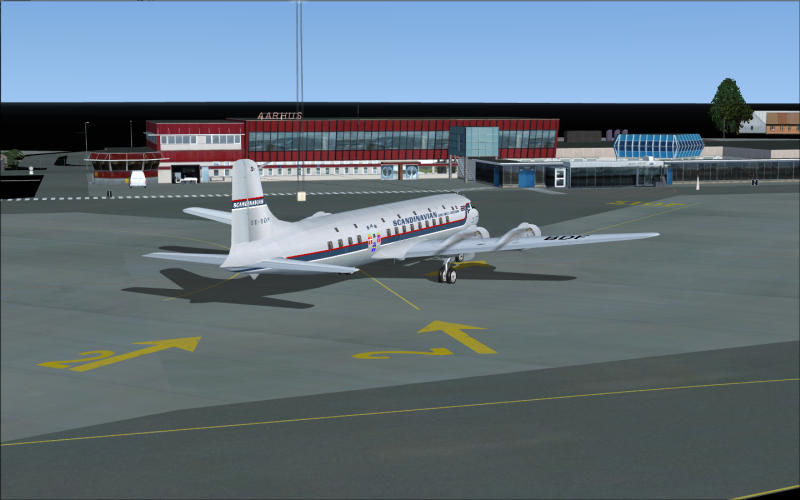
Just tried another one for downloading,a simple little Danish airport,called Aarhus Airport,came with scenery and texture folders.
Put it straight into the Add-on scenery folder,then i added it within settings and it recognised it,no problem,when i went to go into the airport,nothing again,still a bare little airport with nothing.Here is the link.......http://www.simviation.com/simviation/in ... 63&page=28
Am at moment removing Accelarator Pack to see if that is the problem,cos when i downloaded London City airport,it was before i put onto my PC Accelarator Pack,so am wondering if that is the problem?
Cannot seem to figure this out at all,when i had FS 2004 a few years ago,i done the airports and added scenery just fine,there was no problems at all,am regretting buying FSX now.
:(
Last edited by Jase35 on Fri Feb 19, 2010 6:49 pm, edited 1 time in total.
Jase35
Ground hog
Ground hog
 
Posts: 44
Joined: Thu Oct 25, 2007 4:23 pm

Re: Adding Airports........

Postby Jase35 » Fri Feb 19, 2010 8:37 pm

Sorry to ask another question,but does anyone know why when you download some scenery for an airport,you don't get Scenery and Textures folders,you just get BGL's,i understand you have to put them in Scenery folder of Add-on's but even that doesn't work.
Jase35
Ground hog
Ground hog
 
Posts: 44
Joined: Thu Oct 25, 2007 4:23 pm

Re: Adding Airports........

Postby Hagar » Sat Feb 20, 2010 5:02 am

Just tried another one for downloading,a simple little Danish airport,called Aarhus Airport,came with scenery and texture folders.
Put it straight into the Add-on scenery folder,then i added it within settings and it recognised it,no problem,when i went to go into the airport,nothing again,still a bare little airport with nothing.Here is the link.......http://www.simviation.com/simviation/in ... 63&page=28
Am at moment removing Accelarator Pack to see if that is the problem,cos when i downloaded London City airport,it was before i put onto my PC Accelarator Pack,so am wondering if that is the problem?

The file description on the Download page & the Readme instructions state that this scenery is specifically intended for FSX + SP2/Acceleration.
Aarhus Airport, Denmark
8.84Mb (1586 downloads)
Aarhus Airport X is made for use with Flight Simulator X SP2/Acceleration. The cars on the parkinglot will show only if the Acceleration pack is installed.


Aarhus is a new airport. If it's listed on the selection menu you have obviously installed/activated it correctly. From what you're saying I suspect you need to adjust your FSX display settings. Some scenery will not display at lower settings. You might also need to enable Advanced Animations.

Cannot seem to figure this out at all,when i had FS 2004 a few years ago,i done the airports and added scenery just fine,there was no problems at all,am regretting buying FSX now.
:(

As I said earlier, installing /activating scenery in FSX is basically the same as in FS9. If you understand the basic principle you should have no problems.

Sorry to ask another question,but does anyone know why when you download some scenery for an airport,you don't get Scenery and Textures folders,you just get BGL's,i understand you have to put them in Scenery folder of Add-on's but even that doesn't work.

There is no template for configuring 3rd party addons & everyone has their own pet methods. I've seen some that could be easier to install & involve more work than others. Once you understand the basic principle it shouldn't be difficult to configure it yourself. Some types of scenery don't require additional textures & some use the default ones. In this case no Texture folder is necessary.
Last edited by Hagar on Sat Feb 20, 2010 5:03 am, edited 1 time in total.
Image

Founder & Sole Member - Grumpy's Over the Hill Club for Veteran Virtual Aviators
Member of the Fox Four Group
My Google Photos albums
My Flickr albums
User avatar
Hagar
Colonel
Colonel
 
Posts: 30868
Joined: Wed Jun 19, 2002 7:15 am
Location: Costa Geriatrica

Re: Adding Airports........

Postby Jase35 » Sat Feb 20, 2010 6:43 am

Thx Hagar,

well i installed Abu Dhabi airport,and that works fine.
Have tried to change picture settings,and still no better.
Have also checked i have checked Animations and thats checked fine.
Can someone tell me if 2004 FS airports work within FSX at all?

Thx for your help Hagar,much appreciated !!!!!!!!!!!!!!
:)
Jase35
Ground hog
Ground hog
 
Posts: 44
Joined: Thu Oct 25, 2007 4:23 pm

Re: Adding Airports........

Postby Hagar » Sat Feb 20, 2010 6:55 am

Thx Hagar,

well i installed Abu Dhabi airport,and that works fine.

That proves you're doing it correctly.

Have tried to change picture settings,and still no better.
Have also checked i have checked Animations and thats checked fine.

Perhaps you're expecting too much.* Some airport updates include very minor changes & might not affect the visual scenery at all.

Can someone tell me if 2004 FS airports work within FSX at all?

I wouldn't think so as the FSX world is different from previous versions of MSFS. I would get your other problems sorted out first.

Thx for your help Hagar,much appreciated !!!!!!!!!!!!!!
:)

Wish I could help more but without FSX that's not possible.

*I installed Aarhus to the FSX Demo & it works fine.
Image
Last edited by Hagar on Sat Feb 20, 2010 6:57 am, edited 1 time in total.
Image

Founder & Sole Member - Grumpy's Over the Hill Club for Veteran Virtual Aviators
Member of the Fox Four Group
My Google Photos albums
My Flickr albums
User avatar
Hagar
Colonel
Colonel
 
Posts: 30868
Joined: Wed Jun 19, 2002 7:15 am
Location: Costa Geriatrica

Re: Adding Airports........

Postby Jase35 » Sat Feb 20, 2010 6:15 pm

Thx Hagar;

Things are not going great really,i previously had FS 2004,and tbh i wished i had bought that instead of FSX.

Am seriously thinking of forgetting FSX and going back to FS 2004,i remember not having any real problems with that version of FS,everything worked fine,i had my aircraft,and airports and scenery was never a problem,and also i could install traffic via PAI without any problems at all.

I think i am gonna give up on this,i have spent all week trying out different problems and i am still at square 1.
:(
Jase35
Ground hog
Ground hog
 
Posts: 44
Joined: Thu Oct 25, 2007 4:23 pm

Re: Adding Airports........

Postby Fr. Bill » Mon Feb 22, 2010 2:00 pm

The problem isn't FSX...
BillImage Gauge Programming - 3d Modeling Eaglesoft Development Group Intel Core 2 Quad Q6600-4GB DDR2 Crucial PC6400-800 GB SATA-ATI Radeon HD2400 Pro 256MB DX10 [i
Fr. Bill
Captain
Captain
 
Posts: 961
Joined: Sun Apr 27, 2003 1:31 pm
Location: Hammond, IN


Return to Flight Simulator X (FSX) and Steam

Who is online

Users browsing this forum: No registered users and 488 guests