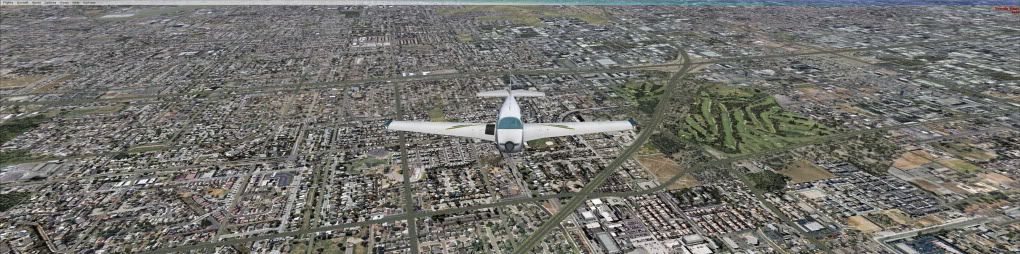
Quick check on the cfg edits - limit blurries

FSX including FSX Steam version.

Quick check on the cfg edits - limit blurries

Postby Bman. » Sat Dec 19, 2009 10:50 pm

Evening all-

I have been using a lot of NickN's threads as a basis for optimizing my fresh installs for FSX.  I just finished installed Windows7 64 bit so all new FS system has been installed as well.

My Goal : I am trying to drop the blurries as much as possible. 

Here are my computer specs

Q6600 OC'd to 3.5ghz
4 GB ram
GTX 275
Win7 Ultimate 64
Matrox 3H2Go
TrackIR 4

I have place FSX on a new hard drive that is dedicated.  I have defragged and optimized the high performance files (FSX install directory) to the perimeter sectors. 

OS drive is consolidated and defragged (Ultimate Defrag)

Base FSX Addons : FSX + Acceleration + GEX + UTX + REX

Tweaks to CFG:

TEXTURE_BANDWIDTH_MULT=80

FIBER_FRAME_TIME_FRACTION=0.7

TEXTURE_MAX_LOAD=4096  (REX)

PoolSize=7000000

AffinityMask=15


   The FPS are out the roof but the blurries seems a little close to me from the VC view. 

What do you suggest to drop some FPS and lose the blurries? 

Any thoughts?

Bman.

Bman.
Ground hog
Ground hog
 
Posts: 3
Joined: Sat Dec 19, 2009 11:35 pm
Location: Springfield, MO

Re: Quick check on the cfg edits - limit blurries

Postby Bman. » Sun Dec 20, 2009 2:43 am

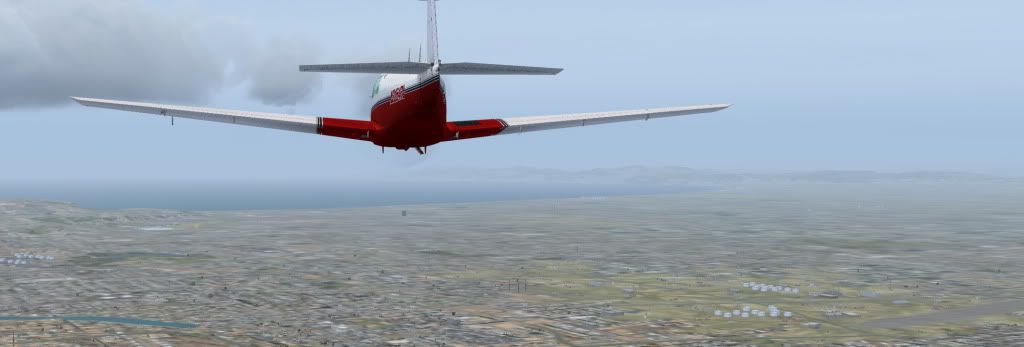
Here is a little more information...

This was how it was under my old install (XP)

Image


This is how it is now...  :(  I am missing something...

Image
Bman.
Ground hog
Ground hog
 
Posts: 3
Joined: Sat Dec 19, 2009 11:35 pm
Location: Springfield, MO

Re: Quick check on the cfg edits - limit blurries

Postby Slotback » Sun Dec 20, 2009 3:05 am

I have a Q6600 @ 3.0 and a far worse videocard, yet no blurries.


What I would do...:
1. check no background programs are hogging cpu cycles.

2. delete fsx.cfg
Last edited by Slotback on Sun Dec 20, 2009 4:41 am, edited 1 time in total.
Slotback
 

Re: Quick check on the cfg edits - limit blurries

Postby Thai09 » Sun Dec 20, 2009 8:47 am

It could be driver problems...

Which Nvidia drivers do you use?

Maybe look at the LOD setting?

- and nHancer:

http://forum.nhancer.com/showthread.php?t=1529

Phil Taylor on blurries:

http://blogs.msdn.com/ptaylor/archive/2 ... packs.aspx
Last edited by Thai09 on Sun Dec 20, 2009 8:50 am, edited 1 time in total.
Thai09
2nd Lieutenant
2nd Lieutenant
 
Posts: 144
Joined: Fri Nov 06, 2009 3:47 am

Re: Quick check on the cfg edits - limit blurries

Postby Daube » Sun Dec 20, 2009 9:13 am

First, I would disable the fiber_frame_time_fraction tweak.
Nick has told once that he was not using this tweak anymore in the SP2, I don't know if it's still written anywhere in his tutorials.

Your TBM is set to 80, but have you tested any other values ?

Finally, have you checked that the video card was set properly in the FSX profile of the NVidia control panel ? Check especially the texture filtering (AF).

Last thing: in your XP shot, the picture is zoomed out, like 0.60 or something like that.
In the Win7 screenshot, it looks like 1x.
User avatar
Daube
Lieutenant Colonel
Lieutenant Colonel
 
Posts: 6611
Joined: Wed Oct 05, 2005 8:34 am
Location: Nice (FR)

Re: Quick check on the cfg edits - limit blurries

Postby Bman. » Mon Dec 21, 2009 2:13 am

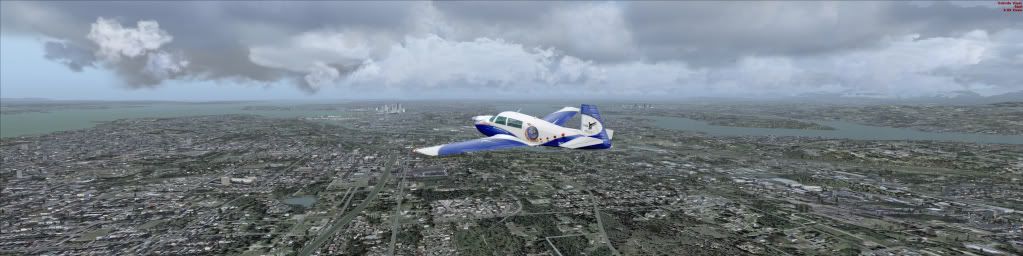
We are in much better shape now guys... thanks.   nHancer squared me away.   Just for fun I had FSX rebuild the CFG.    I just bought the new Orbx FSX Go and it's really helped tweaking the .cfg to get max performance from various configurations..

Image
Bman.
Ground hog
Ground hog
 
Posts: 3
Joined: Sat Dec 19, 2009 11:35 pm
Location: Springfield, MO


Return to Flight Simulator X (FSX) and Steam

Who is online

Users browsing this forum: No registered users and 374 guests