Let's see if I can walk you through this. First of all go to this page & download the Delta textures.
http://www.simviation.com/fsxjets15.htmThe file name is 737800DE.zip. Extract it using your favourite method.
Open the extracted folder & look for a folder named Texture.Delt
This is the folder you paste into your B737_800 folder in FSX\SimObjects\airplanes.
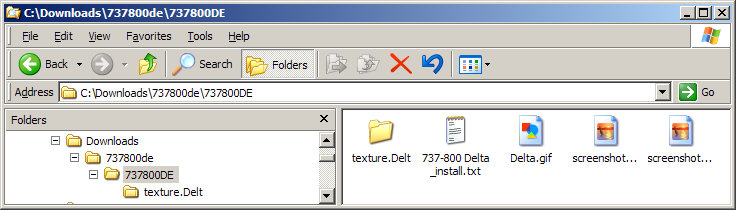
Now you have to edit the Aircraft.cfg file of the B737_800 to recognise the new variation.
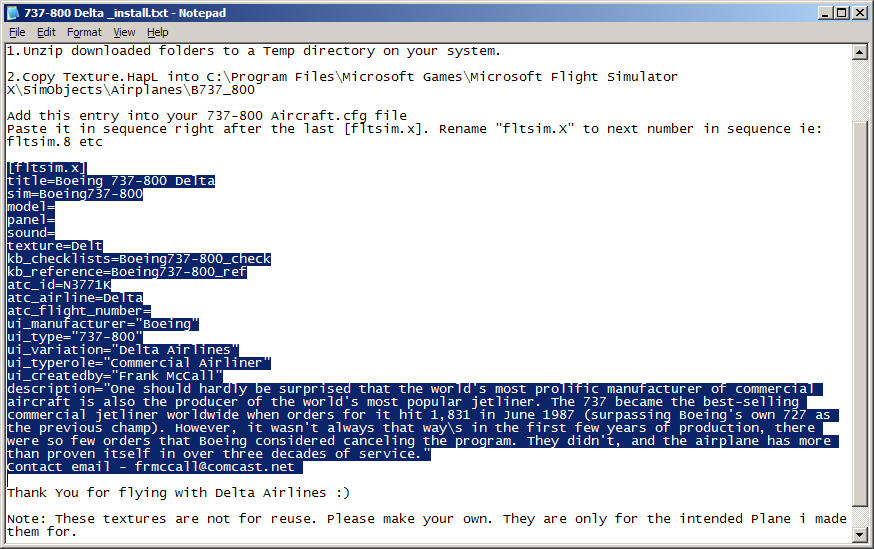
Open the file named 737-800 Delta _install.txt in the above shot in Notepad. This contains the installation instructions & the new CFG entry.
Highlight the text of the new entry by dragging the mouse across it. Then click Edit/Copy on the menu bar.
Open the B737_800 Aircraft.cfg in Notepad & scroll down to the end of the last variation, just above the General header. Make a space & click in it. Then click Edit/Paste.
Remember to change the X of the [flightsim.x] header to the next number in sequence. If this is your first new variation of the 737 it should be [fltsim.6]
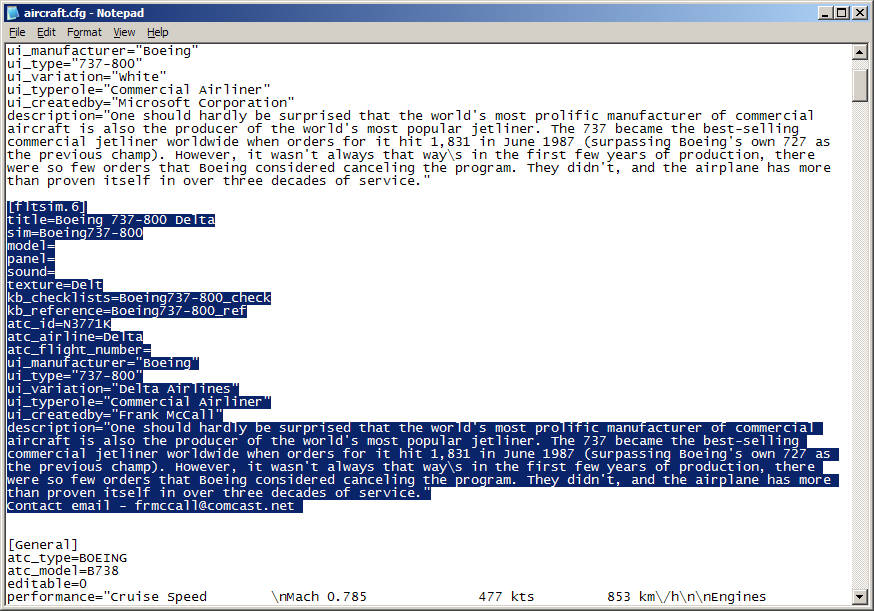
Finally, exit Notepad saving changes when prompted. The new variation should be listed on the selection menu as Boeing 737-800 Delta Airlines
Hope this explains it.
Edit: Oops, sorry DeepSpace. You must have replied while I was doing all this. I'll leave it in case it helps. Two heads are better than one.


 by harleymhs » Wed Nov 25, 2009 1:23 pm



