
Simviation Forums
Flight Simulator and other chat
Flight Simulator and other chat
 by manesag » Tue Nov 03, 2009 7:08 am


by Hagar » Tue Nov 03, 2009 7:48 am



by Hagar » Tue Nov 03, 2009 4:44 pm
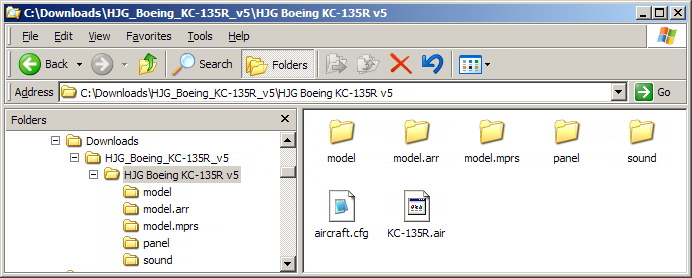
by manesag » Wed Nov 04, 2009 7:04 am
by Hagar » Wed Nov 04, 2009 7:13 am
It's the 22nd airbase for 2004 era also known as the third last one
by Hagar » Wed Nov 04, 2009 10:35 am
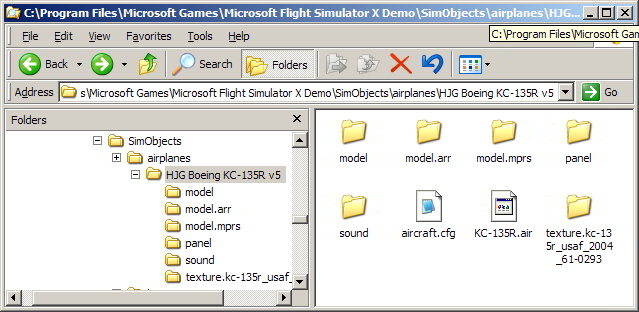
by Hagar » Wed Nov 04, 2009 3:33 pm
I already installed the kc135r
2 months ago I asked If I can take that texture and use it on b707-700 cause with tail
boom max speed goes down
by manesag » Wed Nov 04, 2009 4:19 pm
by manesag » Thu Nov 05, 2009 4:30 pm
by Hagar » Thu Nov 05, 2009 5:17 pm
Return to Flight Simulator X (FSX) and Steam
Users browsing this forum: No registered users and 467 guests