Follow that AI.....

FSX including FSX Steam version.

Follow that AI.....

Postby Capt.Propwash » Sat Oct 24, 2009 7:43 pm

Have you ever wondered where that AI plane was headed to so that you can follow it?? Well, I have the answer for you.

In your FSX (and FS9) .CFG located in, C:/Documents and Settings/(user)/Application Data/Microsoft Games/FSX (or /FS9)


look for the following area::

[AContain]
ShowLabels=1
ShowUserLabel=0
ShowLabelManufacturer=1
ShowLabelModel=1
ShowLabelTailNumber=0
ShowLabelDistance=1
ShowLabelAltitude=1
ShowLabelAirline=0
ShowLabelAirlineAndFlightNumber=0
[glow=yellow,2,300]ShowLabelFlightPlan=1[/glow]
ShowLabelContainerId=0
ShowLabelAirspeed=1
ShowLabelHeading=1
LabelDelay=1000
LabelColor=FFFF0000


change the value from =0 to =1 to turn it on.

Last edited by Capt.Propwash on Sat Oct 24, 2009 7:47 pm, edited 1 time in total.
The thoughts and expressions contained in the post above are solely my own, and not necessarily those of Simviation.com, its Moderators, its Staff, its Members, or other guests. They can not, are not, and will not be held liable for any thoughts, or expre
User avatar
Capt.Propwash
Major
Major
 
Posts: 1947
Joined: Tue Feb 20, 2007 12:34 am
Location: KCHS, Charleston, SC, USA

Re: Follow that AI.....

Postby Sonexhomebuilt » Sun Oct 25, 2009 12:07 pm

That's a very handy tip. I changed mine. If you don't feel like searching the entire file, open it with windows text program and choose find from one of the drop down menus. Just type in showlabelflightplan and hit enter. It instantly finds it for you!
Sonexhomebuilt
Ground hog
Ground hog
 
Posts: 11
Joined: Sun Oct 04, 2009 12:54 am

Re: Follow that AI.....

Postby Mistro » Mon Oct 26, 2009 7:53 pm

I tried this but for some reason the value in the CFG keeps going back to 0. I did save every time I tried. Any ideas?
Intel Core Quad CPU
Q6600 @ 2.40Ghz 2.39Ghz.
3.25Gb of RAM
Nvidia GeForce 9800 GT 512mb.
Windows XP pro with SP2
User avatar
Mistro
2nd Lieutenant
2nd Lieutenant
 
Posts: 204
Joined: Thu Nov 13, 2008 1:43 pm

Re: Follow that AI.....

Postby Capt.Propwash » Mon Oct 26, 2009 8:54 pm

if you are on VISTA, (maybe even 7), you might have to turn OFF the UAC {user account controls} so that .txt files will save properly.  If you have done this and it still wont save, you might want to contact NICK on here and ask him about what to do.  Nick is the resident computer "expert".


I love this nifty little feature due to the fact that you can know where your AI are going at a glance and you dont have to really tinker with TTOOLS to find out.  ...."oh look, is that a A340 AI over there?? I wonder where it is headed? Is it somewhere that I have never been and might like to check out one day, or is it too far to follow him there from here?"


I am actually in the process of actually trying to get EZ-VFR http://www.abacuspub.com/fsd/catalog/s543.htm  to make the AI easier to follow (which I have already showed you) but with EZ-VFR.. you can "SEE" your airport like you see AI 1-10nm away before you actually "SEE" your airport. (granted if you are flying in a highly airport congested area, your scenery gets a little cluttered with RED 'callouts' for the airports, but at least it can be toggled on and off with Shift+F12.
The thoughts and expressions contained in the post above are solely my own, and not necessarily those of Simviation.com, its Moderators, its Staff, its Members, or other guests. They can not, are not, and will not be held liable for any thoughts, or expre
User avatar
Capt.Propwash
Major
Major
 
Posts: 1947
Joined: Tue Feb 20, 2007 12:34 am
Location: KCHS, Charleston, SC, USA

Re: Follow that AI.....

Postby RickG » Tue Oct 27, 2009 6:50 pm

I tried this little trick, and will agree--it's kinda neat. I do notice tho that when flying around Vancouver Canada, a lot of AI seem to like flying to Philadelphia. Thanks for the tip.
Win7 Home Premium X64, Sabertooth Z77 mobo, i7 3770K@3.5 ghz, 8gb ram, Samsung 840PRO SSD,& WD hdd's
RickG
2nd Lieutenant
2nd Lieutenant
 
Posts: 246
Joined: Sun Jun 10, 2007 11:42 am

Re: Follow that AI.....

Postby U4EA » Tue Oct 27, 2009 7:05 pm

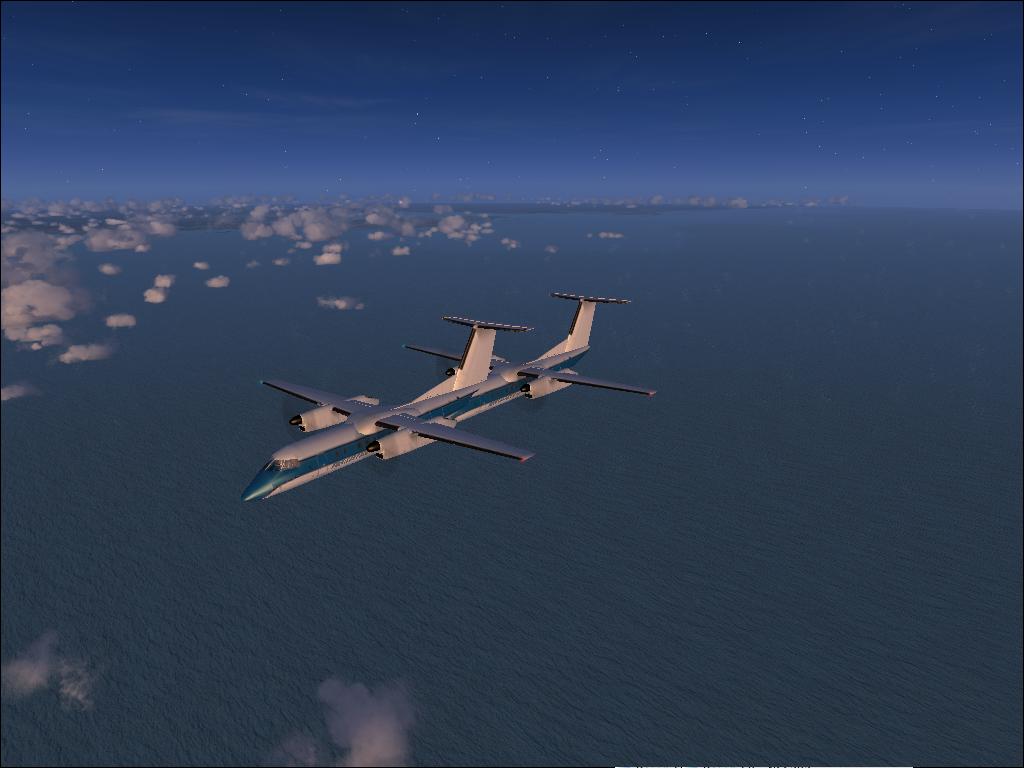
This is what I found my AI doing the other day.....not all that too sure that I would want to know where these two were heading!

Image
Last edited by U4EA on Tue Oct 27, 2009 7:06 pm, edited 1 time in total.
U4EA
 

Re: Follow that AI.....

Postby Capt.S.Prest » Wed Oct 28, 2009 9:57 am

...i knw this might sound odd but...i can't find my fsx.cfg file
Capt.S.Prest
Ground hog
Ground hog
 
Posts: 40
Joined: Thu Jun 04, 2009 9:40 am

Re: Follow that AI.....

Postby DaveSims » Wed Oct 28, 2009 12:20 pm

...i knw this might sound odd but...i can't find my fsx.cfg file


Not that odd, Microsoft has done a decent job of hiding it.  Easiest way to find it is to do a search of your computer (include hidden files).  Once you find it, you can bookmark it to make it easy to find again.
User avatar
DaveSims
Major
Major
 
Posts: 2350
Joined: Sat Mar 02, 2002 2:59 am
Location: Clear Lake, Iowa

Re: Follow that AI.....

Postby Capt.S.Prest » Wed Oct 28, 2009 4:06 pm

...i knw this might sound odd but...i can't find my fsx.cfg file


Not that odd, Microsoft has done a decent job of hiding it.
Capt.S.Prest
Ground hog
Ground hog
 
Posts: 40
Joined: Thu Jun 04, 2009 9:40 am

Re: Follow that AI.....

Postby dave3cu » Wed Oct 28, 2009 8:05 pm

Check this thread from Important Topics-Flight Simulator X FAQ's-http://205.252.250.26/cgi-bin/yabb2/YaBB.pl?num=1180547542/0#0
Last edited by dave3cu on Wed Oct 28, 2009 8:12 pm, edited 1 time in total.
At that time [1909] the chief engineer was almost always the chief test pilot as well. That had the fortunate result of eliminating poor engineering early in aviation.
dave3cu
Major
Major
 
Posts: 3141
Joined: Sun May 19, 2002 9:55 am
Location: 3CU, Northern Wisconsin, USA

Re: Follow that AI.....

Postby Capt.S.Prest » Thu Oct 29, 2009 6:31 am

thanx alot..i found it..
Capt.S.Prest
Ground hog
Ground hog
 
Posts: 40
Joined: Thu Jun 04, 2009 9:40 am


Return to Flight Simulator X (FSX) and Steam

Who is online

Users browsing this forum: No registered users and 508 guests