Blurred VC Textures

FSX including FSX Steam version.

Blurred VC Textures

Postby Brett Hill 2 » Fri Oct 09, 2009 2:18 pm

Due to my las post having no replys I am told there are no Texture Fis's for the Default A321. Therefore I am asking as to how I can do this myself.

I want to Know How I can make the blurred Standard VC textures show crisp. I have a little knowledge in DXTBMP if it is required...

Thanks

Brett Hill 2
2nd Lieutenant
2nd Lieutenant
 
Posts: 218
Joined: Sat May 17, 2008 7:52 pm

Re: Blurred VC Textures

Postby Steve M » Fri Oct 09, 2009 2:37 pm

Have you tried any of these Brett? Third one down the page.
Maybe it will help but never tried it myself.  :)
http://www.simviation.com/simviation/?t ... =67&page=2
Image
User avatar
Steve M
Major
Major
 
Posts: 4765
Joined: Sun Aug 31, 2008 1:02 pm
Location: Cambridge On.

Re: Blurred VC Textures

Postby Alejandro Rhodes » Fri Oct 09, 2009 3:01 pm

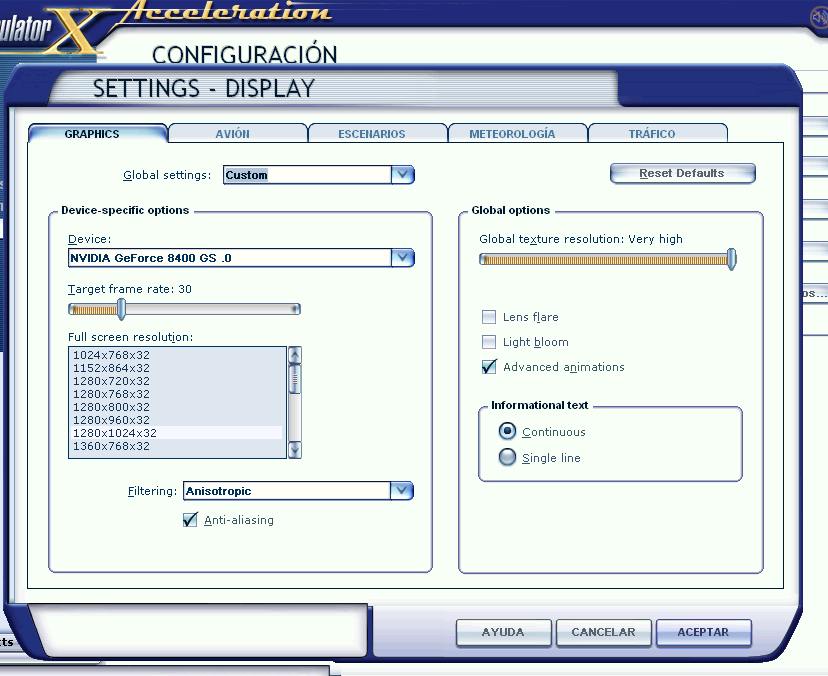
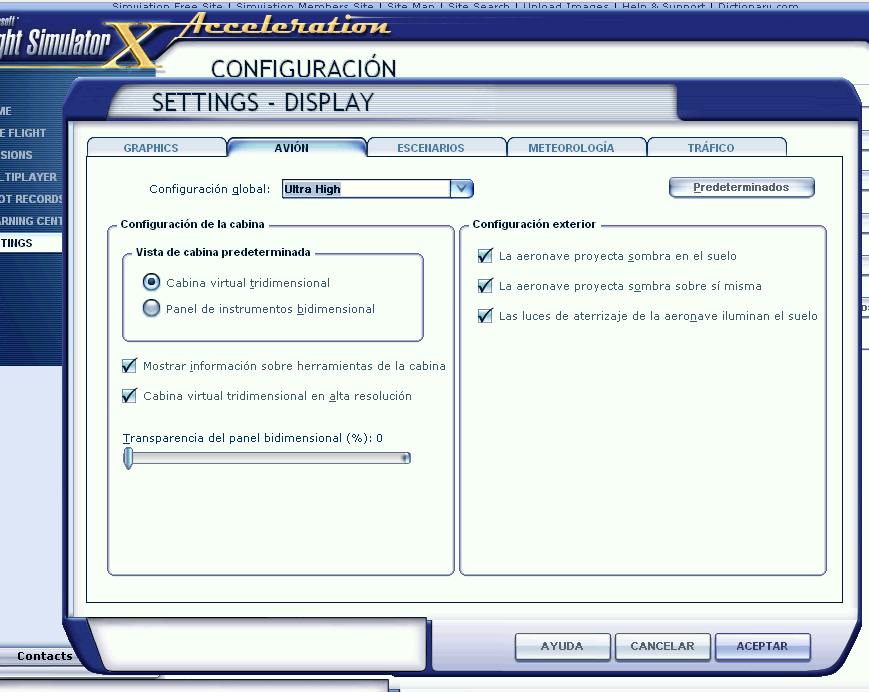
Please watch below my Specs , Blurry ? you must set up like this

global texture resolution very high

Image

Global Configuration Ultra high
Image

at least these two must be like this or very close

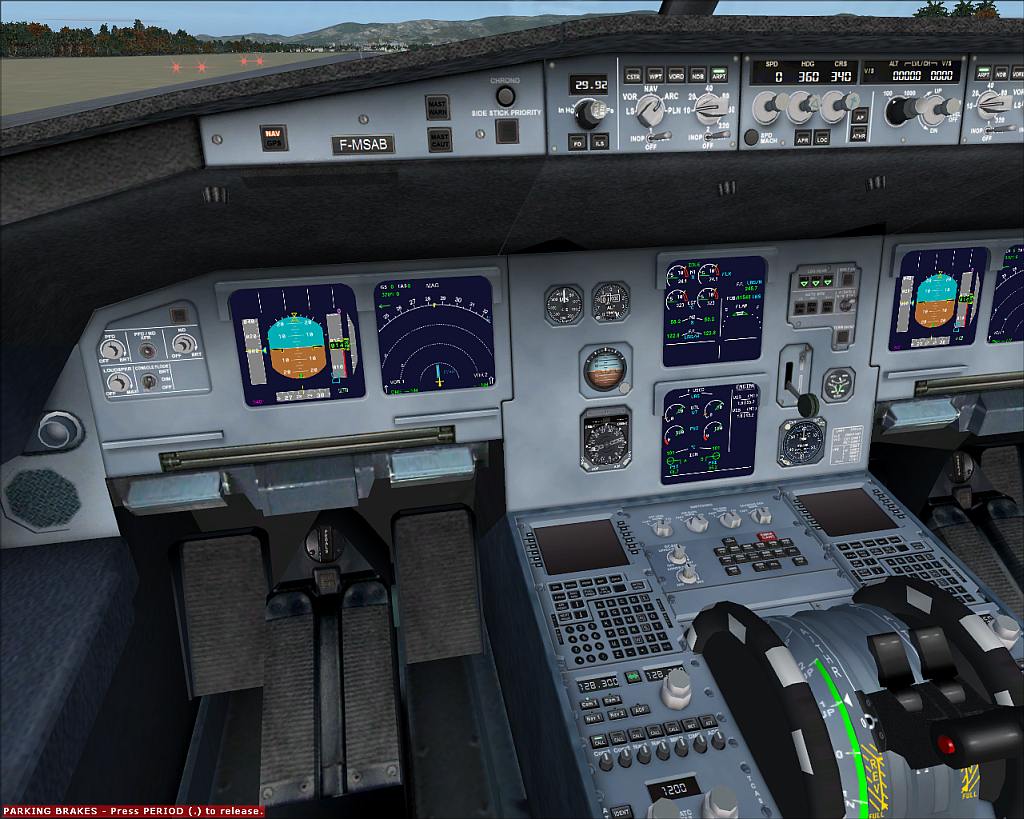
It Looks fine to me

Image
Last edited by Alejandro Rhodes on Fri Oct 09, 2009 3:06 pm, edited 1 time in total.
Alejandro Rhodes
Ground hog
Ground hog
 
Posts: 0
Joined: Sun Jan 27, 2013 6:33 am

Re: Blurred VC Textures

Postby Brett Hill 2 » Fri Oct 09, 2009 3:45 pm

Ok Thanks alot guys. It was altered textures Which I was looking for, The Global texture Res I already knew about but I get bad FPS if that is turned up. I should have made it more clear in my question that I already knew about it... it was only the altered textures for the A321 I am looking for. Yet again, thanks
Brett Hill 2
2nd Lieutenant
2nd Lieutenant
 
Posts: 218
Joined: Sat May 17, 2008 7:52 pm


Return to Flight Simulator X (FSX) and Steam

Who is online

Users browsing this forum: ratty13 and 489 guests