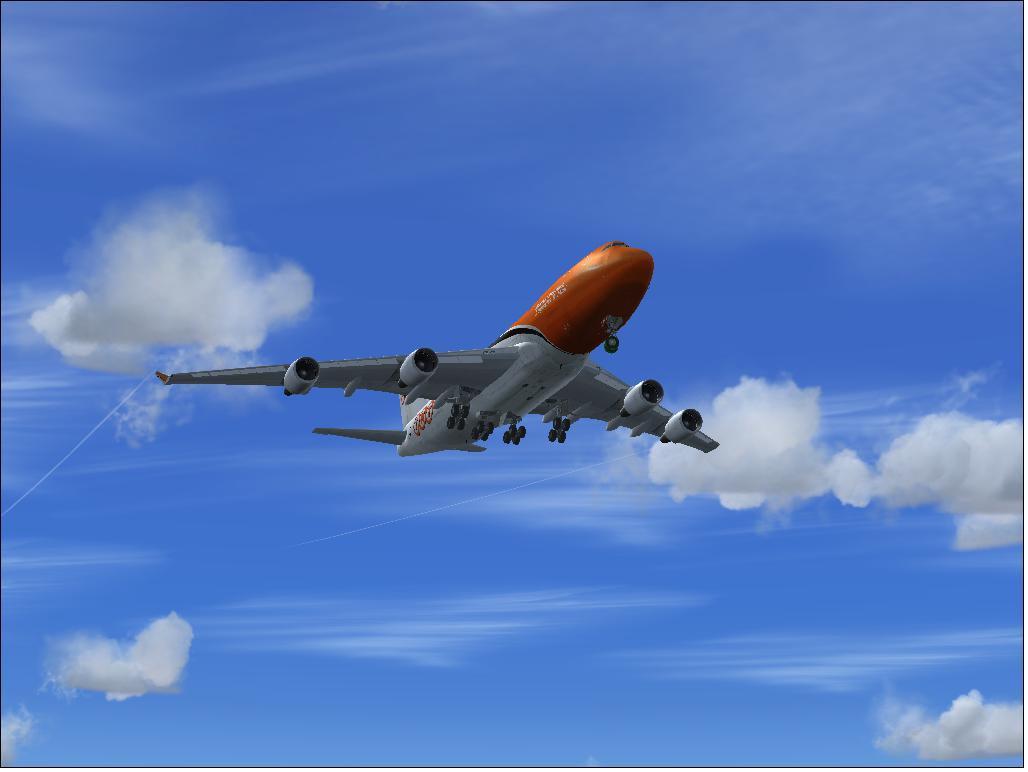
What on Earth?!

FSX including FSX Steam version.

What on Earth?!

Postby b108 » Sat Sep 19, 2009 11:49 am

This is just ridiculous in my opinion. It makes no sense:

I have a few POSKY 747-400 models that I have downloaded. They don't have working panels; they are clearly not compatible with FSX. Gauges don't display.

So, I found that fancy new version of a 747 panel, available on avsim, in the FSX panel section. I put this in the 747's that didn't have working apnels.

And they, the panels, somehow managed to screw up my landing gear.

(What?)

Yes. I'm being totally serious. Another non-sense-ical thing that FSX has managed to pull off.

Below is the result with the new panel added. LOOK AT THE NOSE GEAR. Also, when on the ground, the main gear look just as they do now; loose and as if they are dangling in mid air. Which they would not

Last edited by b108 on Sat Sep 19, 2009 12:00 pm, edited 1 time in total.
b108
2nd Lieutenant
2nd Lieutenant
 
Posts: 93
Joined: Wed Feb 13, 2008 5:36 pm

Re: What on Earth?!

Postby b108 » Sat Sep 19, 2009 11:57 am

Oh, hey there folks.

Geuss what?

Simviation won't show my photo when I insert it into the thread. Yes I know how to do it. It's just not working.

I guess you'll have to understand what this confusing mess I'm describing to you is about the hard way. Isn't that wonderful?

(Seriously, whats the problem with this stuff?! AGGHHH! I'm this close [holds up thumb and pointer finger less than a millimeter apart] to throwing my computer out the window.) >:(
b108
2nd Lieutenant
2nd Lieutenant
 
Posts: 93
Joined: Wed Feb 13, 2008 5:36 pm

Re: What on Earth?!

Postby hhomebrewer » Sat Sep 19, 2009 12:47 pm

Try pulling out the panel and re-installing. I know very little of the inner machinations of FSX (or any FS for that matter), but it's worth a try. What could it hurt?
I am homebrewer. I had 633 posts when for some unknown reason, my account disappeared...
AMD Phenom II X4 940 (Deneb), Asus M3N72-D motherboard, 2 x nVidia 8800GTS @640MB RAM, 1 x Seagate Barracuda 500Gb HDD (storage), 1 x Western Digital Black 250Gb
User avatar
hhomebrewer
Captain
Captain
 
Posts: 600
Joined: Sat Aug 22, 2009 8:44 pm
Location: United States of Good Beer

Re: What on Earth?!

Postby BFMF » Sat Sep 19, 2009 12:48 pm

http://www.simviation.com/yabbuploads/7 ... 0error.JPG

You left out a couple spaces in the filename. Its easier to not use spaces when uploading images


So you're using older addons that aren't fully compatible with FSX, and you're wondering why its having issues...? ::)
Last edited by BFMF on Sat Sep 19, 2009 12:56 pm, edited 1 time in total.
BFMF
Colonel
Colonel
 
Posts: 16266
Joined: Mon Feb 25, 2002 6:06 pm
Location: Pacific Northwest

Re: What on Earth?!

Postby hhomebrewer » Sat Sep 19, 2009 12:54 pm

Fabulous flight around the world, BFMF. I see you went right past my old stomping ground in Italy. Looks like you had a stop in Kuwait, too. I spent a summer there 30 years ago. How long did the whole journey take-- days, weeks?

Is it possible anyone could ever get airspace clearances to actually fly that route today?
Last edited by hhomebrewer on Sat Sep 19, 2009 12:56 pm, edited 1 time in total.
I am homebrewer. I had 633 posts when for some unknown reason, my account disappeared...
AMD Phenom II X4 940 (Deneb), Asus M3N72-D motherboard, 2 x nVidia 8800GTS @640MB RAM, 1 x Seagate Barracuda 500Gb HDD (storage), 1 x Western Digital Black 250Gb
User avatar
hhomebrewer
Captain
Captain
 
Posts: 600
Joined: Sat Aug 22, 2009 8:44 pm
Location: United States of Good Beer

Re: What on Earth?!

Postby BFMF » Sat Sep 19, 2009 1:05 pm

Fabulous flight around the world, BFMF. I see you went right past my old stomping ground in Italy. Looks like you had a stop in Kuwait, too. I spent a summer there 30 years ago. How long did the whole journey take-- days, weeks?

Is it possible anyone could ever get airspace clearances to actually fly that route today?


Thanks. I started the flight on Aug 5, and ended on Sep 7. It only took a 161 hours of flight time to complete... :o

Yep, didn't feel like flying back into Iraq, so I went around it and stopped by the Ali Al Saleem Airbase in Kuwait. Didn't like the place in real life so I was only there long enough to refuel and fly outta there as fast as I could... ;D
BFMF
Colonel
Colonel
 
Posts: 16266
Joined: Mon Feb 25, 2002 6:06 pm
Location: Pacific Northwest

Re: What on Earth?!

Postby pete » Sat Sep 19, 2009 1:32 pm

The best place to ask about problem files is the site you got the file from.

We try to maintain workable files at Simviation and if a report is made the file is either fixed or removed. There are files uploaded here but not approved because they are obviously problematic. Same files appear at other sites.

If you get a files from here we are happy to support them.

Thanks
Simplicity is the ultimate sophistication. – Leonardo da Vinci
User avatar
pete
Administrator
Administrator
 
Posts: 10244
Joined: Mon Jan 01, 2001 2:01 am
Location: Cloud Cuckoo Land

Re: What on Earth?!

Postby loomex » Sat Sep 19, 2009 5:44 pm

I am sure it will click with someone here, but if this old fart's memory is correct there was an issue addressed somewhere within this site or another site dealing with POSKY aircraft, landing gear and a certian gage needed
Windows 7 Home Premium (x64) ,2.70 gigahertz AMD Phenom II X6 1045T(6-core), two HD (1TB and 500GB), 8gb RAM, ATI Radeon HD 5570,
User avatar
loomex
Major
Major
 
Posts: 1525
Joined: Wed Feb 13, 2002 12:36 am
Location: Ithaca, NY

Re: What on Earth?!

Postby TerryW » Sun Sep 20, 2009 11:29 am

To the op...not sure if this will help, but as a big fan of POSKY aircraft I can explain what I do. I also used an FSX 747 panel from AVSIM. The POSKY 747's absolutely require a couple of items from their panels to be added to any that you might download and use.

Move the the posky-util and posky744 folders from their panel to your new one.

Add the two Windows entries to the top "windows titles" portion of your new panel's cfg. information. Make sure to keep the two new entries in sequence.

Scroll down the Posky cfg. file and copy those related windows entries into the new panels' cfg entries, again ensuring you use sequential windows numbers.

Most importantly....copy the vc portion of the Posky panel cfg. file over to your new panel's cfg. file. If there is no vc entries in the new panel's cfg, file, just number the one you copy over as [Vccockpit01]. You'll know the entry I mean because there will be entries in it relating to pkynosegearheight, pkybodygearheight, etc.

All the best,
Terry
TerryW
Ground hog
Ground hog
 
Posts: 47
Joined: Sun Nov 02, 2003 6:25 am

Re: What on Earth?!

Postby N. Chapman » Sun Sep 20, 2009 2:32 pm

Ahem...

A simple search at POSKY would yield this result...

http://forum.projectopensky.com/index.php?showtopic=31346
Image
Click for Computer info overload!
User avatar
N. Chapman
Captain
Captain
 
Posts: 971
Joined: Sat Oct 13, 2007 7:19 pm
Location: Fremont, CA

Re: What on Earth?!

Postby b108 » Mon Sep 21, 2009 3:22 pm

HOW DID YOU DO THAT?!
Why wasn't it working for my post?
That is so wierd... oh well.
Thanks for your help, gentlemen.
b108
2nd Lieutenant
2nd Lieutenant
 
Posts: 93
Joined: Wed Feb 13, 2008 5:36 pm

Re: What on Earth?!

Postby N. Chapman » Mon Sep 21, 2009 5:57 pm

Do what?
Image
Click for Computer info overload!
User avatar
N. Chapman
Captain
Captain
 
Posts: 971
Joined: Sat Oct 13, 2007 7:19 pm
Location: Fremont, CA

Re: What on Earth?!

Postby tcco94 » Mon Sep 21, 2009 9:11 pm

I dont believe that your picture was a problem with the sim... ;)

http://www.youtube.com/watch?v=VyiHRq-w ... re=related
User avatar
tcco94
Major
Major
 
Posts: 3946
Joined: Mon Apr 07, 2008 1:41 am
Location: Bay Area, California


Return to Flight Simulator X (FSX) and Steam

Who is online

Users browsing this forum: No registered users and 434 guests