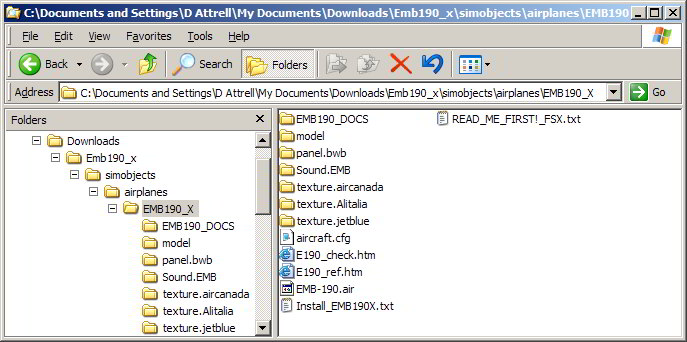
dumb question, but could you copy/paste the read me to a post on here?? there might be something so small that you might have missed.
or better yet, what craft is it, and where did you find it ? link please.
Hi
Not sure how to link it cuz its doesn't have a url but here are the instructions copy pasted.
We recommend Winzip to extract these files, other zip tools may not do the job.
Windows Vista users may need to temporarily turn OFF User Account Control ( in the Security Center) in order to enable creation of new folders.
................................................................................
1. Navigate to where you downloaded the EMB190_X.zip file
2. Double click with your mouse on the EMB190_X.zip file.
3. WINZIP should open and show all the files inside the zip.
4. Press CTRL A and this will select all the files.
5. Click on 'Extract' in the Main Tool Bar above.
( Make sure the "Use folder names" box is checked)
6. Type in, or select, your path in the pop-up dialogue box....
The default path in English version is C:\program files\microsoft games\microsoft flight simulator X
If you have amended your FSX location, or if you use a non English version of Windows, ...then ...
.... browse to your own FSX Location