Posky ERJ VC in FSX - anyone got it to work?

FSX including FSX Steam version.

Posky ERJ VC in FSX - anyone got it to work?

Postby ThrottleUp » Sat Jan 17, 2009 7:43 am

Hello flight sim friends  :)

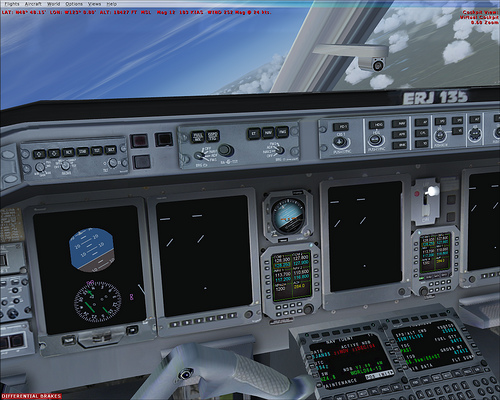
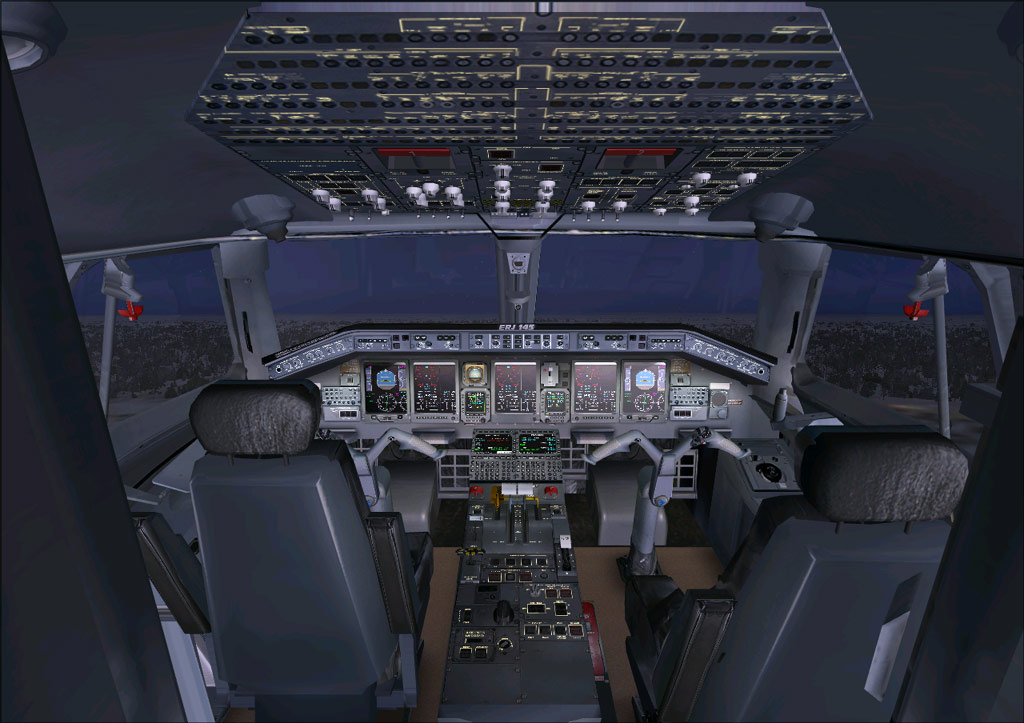
One of my favorite jets to fly in FS9 is the Posky ERJ series with their cool VCs. While some of my FS9 planes have transferred over with no problems the Posky ERJs VC doesnt work  :-[

Now I know the 777 transfers very well and there is a great thread right here on Simviation by gtirob01 on how to do that (by the way thanks for that mate!)

However I was able to find no info on the ERJ VC in FSX. I got an odd feeling this is one jet whose VC refuses to work under FSX but I like it so much I just had to post this.

Thank you all for reading and I look forward to your replies  :)

Image
[size=2]Cyberpower Infinity | Coolermaster CM-690 | Core i7 920 @ 2.67Ghz | 3GB DDR3 RAM
ATI Radeon HD4870 1GB | MSI X58 Platinum
User avatar
ThrottleUp
Ground hog
Ground hog
 
Posts: 7
Joined: Fri May 20, 2005 11:49 am

Re: Posky ERJ VC in FSX - anyone got it to work?

Postby gtirob01 » Sat Jan 17, 2009 8:45 pm

Actually, I havent tried yet. Been mainly sticking to the CRJ's and of course the 777. But this would be a nice little project to tackle. I may see if I can try re-working some things to make the vc work. Check back in a few days.
My specs... A hard drive, motherboard, graphics card, some memory, a keyboard, mouse, and monitor - in other words, nothing special.

Image

My Posky
User avatar
gtirob01
Major
Major
 
Posts: 3605
Joined: Fri Jul 20, 2007 11:10 pm
Location: Ft. Walton Beach, FL

Re: Posky ERJ VC in FSX - anyone got it to work?

Postby gtirob01 » Sun Jan 18, 2009 5:48 pm

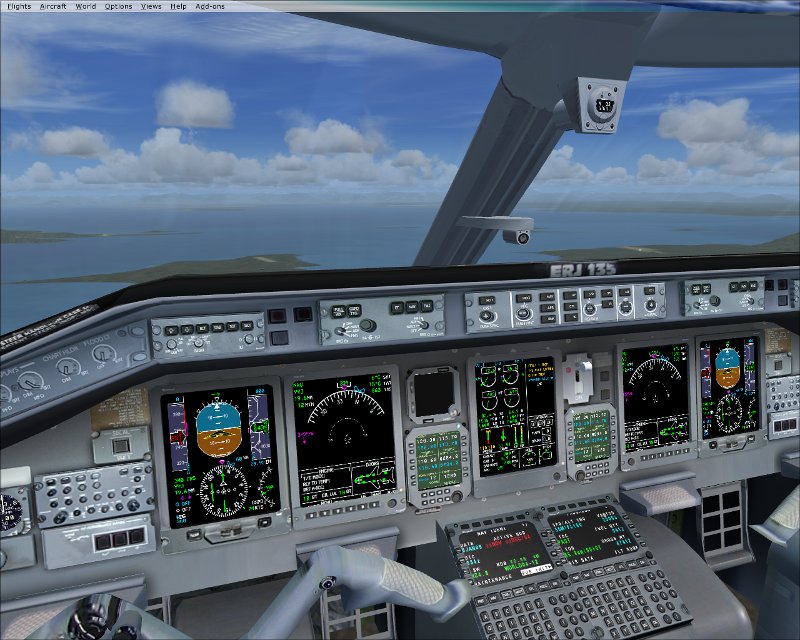
Well, I have been messing with it a bit today, and while I've gotten some of the gauges to work, others either dont work at all, or strangely they half work. A lot of trial and error, but I am making progress. Keep looking back.
My specs... A hard drive, motherboard, graphics card, some memory, a keyboard, mouse, and monitor - in other words, nothing special.

Image

My Posky
User avatar
gtirob01
Major
Major
 
Posts: 3605
Joined: Fri Jul 20, 2007 11:10 pm
Location: Ft. Walton Beach, FL

Re: Posky ERJ VC in FSX - anyone got it to work?

Postby sounddoc » Fri May 22, 2009 6:19 pm

I've been trying to work this myself and learning panel development in the process. so far i've got myself in the same boat. i can get needles and half the eicas to work, but the base bmp's from the lear don't display. odd, because they are in the same xml that the working parts are pulling from. here's what i have so far. as you can see i've tweaked the left radio a bit to get it to fit better:

Image
sounddoc
Ground hog
Ground hog
 
Posts: 4
Joined: Fri May 22, 2009 7:08 pm

Re: Posky ERJ VC in FSX - anyone got it to work?

Postby Brett Hill 2 » Fri May 22, 2009 6:52 pm

The ERJ is a fantastic aircraft to fly. I attempted the gauges myself a while back and I can remember having the same problems.... however I am only an amature at panel modding and therefore dont take my word for it that it cant be done.

My main problem was getting the autopilot or work... get that to work and you would make my day ;)
Last edited by Brett Hill 2 on Fri May 22, 2009 6:53 pm, edited 1 time in total.
Brett Hill 2
2nd Lieutenant
2nd Lieutenant
 
Posts: 218
Joined: Sat May 17, 2008 7:52 pm

Re: Posky ERJ VC in FSX - anyone got it to work?

Postby gtirob01 » Fri May 22, 2009 7:03 pm

Hmmm, I remember messing with it too. I wanna say I did get it to work, but now I dont remember. Gonna have to fly it and check it out to know for sure. Will let ya know.
My specs... A hard drive, motherboard, graphics card, some memory, a keyboard, mouse, and monitor - in other words, nothing special.

Image

My Posky
User avatar
gtirob01
Major
Major
 
Posts: 3605
Joined: Fri Jul 20, 2007 11:10 pm
Location: Ft. Walton Beach, FL

Re: Posky ERJ VC in FSX - anyone got it to work?

Postby gtirob01 » Fri May 22, 2009 7:12 pm

Was just browsing through some older screenshots and found this;

http://www.simviation.com/yabbuploads/erjVCshot.jpg

Here is my panel.cfg

// This Panel.cfg file created by FS Panel Studio panel editor utility - http://www.fspanelstudio.com
// Built Monday, August 27, 2007 at 01:28 FSPS Build:14852

[Window Titles]
Window00=Main Panel
Window01=GPS
Window02=Throttle Quadrant
Window03=Annunciator
Window04=Compass
Window05=Mini Panel


//--------------------------------------------------------
[Window00]
file=Forward_640.bmp
file_1024=Forward_1024.bmp
size_mm=640
position=7
visible=1
ident=MAIN_PANEL

gauge00=Lear_45_XML!angle_of_attack,         16,662
gauge01=Lear_45_XML!Clock,                     34,542
gauge02=Lear_45_XML!Compass,              829,  1
gauge03=Lear_45_XML!PFD,                          141,390
gauge04=Lear_45_XML!yaw_indicator,        251,390
gauge05=Lear_45_XML!EICAS,                    413,391
gauge06=Lear_45_XML!Radio,                    686,563
gauge07=Lear_45_XML!Asi,                          691,393
gauge08=Lear_45_XML!Attitude,                          799,391
gauge09=Lear_45_XML!Altimeter,                    911,393
gauge10=Lear_45_XML!annunciator_panel,        683,497
gauge11=Lear_45_XML!autopilot,        507,294
gauge12=Lear_45_XML!gear,                    866,561
gauge13=Lear_45_XML!pfd_mfd_swap_panel,        177,325
gauge14=Lear_45_XML!source_select_panel,        300,294
gauge15=SimIcons1024!ATC Icon,                            108,423
gauge16=SimIcons1024!GPS Icon,                           86,445
gauge17=SimIcons1024!Kneeboard Icon,              108,445
gauge18=SimIcons1024!ECU Icon,                           86,467
gauge19=SimIcons1024!Map Icon,                            108,467
gauge20=SimIcons1024!Electrical Panel Icon,         86,489
gauge21=SimIcons1024!Fuel Icon,                          108,489
gauge22=SimIcons1024!Engines Icon,               86,511   // APU
gauge23=SimIcons1024!Other Controls Icon,       108,511      // Trim
gauge24=n_number_plaque!n_number_plaque,         245,730,57,17


//--------------------------------------------------------
[Window01]
Background_color=0,0,0
size_mm=456,378
position=8
visible=0
ident=GPS_PANEL
window_size= 0.500, 1.000
window_pos= 0.000, 0.000

gauge00=fs9gps!gps_500,  0,0


//--------------------------------------------------------
[Window02]
file=Throttle_Quadrant_640.bmp
size_mm=203
position=0
visible=0
ident=THROTTLE_PANEL

gauge00=Lear_45!Throttle_Quadrant_640,  0,0


//--------------------------------------------------------
[Window03]
file=Annunciator_640.bmp
size_mm=128
position=0
visible=0
ident=ANNUNCIATOR_PANEL

gauge00=Lear_45!Annunciator_640,  0,0


//--------------------------------------------------------
[Window04]
file=Lear_compass.bmp
size_mm=70
position=2
visible=0
ident=COMPASS_PANEL

gauge00=Bombardier_CRJ_700!compass,  0,0


//--------------------------------------------------------
[Window05]
Background_color=0,0,0
size_mm=188,256
position=7
visible=1
ident=MINIPANEL
child_3d=1

gauge00=Lear_45_XML!PFD,  0,0
gauge01=Lear_45_XML!eicas,  757,0


//--------------------------------------------------------
[Vcockpit01]
file=$vc_01.bmp
Background_color=0,0,0
size_mm=1024,1024
visible=0
pixel_size=1024,1024
texture=$vc_01

gauge00=B737_800!attitude_backup,  710,687,306,318
gauge01=Lear_45_XML!PFD,  0,0,523,684
gauge02=Lear_45_XML!EICAS, 505,0,523,684
gauge03=Bombardier_CRJ_700!clock,  432,697,277,277


//--------------------------------------------------------
[Vcockpit02]
file=$vc_02.bmp
Background_color=0,0,0
size_mm=1024,1024
visible=0
pixel_size=1024,1024
texture=$vc_02

gauge00=B737_800!attitude_backup,  710,685,306,318
gauge01=Lear_45_XML!PFD,  0,0,523,684
gauge02=Lear_45_XML!EICAS, 505,0,523,684
gauge03=Bombardier_CRJ_700!clock,  432,695,277,277


//--------------------------------------------------------
[Vcockpit03]
file=$vc_03.bmp
Background_color=0,0,0
size_mm=1024,1024
visible=0
pixel_size=1024,1024
texture=$vc_03

gauge00=Lear_45_XML!Radio,  493,26,448,510
gauge01=Lear_45_XML!Radio,  494,510,448,510
gauge02=Lear_45_XML!EICAS,  0,0,523,684
gauge03=Bombardier_CRJ_700!compass,  5,638,356,344


[Color]
Day=255,255,255
Night=0,0,0
Luminous=0,0,0

[Default View]
X=0
Y=0
SIZE_X=8191
SIZE_Y=2390
My specs... A hard drive, motherboard, graphics card, some memory, a keyboard, mouse, and monitor - in other words, nothing special.

Image

My Posky
User avatar
gtirob01
Major
Major
 
Posts: 3605
Joined: Fri Jul 20, 2007 11:10 pm
Location: Ft. Walton Beach, FL

Re: Posky ERJ VC in FSX - anyone got it to work?

Postby sounddoc » Fri May 22, 2009 11:08 pm

progress!!

the problem with the missing background lines are the negative numbers in the gauge x,y coords in the panel.cfg. change them to positive and they show up! now it's a question of moving things around as with positive coords, the frame of the lear eicas peeks through the edges....will keep all posted. thanks!
sounddoc
Ground hog
Ground hog
 
Posts: 4
Joined: Fri May 22, 2009 7:08 pm

Re: Posky ERJ VC in FSX - anyone got it to work?

Postby sounddoc » Sat May 23, 2009 10:23 am

woo-hoo!! even more progress! i managed to get bill grabowski's gauges to work in fsx virtual cockpit!!

they require fssound.dll to be in the root fsx folder...

Image
sounddoc
Ground hog
Ground hog
 
Posts: 4
Joined: Fri May 22, 2009 7:08 pm

Re: Posky ERJ VC in FSX - anyone got it to work?

Postby Brett Hill 2 » Sat May 23, 2009 7:44 pm

Any luck with autopilots in the VC?
Brett Hill 2
2nd Lieutenant
2nd Lieutenant
 
Posts: 218
Joined: Sat May 17, 2008 7:52 pm

Re: Posky ERJ VC in FSX - anyone got it to work?

Postby sounddoc » Sat May 23, 2009 7:49 pm

nope, really nothing clickable except for control surfaces. to get the radios etc to work i'll need to make some new panels in the vc which will require me getting my hands on the original mdl file, uncompiled. from there it's extracting bill's gau file and converting it to xml format, and basically re-writing his code. it can be done, but it's a lot of work and i'm just learning. will keep this thread updated, and might start one over at fsnordic or projectopensky (provided they don't yell at me for mis posting, or not reading some obscure hard to find documentation)

of course, fs9 is only $10 at newegg.com right now...
sounddoc
Ground hog
Ground hog
 
Posts: 4
Joined: Fri May 22, 2009 7:08 pm

Re: Posky ERJ VC in FSX - anyone got it to work?

Postby Meck » Tue May 26, 2009 3:55 am

Good job guys!  [smiley=thumbsup.gif]
Image

excuse bad grammar; "I' bin Bayer..."
User avatar
Meck
Major
Major
 
Posts: 1656
Joined: Sat Apr 21, 2007 12:07 pm
Location: Bavaria


Return to Flight Simulator X (FSX) and Steam

Who is online

Users browsing this forum: No registered users and 306 guests