Posky 777 VC again!

FSX including FSX Steam version.

Posky 777 VC again!

Postby Cessna172150 » Tue Apr 28, 2009 4:21 pm

hi all. i got the posky 777 airplane with the vc.  It works and is amazing.  But the gauges dont show.  I have tried to download the fs9 777 from simv and get the gauge folder and add it to the main gauge folder.  Its still not working.  There black. :'( >:( :(
User avatar
Cessna172150
2nd Lieutenant
2nd Lieutenant
 
Posts: 61
Joined: Wed Feb 04, 2009 9:18 pm

Re: Posky 777 VC again!

Postby brantmacga » Tue Apr 28, 2009 6:49 pm

i don't have FSX, but i'll share my experience w/ FS9.


I downloaded the POSKY777Delta.zip from SimV and had no gauges either.

I went to projectopensky.com, into their 'Downloads' section, and downloaded 'XML Glass Gauges for 777'. After installing that my gauges worked fine. There was also a new panel.cfg file to replace the original.

I noticed after installing these files I lost the GPS display in the rear of the cockpit, which was the only thing that originally worked.

When you go to projectopensky.com, and then to downloads, just find the aircraft you're looking for and there is a link for "Panel Packages".


Maybe this will help!
brantmacga
2nd Lieutenant
2nd Lieutenant
 
Posts: 239
Joined: Sun Dec 04, 2005 4:37 pm
Location: Quitman, GA

Re: Posky 777 VC again!

Postby Cessna172150 » Tue Apr 28, 2009 7:12 pm

YAYYAYAYAYAYAYAYAYAYAYAY        THANK YOU SO MUCH WOOOOOOOHOOOOOO ;D ;D ;D ;D :D :D :D :) :) :) ;D ;D ;D     ITS AWSOME         IM ACTUALLY SHAKING RIGHT NOW.     (yes i now im wierd :-[)
User avatar
Cessna172150
2nd Lieutenant
2nd Lieutenant
 
Posts: 61
Joined: Wed Feb 04, 2009 9:18 pm

Re: Posky 777 VC again!

Postby Cessna172150 » Tue Apr 28, 2009 7:52 pm

How do you get the Autopilot to work?
User avatar
Cessna172150
2nd Lieutenant
2nd Lieutenant
 
Posts: 61
Joined: Wed Feb 04, 2009 9:18 pm

Re: Posky 777 VC again!

Postby tcco94 » Tue Apr 28, 2009 11:38 pm

How do you get the Autopilot to work?

;D.....

I have a video on how to learn the autopilot...
*it also includes how to use the GPS*

Click my sig then find the video...
Hope it helps 8-)
User avatar
tcco94
Major
Major
 
Posts: 3946
Joined: Mon Apr 07, 2008 1:41 am
Location: Bay Area, California

Re: Posky 777 VC again!

Postby Cessna172150 » Wed Apr 29, 2009 5:51 am

Ummmm i worded that wrong i dont need help using the AP i need help getting the numbers to show up         ;D   Still  ;D a good vid.
Last edited by Cessna172150 on Wed Apr 29, 2009 5:57 am, edited 1 time in total.
User avatar
Cessna172150
2nd Lieutenant
2nd Lieutenant
 
Posts: 61
Joined: Wed Feb 04, 2009 9:18 pm

Re: Posky 777 VC again!

Postby j76ny » Wed Apr 29, 2009 6:38 am

I've downloaded several of the POSKY 777s. Some work some don't. The Delta is fine (good VC, good gauges), the United....nothing. No VC at all. Its like I'm a bird flying in front of the plane. I got the 777 panel package from here and still, nothing.

Any ideas on fixing this?

User avatar
j76ny
2nd Lieutenant
2nd Lieutenant
 
Posts: 174
Joined: Mon Dec 31, 2007 1:16 am
Location: D38 KROC

Re: Posky 777 VC again!

Postby FuturePilot » Wed Apr 29, 2009 9:31 am

I've downloaded several of the POSKY 777s. Some work some don't. The Delta is fine (good VC, good gauges), the United....nothing. No VC at all. Its like I'm a bird flying in front of the plane. I got the 777 panel package from here and still, nothing.

Any ideas on fixing this?


Your sure you weren't in the front view?
ASUS M4A89GTD, 16GB 1333MHz DDR3 RAM, 160GB 10,000 RPM HDD + 1TB 7200 RPM HDD, AMD Phenom II x4 965BE 3.4
User avatar
FuturePilot
Major
Major
 
Posts: 1553
Joined: Wed Apr 08, 2009 9:47 pm
Location: MD, TN, and Grand Cayman

Re: Posky 777 VC again!

Postby tcco94 » Wed Apr 29, 2009 9:36 am

[quote]Ummmm i worded that wrong i dont need help using the AP i need help getting the numbers to show up      
User avatar
tcco94
Major
Major
 
Posts: 3946
Joined: Mon Apr 07, 2008 1:41 am
Location: Bay Area, California

Re: Posky 777 VC again!

Postby j76ny » Wed Apr 29, 2009 12:09 pm

I've downloaded several of the POSKY 777s. Some work some don't. The Delta is fine (good VC, good gauges), the United....nothing. No VC at all. Its like I'm a bird flying in front of the plane. I got the 777 panel package from here and still, nothing.

Any ideas on fixing this?


Your sure you weren't in the front view?


Yep
User avatar
j76ny
2nd Lieutenant
2nd Lieutenant
 
Posts: 174
Joined: Mon Dec 31, 2007 1:16 am
Location: D38 KROC

Re: Posky 777 VC again!

Postby FuturePilot » Wed Apr 29, 2009 12:30 pm

Check to make sure you have all the folders.
ASUS M4A89GTD, 16GB 1333MHz DDR3 RAM, 160GB 10,000 RPM HDD + 1TB 7200 RPM HDD, AMD Phenom II x4 965BE 3.4
User avatar
FuturePilot
Major
Major
 
Posts: 1553
Joined: Wed Apr 08, 2009 9:47 pm
Location: MD, TN, and Grand Cayman

Re: Posky 777 VC again!

Postby FlyingPerson » Wed Apr 29, 2009 2:08 pm
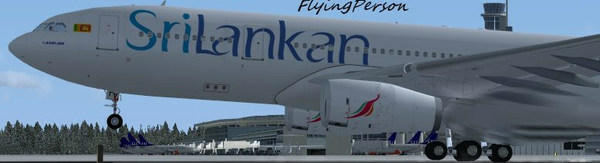
If you're missing the VC in the Posky 777, then it doesen't have the VC files included, and you have to manually install them from projectopensky.com->Boeing->Boeing 777-200/300->Panel Packages.

Download:

Posky AutoBrake for 777V2
Virtual Cockpit 32-Bit bmp Textures
Virtual Cockpit Panel SP2A
XML Glass Gauges for 777

A pain-in-the-ass installation, but worth it in the end.
Specs
Intel M C2D P8400 2.26 GhZ
nVidia GeForce 9600M GT
4 GB DDR3
320 GB HD
Windows Vista Home Premium SP1 32

Image


Flown: B
User avatar
FlyingPerson
Captain
Captain
 
Posts: 573
Joined: Sun Nov 09, 2008 3:54 pm
Location: Near Oslo, Norway

Re: Posky 777 VC again!

Postby adkleaddog » Wed Apr 29, 2009 5:26 pm

What a timely post! I downloaded the VC stuff for the 777 Delta, but some of the buttons and switches seem to have what appears to be another panel in a "layer" under it, is there a file to be deleted?  

I haven't tried a complete reinstall yet, too busy.

Any clues or suggestions?
If You Ain't The Lead Dog, The Scenery Never Changes! (Age Old Yukon Saying)

i7-860, 8GB DDR3 RAM 7-7-7-20, ATI5770 1GB, 2X 1TB HD, Corsair 750w p/s, Saitek ProFlight Yoke System+Throttle Quad+Pedals+Cyborg Keyboard.... FSX,GEX,UTX,UT2....
adkleaddog
2nd Lieutenant
2nd Lieutenant
 
Posts: 210
Joined: Thu Feb 24, 2005 1:13 pm

Re: Posky 777 VC again!

Postby Cessna172150 » Thu Apr 30, 2009 6:13 am

hi    Thanks i got the wasnt able to get the ap to show up but in other shots it wasnt there either so i guess u cant get it.  I got the delta that uses 737 gauges.   It doesnt look as nice but it works. 8-)
User avatar
Cessna172150
2nd Lieutenant
2nd Lieutenant
 
Posts: 61
Joined: Wed Feb 04, 2009 9:18 pm

Re: Posky 777 VC again!

Postby gtirob01 » Thu Apr 30, 2009 7:58 am

Post a screenshot of your problem. I think I know what you are talking about, but I'd like to see it to be sure.

As for the 777-300.gau file, you mentioned you put that "folder" into you main fsx gauges folder. Maybe that can be part of the problem? There should only be one file.... just put that file itself in your main fsx gauges folder. Also, which panel.cfg do you have? The latest one to reflect the new xml gauges?
Last edited by gtirob01 on Thu Apr 30, 2009 8:00 am, edited 1 time in total.
My specs... A hard drive, motherboard, graphics card, some memory, a keyboard, mouse, and monitor - in other words, nothing special.

Image

My Posky
User avatar
gtirob01
Major
Major
 
Posts: 3605
Joined: Fri Jul 20, 2007 11:10 pm
Location: Ft. Walton Beach, FL

Next

Return to Flight Simulator X (FSX) and Steam

Who is online

Users browsing this forum: No registered users and 277 guests