FSX & SLI

FSX including FSX Steam version.

Re: FSX & SLI

Postby ATI_7500 » Thu Apr 05, 2007 12:31 pm

*Bump*

O&O Before:
http://i120.photobucket.com/albums/o183 ... c/oo_1.jpg

3*Complete\Name, then Space on D: and Space on C:

After:
http://i120.photobucket.com/albums/o183 ... c/oo_2.jpg

Chkdisk didn't work, messed up my startup.


FSX runs better. I still got some slight micro stutters in the exterior view at some angles, but that might be video synchronization or harmless in any other way.
Smooth so far, yet still some blurs.

ATI_7500
 

Re: FSX & SLI

Postby Nick N » Thu Apr 05, 2007 2:07 pm

Chkdsk messed up your startup?

We need to get at that one right away. Check Disk is a normal windows maintenance function. If it will not run or something strange happens when it is run, it is a sign of a real problem present.


First, so I understand where we are at with your system, I see you followed the list and everything has been verified, including O&O setup properties for using layout.ini and all resources with a sequential defrag and logs stopped. Did you shut down system restore or is that still enabled at this point in time? If it is still enabled, that
Last edited by Nick N on Thu Apr 05, 2007 2:24 pm, edited 1 time in total.
Nick N
Ground hog
Ground hog
 
Posts: 0
Joined: Thu Sep 20, 2007 2:12 pm

Re: FSX & SLI

Postby Nick N » Thu Apr 05, 2007 2:09 pm

MAKE SURE you check BOTH boxes when you run the Check Disk Utility in Windows. If the D drive is not a boot drive the Check Disk MAY run the utility in Windows and not request a reboot.... OR it may tell you it needs to disconnect the drive from the system and a warning may appear. If that happens, write down excactly what the messsage and warning say, cancel and post it back to me before you run the Check Disk on D because there may be something else going on here too.


When the system reboots you can check to see if errors were found and corrected through the EVENT VIEWER. Administration Tools, Event Viewer in the APPLICATION list under the entry named: Winlogon

Post back the results

Once finished with the check disk runs, optimize the C drive using O&O starting with the first defrag in my list and work your way through. If checkdisk found errors you will need to re-run the complete\name defrag on D to allow the catalog to be correctly ordered and written.


============================

About the Windows Admin Event Viewer, this is a very good tool for seeing if repeated errors are occurring in Windows while you run. It is normal to see a yellow flag or a red error every so often but if your log file is full of repeated errors I typically will look into that because something in the install is not functioning correctly.

Sometimes I will clear all the logs (right click EACH log and select 'clear all events" and do not save the list) and run for a day to see what appears again over and over...
Last edited by Nick N on Thu Apr 05, 2007 2:48 pm, edited 1 time in total.
Nick N
Ground hog
Ground hog
 
Posts: 0
Joined: Thu Sep 20, 2007 2:12 pm

Re: FSX & SLI

Postby justpassingthrough » Thu Apr 05, 2007 3:08 pm


I will explain why the higher values when tuned to a certain number works later, right now finish the test runs


As for 1126/563 + 80/60 increasing frames and smoothing it out, AND 1600/800 working as described, you just -verified- the load formula between your system and Black ZR1 so at least part of this is working.

And yes, you are slammed to the top on performace. The numbers I gave you are a bit over the top without a PCIe system but they will reveal the information I am after.


Here are my FINAL numbers:


All sliders set to what is on page 4 except:

Terrain Mesh = 10m
Traffic = 20/30
Autogen = 4 Very dense

The FSX config numbers...

TBM = 340
Last edited by justpassingthrough on Thu Apr 05, 2007 3:13 pm, edited 1 time in total.
justpassingthrough
Captain
Captain
 
Posts: 651
Joined: Thu Dec 21, 2006 2:43 am

Re: FSX & SLI

Postby Black ZR-1 » Thu Apr 05, 2007 3:32 pm

[quote]Here are my FINAL numbers:


All sliders set to what is on page 4 except:

Terrain Mesh = 10m
Traffic = 20/30
Autogen = 4 Very dense

The FSX config numbers...

TBM = 340
Last edited by Black ZR-1 on Thu Apr 05, 2007 3:33 pm, edited 1 time in total.
i7 920
evga x58
6 gigs ddr3 1600 tripple channel
hd 5870 xfire
pcp@c silencer quad 750
3x dell u2410
User avatar
Black ZR-1
Captain
Captain
 
Posts: 651
Joined: Thu Jan 31, 2002 5:49 pm
Location: Chicago, IL USA

Re: FSX & SLI

Postby Nick N » Thu Apr 05, 2007 3:36 pm


I will explain why the higher values when tuned to a certain number works later, right now finish the test runs


As for 1126/563 + 80/60 increasing frames and smoothing it out, AND 1600/800 working as described, you just -verified- the load formula between your system and Black ZR1 so at least part of this is working.

And yes, you are slammed to the top on performace. The numbers I gave you are a bit over the top without a PCIe system but they will reveal the information I am after.


Here are my FINAL numbers:


All sliders set to what is on page 4 except:

Terrain Mesh = 10m
Traffic = 20/30
Autogen = 4 Very dense

The FSX config numbers...

TBM = 340
Last edited by Nick N on Thu Apr 05, 2007 3:45 pm, edited 1 time in total.
Nick N
Ground hog
Ground hog
 
Posts: 0
Joined: Thu Sep 20, 2007 2:12 pm

Re: FSX & SLI

Postby justpassingthrough » Thu Apr 05, 2007 3:50 pm

[quote][quote]Here are my FINAL numbers:


All sliders set to what is on page 4 except:

Terrain Mesh = 10m
Traffic = 20/30
Autogen = 4 Very dense

The FSX config numbers...

TBM = 340
justpassingthrough
Captain
Captain
 
Posts: 651
Joined: Thu Dec 21, 2006 2:43 am

Re: FSX & SLI

Postby Nick N » Thu Apr 05, 2007 3:55 pm

[quote][quote][quote]Here are my FINAL numbers:


All sliders set to what is on page 4 except:

Terrain Mesh = 10m
Traffic = 20/30
Autogen = 4 Very dense

The FSX config numbers...

TBM = 340
Last edited by Nick N on Thu Apr 05, 2007 3:56 pm, edited 1 time in total.
Nick N
Ground hog
Ground hog
 
Posts: 0
Joined: Thu Sep 20, 2007 2:12 pm

Re: FSX & SLI

Postby justpassingthrough » Thu Apr 05, 2007 4:01 pm

[quote][quote][quote][quote]Here are my FINAL numbers:


All sliders set to what is on page 4 except:

Terrain Mesh = 10m
Traffic = 20/30
Autogen = 4 Very dense

The FSX config numbers...

TBM = 340
justpassingthrough
Captain
Captain
 
Posts: 651
Joined: Thu Dec 21, 2006 2:43 am

Re: FSX & SLI

Postby justpassingthrough » Thu Apr 05, 2007 5:24 pm

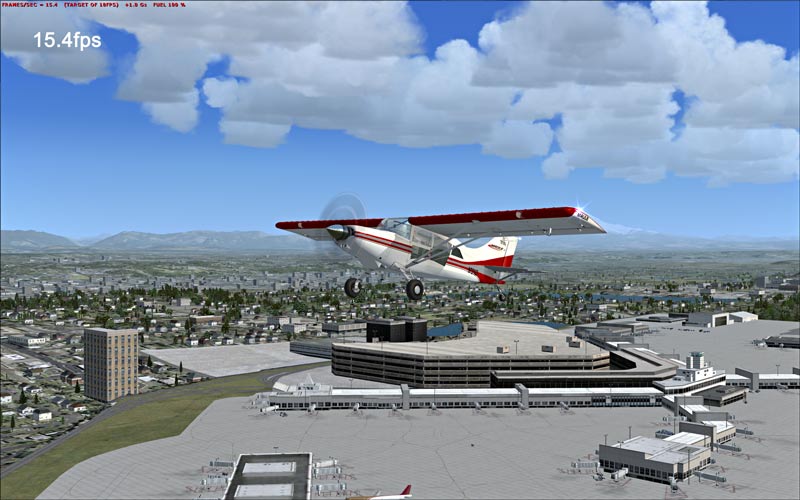
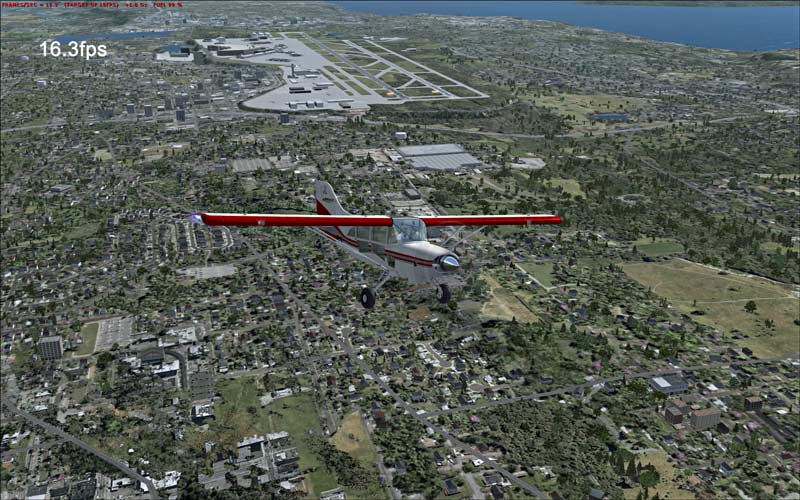
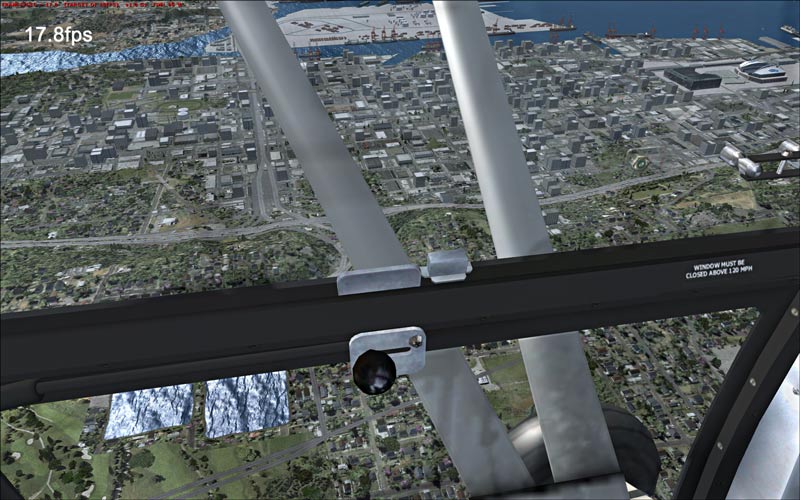
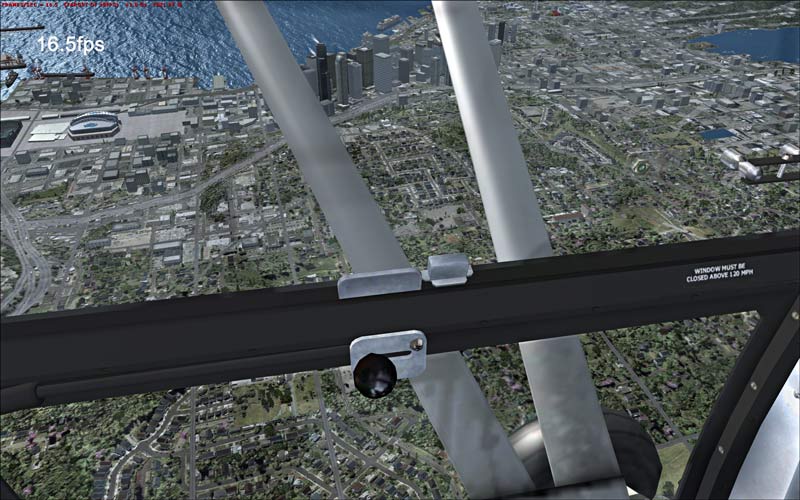
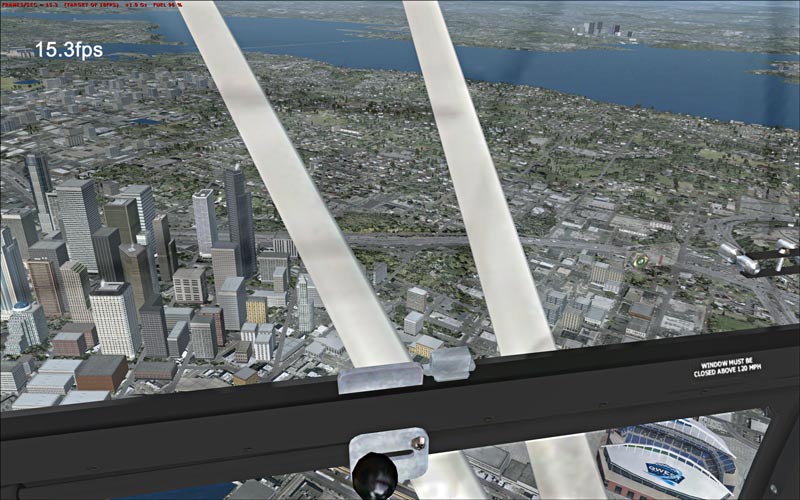
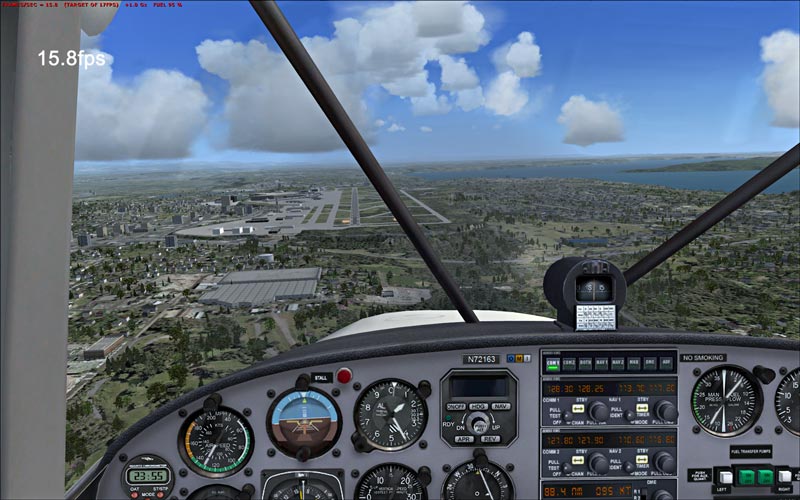
Here are snags from my final test flight. As you can see I dont get the piles of autogen Black ZR1 gets but it looks great for my hardware


All test flights were done at 4:45pm with real world weather enabled. I used building storms too in some tests

I have been using the same flight time for the base tests to make sure the time of day does not somehow change things with sky and shadow textures


Image


Image


Image


Image


Image


Image


I noticed something else too.. my overall sim visuals seem sharper where in the past it was a tad hazy. May be just my old eyes but the entire sim just seems to POP better


BTW that new light fix is great. It got rid of the default popcorn ball xmas lights and the airport lights have a nice little bloom without the sim crush
Last edited by justpassingthrough on Thu Apr 05, 2007 5:32 pm, edited 1 time in total.
justpassingthrough
Captain
Captain
 
Posts: 651
Joined: Thu Dec 21, 2006 2:43 am

Re: FSX & SLI

Postby Black ZR-1 » Thu Apr 05, 2007 6:12 pm

Here are snags from my final test flight. As you can see I dont get the piles of autogen Black ZR1 gets but it looks great for my hardware


All test flights were done at 4:45pm with real world weather enabled. I used building storms too in some tests

I have been using the same flight time for the base tests to make sure the time of day does not somehow change things with sky and shadow textures


Image

Image

Image

Image

Image

Image


I noticed something else too.. my overall sim visuals seem sharper where in the past it was a tad hazy. May be just my old eyes but the entire sim just seems to POP better


BTW that new light fix is great. It got rid of the default popcorn ball xmas lights and the airport lights have a nice little bloom without the sim crush


Those shots look incredible!

Hey,...what light fix?
i7 920
evga x58
6 gigs ddr3 1600 tripple channel
hd 5870 xfire
pcp@c silencer quad 750
3x dell u2410
User avatar
Black ZR-1
Captain
Captain
 
Posts: 651
Joined: Thu Jan 31, 2002 5:49 pm
Location: Chicago, IL USA

Re: FSX & SLI

Postby Black ZR-1 » Thu Apr 05, 2007 8:39 pm

Just a head's up. New Nvidia drivers released today

http://www.nvidia.com/content/drivers/drivers.asp
Last edited by Black ZR-1 on Thu Apr 05, 2007 9:06 pm, edited 1 time in total.
i7 920
evga x58
6 gigs ddr3 1600 tripple channel
hd 5870 xfire
pcp@c silencer quad 750
3x dell u2410
User avatar
Black ZR-1
Captain
Captain
 
Posts: 651
Joined: Thu Jan 31, 2002 5:49 pm
Location: Chicago, IL USA

Re: FSX & SLI

Postby justpassingthrough » Thu Apr 05, 2007 9:57 pm

Here are snags from my final test flight. As you can see I dont get the piles of autogen Black ZR1 gets but it looks great for my hardware


All test flights were done at 4:45pm with real world weather enabled. I used building storms too in some tests

I have been using the same flight time for the base tests to make sure the time of day does not somehow change things with sky and shadow textures


Image

Image

Image

Image

Image

Image


I noticed something else too.. my overall sim visuals seem sharper where in the past it was a tad hazy. May be just my old eyes but the entire sim just seems to POP better


BTW that new light fix is great. It got rid of the default popcorn ball xmas lights and the airport lights have a nice little bloom without the sim crush


Those shots look incredible!

Hey,...what light fix?


Thanks! They are certainly getting better and easier to get good ones


The lightfix one Nick made for FSX. Has not been released yet because he's still working on it but so far works great
Last edited by justpassingthrough on Thu Apr 05, 2007 10:02 pm, edited 1 time in total.
justpassingthrough
Captain
Captain
 
Posts: 651
Joined: Thu Dec 21, 2006 2:43 am

Re: FSX & SLI

Postby justpassingthrough » Thu Apr 05, 2007 9:58 pm

Just a head's up. New Nvidia drivers released today

http://www.nvidia.com/content/drivers/drivers.asp


Not for this old man

I'm don't have one of those 8800 cards. According to the site the 78-7900 series are still November of last year.

I have a feeling they are going to drop support for all cards that are not designed with the Vista hardware seal of approval and spy chip installed
Last edited by justpassingthrough on Thu Apr 05, 2007 9:59 pm, edited 1 time in total.
justpassingthrough
Captain
Captain
 
Posts: 651
Joined: Thu Dec 21, 2006 2:43 am

Re: FSX & SLI

Postby Nick N » Fri Apr 06, 2007 5:11 am

[b]What I am about to post I do not want anyone taking as a RULE or official information about FSX. Although I came up with this based on a bit of knowledge about some of the internal functions of the product, the following information is in no way from Microsoft or any other official source. Essentially it
Last edited by Nick N on Fri Apr 06, 2007 7:23 am, edited 1 time in total.
Nick N
Ground hog
Ground hog
 
Posts: 0
Joined: Thu Sep 20, 2007 2:12 pm

PreviousNext

Return to Flight Simulator X (FSX) and Steam

Who is online

Users browsing this forum: No registered users and 1050 guests