 . What do I do now? I can't launch the sim.
Simviation Forums
Flight Simulator and other chat
Flight Simulator and other chat
 by homebrewer » Sat Mar 07, 2009 10:40 pm
. What do I do now? I can't launch the sim.

by Groundbound1 » Sat Mar 07, 2009 10:49 pm
 ) that you got this message after loading the "previous flight" right?

by homebrewer » Sat Mar 07, 2009 10:52 pm
by Groundbound1 » Sat Mar 07, 2009 11:03 pm
Let's try the deleting of the .cfg folder. I have it backed-up in another folder. Can I just delete the one in use right now (the one seemingly giving us the problem) and slide the back-up in? Rebooting from zero power doesn't help.
by homebrewer » Sat Mar 07, 2009 11:03 pm
by dave3cu » Sat Mar 07, 2009 11:30 pm
by homebrewer » Sat Mar 07, 2009 11:50 pm
by Hagar » Sun Mar 08, 2009 4:00 am
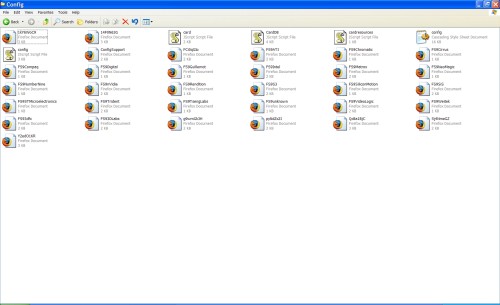
I don't have what you show. I have a bunch of Firefox logos and a few Dead Sea Scroll things. Nothing like what you show...
The contents of my Config folder:
I don't understand this. I have installed, tried, hated and removed many airplanes in the past. This has never happened at any time before this. I thought that once you wiped out an airplane and then went back to the sim, it would work just as if the offending airplane had never been there. I must say I had the sim minimized when I wiped out the Phantom. Could that be a problem? Could the sim being open while I was making changes to the FS9 Main folder be part of the problem?



by commoner » Sun Mar 08, 2009 5:48 am

 "In theory, there is no difference between theory and practice. But, in practice, there is."
by homebrewer » Sun Mar 08, 2009 11:53 am
by commoner » Sun Mar 08, 2009 12:51 pm
"In theory, there is no difference between theory and practice. But, in practice, there is."by Hagar » Sun Mar 08, 2009 12:54 pm
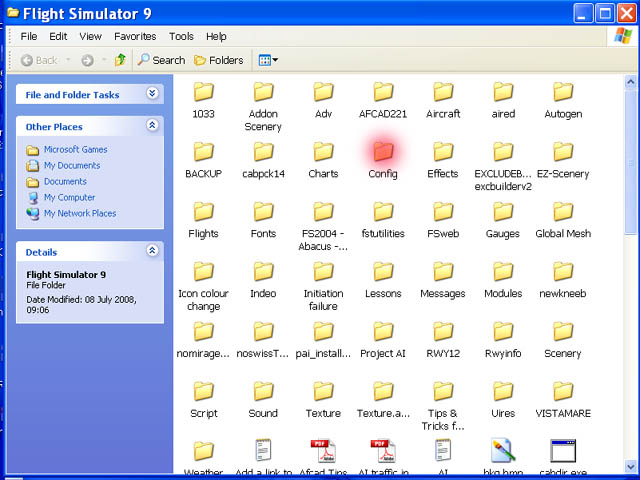
Hi Hagar...that looks like a folder called Config which lives in the main Fs9 folder. See pic..
by homebrewer » Sun Mar 08, 2009 3:19 pm
Now you've found fs9.cfg create a shortcut to it & paste it to your Desktop. This will save you searching for it again if you need it.
by microlight » Mon Mar 09, 2009 4:28 am

by JBaymore » Mon Mar 09, 2009 9:50 am
I have my terrain_max_vertex_level set at 21, which seems to be necessary for some add-on scenery to display properly.

 Intel i7 960 quad 3.2G LGA 1366, Asus P6X58D Premium, 750W Corsair, 6 gig 1600 DDR3, Spinpoint 1TB 720

Return to FS 2004 - A Century of Flight
Users browsing this forum: No registered users and 264 guests