Simviation Forums
Flight Simulator and other chat
Flight Simulator and other chat
 by Wii » Sat Sep 29, 2007 2:10 pm


by simonmd » Sat Sep 29, 2007 2:26 pm

by Wii » Sat Sep 29, 2007 3:25 pm
by Ashar » Sat Sep 29, 2007 3:27 pm

by a1 » Sat Sep 29, 2007 3:53 pm




by Wii » Sat Sep 29, 2007 4:14 pm
by a1 » Sat Sep 29, 2007 4:15 pm
by Wii » Sat Sep 29, 2007 4:17 pm
by Ashar » Sat Sep 29, 2007 4:22 pm
NO Never do that. You might miss some files and it will be even harder to find them and delete them. ;)
by Wii » Sat Sep 29, 2007 4:24 pm
by Wii » Sat Sep 29, 2007 5:30 pm
 :D You are right, you are not supposed to delete it directly you must remove it from windows installer first. And a LOT of other steps that I must complete to COMPLETELY remove FSX.
by Wii » Sat Sep 29, 2007 8:07 pm
by Groundbound1 » Sat Sep 29, 2007 8:38 pm
I installed FS9. 20+FPS. Testing with graphics etc. (20+FPS) (20+FPS YESSSSSSSSSSSSS). Ok, well, I've encountered a few issues I'm hoping someone can help me with:
1. (Scenery\cities\Phoenix\SCENERY) in scenery Area .029 not found. Got an error while installing and ignored. When I start up FS9 it says "(Scenery\cities\Phoenix\SCENERY) in scenery Area .029 not found." How do I fix this?
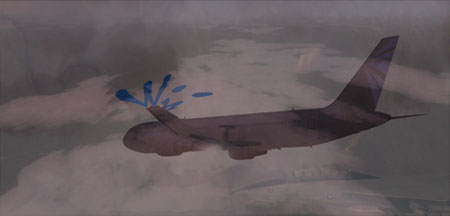
2. The water textures are....BAD. No waves, nothing. Just a blob of bright blue.
3. Microsoft Flight Simulator 2004 is located here: C:\Program Files\Microsoft Games\Microsoft Flight Simulator X\SimObjects\Airplanes) any clue why? Do you think I need to uninstall and reinstall FS9?
PS Oh, all the textures are (land) are chunky.

by Wii » Sat Sep 29, 2007 8:47 pm
by Isak922 » Sat Sep 29, 2007 8:55 pm
Ok, I'll give reinstalling a try, that's my old man said to do.

Return to FS 2004 - A Century of Flight
Users browsing this forum: No registered users and 280 guests