Airport Problem

Forum dedicated to Microsoft FS2004 - "A Century of Flight".

Airport Problem

Postby a1 » Fri Jul 27, 2007 5:12 pm

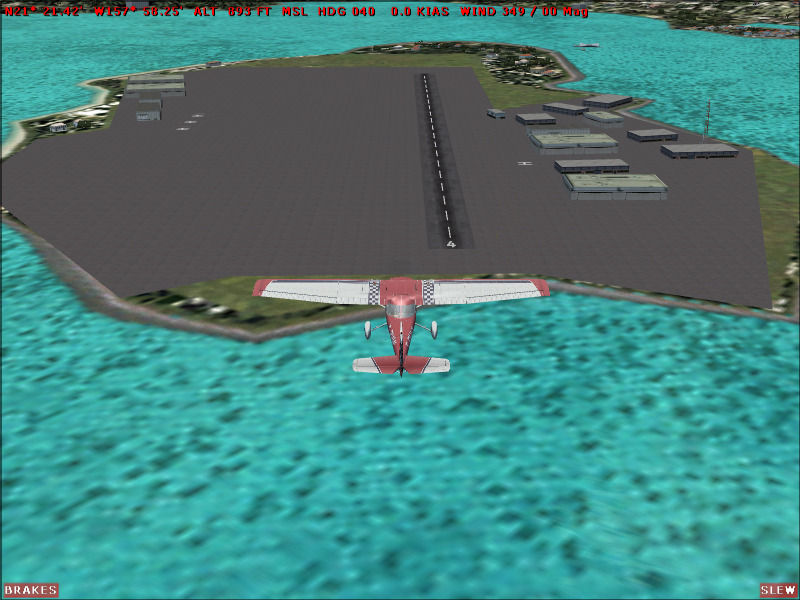
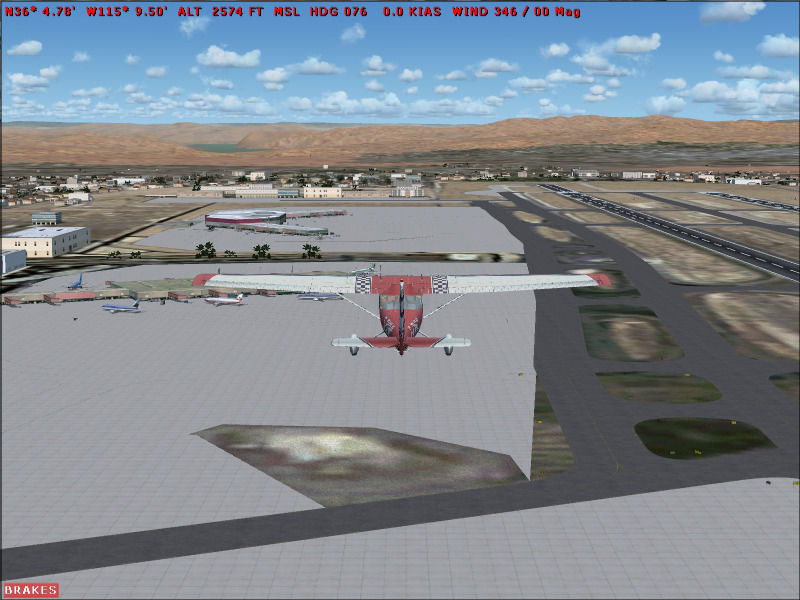
I asked a while ago about this but didn't have time to really show you. I don't have any addons that will interfere with the AFCAD of airports. In AFCAD the airports show as not modified. I have asphalt in the wrong places, taxi lines going way off the runway, broken up places. I don't know what's wrong with it. Some airports have the whole place n asphalt. Why is it like that and how do I fix?


 Image

Broken up places
Image

Most of all my airports are affected with some kind of imperfection.

Image
790i : QX9650 : 4Gb DDR3 : GeForce 8800 GTX : 1 WD Raptor : 1 WD VelociRaptor 150
User avatar
a1
Lieutenant Colonel
Lieutenant Colonel
 
Posts: 7608
Joined: Thu Jan 04, 2007 9:16 pm

Re: Airport Problem

Postby a1 » Fri Jul 27, 2007 10:20 pm

SO no one knows why this is? :-?
Image
790i : QX9650 : 4Gb DDR3 : GeForce 8800 GTX : 1 WD Raptor : 1 WD VelociRaptor 150
User avatar
a1
Lieutenant Colonel
Lieutenant Colonel
 
Posts: 7608
Joined: Thu Jan 04, 2007 9:16 pm

Re: Airport Problem

Postby dave3cu » Fri Jul 27, 2007 10:38 pm

The 2 airports you show (McCarran and Ford Island) show the same way in my sim.....and it's a clean install.

That's just the way those 2 default airports show. Poorly layed out.

Your options are modify with Afcad, or find downloads that have fixed the errors.

Dave
Last edited by dave3cu on Fri Jul 27, 2007 10:39 pm, edited 1 time in total.
At that time [1909] the chief engineer was almost always the chief test pilot as well. That had the fortunate result of eliminating poor engineering early in aviation.
dave3cu
Major
Major
 
Posts: 3141
Joined: Sun May 19, 2002 9:55 am
Location: 3CU, Northern Wisconsin, USA


Return to FS 2004 - A Century of Flight

Who is online

Users browsing this forum: No registered users and 296 guests

