
Wake Up

Forum dedicated to Microsoft FS2004 - "A Century of Flight".

Wake Up

Postby Clipper » Fri Jul 20, 2007 9:05 pm

I seem to have lost my wake, seaplane lands, no wake effects. Would someone be kind enough to let me know how to fix this little issue?  :)
Image
User avatar
Clipper
Global Moderator
Global Moderator
 
Posts: 8420
Joined: Tue Aug 23, 2005 5:40 am

Re: Wake Up

Postby garymbuska » Fri Jul 20, 2007 10:01 pm

I seem to have lost my wake, seaplane lands, no wake effects. Would someone be kind enough to let me know how to fix this little issue?  :)

All of the default effects are on the first disk I believe in GAMECABONE.Just down load to a folder outside of fs and then drag over the contents of the effects folder. DO NOT MOVE THE FOLDER OR YOU WILL LOOSE ANY NON DEFAULT EFFECTS  8-)
Gary M Buska
SYSTEM Specs ASUS P8Z68 V/GEN 3 mother board: INTELL I7 2600k 3.48 ghz Quad core CPU with Sandy bridge: 12 Gigs of 1800hz ram:
GTX 950 OVER CLOCKED: 2 Gigs Ram Windows 10 Home 64 bit Operating system. 750W Dedicated modular power supply. Two Internal 1TB hard drives 1 External 1TB 3.2 USB hard drive. SAITEK Cessna flight Yoke with throttles.
CH Rudder Peddles 27 inch Wide screen Monitor
User avatar
garymbuska
Major
Major
 
Posts: 4415
Joined: Tue Dec 30, 2003 11:10 am
Location: Jacksonville, Florida

Re: Wake Up

Postby videokid1969 » Sat Jul 21, 2007 1:09 pm
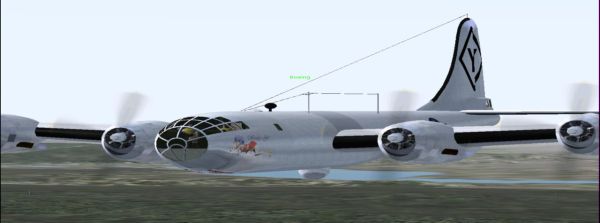
Also you can go to the utility downloads of Simviation and download  Nick's Prop Dust v2.0 with Nick's All Wet for Watercraft!  This worked for me, hope it helps you.
Image
videokid1969
2nd Lieutenant
2nd Lieutenant
 
Posts: 133
Joined: Fri Jul 13, 2007 12:17 am
Location: Greeley, CO

Re: Wake Up

Postby Clipper » Sat Jul 21, 2007 1:26 pm

Thank you both, off to get Nick's Prop Dust... :)
Image
User avatar
Clipper
Global Moderator
Global Moderator
 
Posts: 8420
Joined: Tue Aug 23, 2005 5:40 am


Return to FS 2004 - A Century of Flight

Who is online

Users browsing this forum: No registered users and 311 guests
