Altimeter problem

Forum dedicated to Microsoft FS2004 - "A Century of Flight".

Altimeter problem

Postby visualchaosfx » Thu Feb 15, 2007 10:36 pm

I'm currently flying from Seattle to San Fran. My altitude for this run is FL180. But I keep having to reset the altimeter by pressing the "B" key because ATC would tell me that I'm either X below my assigned altitude or y above my assigned altitude. Now would the weather have anything to do with this? Or do I need to restart FS2004?
Last edited by visualchaosfx on Thu Feb 15, 2007 10:36 pm, edited 1 time in total.
Systemax Desktop Computer
AMD Athlon 64 X2 Duel Core Processor 4600+
2.41 GHz
2GB of Ram
250GB Hard Drive
80GB Hard Drive
Windows XP Professional
Nvidia GeForce 7600 GT 256 MB PCI-E (2 DVI)
SoundBlaster Audigy SE So
User avatar
visualchaosfx
2nd Lieutenant
2nd Lieutenant
 
Posts: 181
Joined: Thu Feb 01, 2007 11:37 am
Location: Michigan

Re: Altimeter problem

Postby a1 » Thu Feb 15, 2007 10:44 pm

If you are on real weather you have to reset the altimeter every time they call. Normal weather is 29.92.
Image
790i : QX9650 : 4Gb DDR3 : GeForce 8800 GTX : 1 WD Raptor : 1 WD VelociRaptor 150
User avatar
a1
Lieutenant Colonel
Lieutenant Colonel
 
Posts: 7608
Joined: Thu Jan 04, 2007 9:16 pm

Re: Altimeter problem

Postby visualchaosfx » Thu Feb 15, 2007 10:57 pm

If you are on real weather you have to reset the altimeter every time they call. Normal weather is 29.92.


Oh ok. I got it now. I thought maybe I had to restart the sim or something. Thanks.

I'm 85 miles away from landing this baby woohoo!!!!
Systemax Desktop Computer
AMD Athlon 64 X2 Duel Core Processor 4600+
2.41 GHz
2GB of Ram
250GB Hard Drive
80GB Hard Drive
Windows XP Professional
Nvidia GeForce 7600 GT 256 MB PCI-E (2 DVI)
SoundBlaster Audigy SE So
User avatar
visualchaosfx
2nd Lieutenant
2nd Lieutenant
 
Posts: 181
Joined: Thu Feb 01, 2007 11:37 am
Location: Michigan

Re: Altimeter problem

Postby dave3cu » Thu Feb 15, 2007 11:16 pm

Yes, the weather has much to do with it.

As stated, if your flying real weather with updates the BP can change over time. Also if your flying a weather theme and have the dynamic weather slider set to medium or high it can change.

To 'cheat', goto Aircraft>Realism and turn on 'display flying tips'. A small banner will advise you when your altimeter is incorrect.

For altitudes at or above 18000 your 'sposed to set 29.92. As I don't fly that high I don't know how well ATC works up there.
Last edited by dave3cu on Thu Feb 15, 2007 11:18 pm, edited 1 time in total.
At that time [1909] the chief engineer was almost always the chief test pilot as well. That had the fortunate result of eliminating poor engineering early in aviation.
dave3cu
Major
Major
 
Posts: 3141
Joined: Sun May 19, 2002 9:55 am
Location: 3CU, Northern Wisconsin, USA

Re: Altimeter problem

Postby vololiberista » Fri Feb 16, 2007 5:43 am
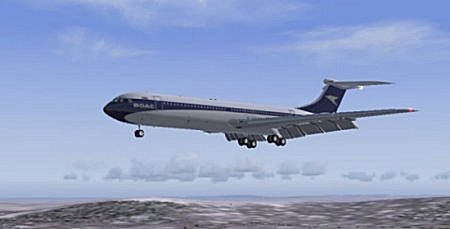
The sim uses FL180 as the transition altitude The US is I believe the only country with such a high TA.
What this means is that at or below FL180 you will have to continually reset your altimeter to the area QNH.

The best solution is to put a higher FL into your flight plan.
Vololiberista
Andiamo in Italia
Image
User avatar
vololiberista
Major
Major
 
Posts: 1042
Joined: Thu Feb 16, 2006 5:43 pm

Re: Altimeter problem

Postby Conan Edogawa » Fri Feb 16, 2007 8:46 am

Yep, above Fl180 you've to reset it to 29.92. Otherwise ATC would tell you to climb/descend.
Image

Specs: Intel Core2Quad Q6600 2,4GHz; 3,25GB RAM; nVidia EN8800GTS 512MB; Flight Simulator 9.1.
User avatar
Conan Edogawa
1st Lieutenant
1st Lieutenant
 
Posts: 488
Joined: Tue Dec 26, 2006 5:14 pm
Location: Hamburg, Germany

Re: Altimeter problem

Postby visualchaosfx » Fri Feb 16, 2007 10:52 am

Ah ok. Now I remember the guy on the DVD saying that the transitional altitude for the US is FL180. I can't believe I forgot about that. When I was setting up the flight plan I set the weather settings to Thunderstorm. On final approach, I did my first crosswind landing. It wasn't an extreme crosswind but it was enough that the plane was facing a good 15 or 20 degrees but was heading straight on with trhe runway. At about 1500 ft I would disengage the speed throttle and at 800 ft I would disengage the autopilot and then land on the runway in one piece. I would say I'm getting better at landings. Judging by my youtube videos, I may not follow the proper descent procedures but at least I'm getting on the runway. ;)
Systemax Desktop Computer
AMD Athlon 64 X2 Duel Core Processor 4600+
2.41 GHz
2GB of Ram
250GB Hard Drive
80GB Hard Drive
Windows XP Professional
Nvidia GeForce 7600 GT 256 MB PCI-E (2 DVI)
SoundBlaster Audigy SE So
User avatar
visualchaosfx
2nd Lieutenant
2nd Lieutenant
 
Posts: 181
Joined: Thu Feb 01, 2007 11:37 am
Location: Michigan

Re: Altimeter problem

Postby pepper_airborne » Fri Feb 16, 2007 2:00 pm

Yeah, in europe the TA is sometimes as low as FL40 at wich you set the QNH to 1013.
User avatar
pepper_airborne
Major
Major
 
Posts: 2268
Joined: Thu Mar 23, 2006 6:42 am

Re: Altimeter problem

Postby elite marksman » Fri Feb 16, 2007 3:09 pm

Note, that is 1013.3 MILLIBARS, not 10.13 in Hg.
elite marksman
Captain
Captain
 
Posts: 854
Joined: Tue Oct 04, 2005 7:35 pm

Re: Altimeter problem

Postby N2744X » Fri Feb 16, 2007 7:30 pm

Note, Altitudes are only refered to as flightlevels above 18,000 feet. The first flight level is FL180. Why called levels, because they are "whole altitude numbers" (just made that phrase up ;) ) in other words, you cannot be assigned to flight level 255, as in 25,500.
"Orange County Traffic, Chancellor N2744X, Departing runway 03, Orange County"
User avatar
N2744X
2nd Lieutenant
2nd Lieutenant
 
Posts: 79
Joined: Wed Oct 18, 2006 10:00 pm

Re: Altimeter problem

Postby Conan Edogawa » Fri Feb 16, 2007 9:18 pm

Do you publish your FS9-videos at youtube? Would like to see and comment them! :)
Image

Specs: Intel Core2Quad Q6600 2,4GHz; 3,25GB RAM; nVidia EN8800GTS 512MB; Flight Simulator 9.1.
User avatar
Conan Edogawa
1st Lieutenant
1st Lieutenant
 
Posts: 488
Joined: Tue Dec 26, 2006 5:14 pm
Location: Hamburg, Germany

Re: Altimeter problem

Postby visualchaosfx » Fri Feb 16, 2007 9:40 pm

Do you publish your FS9-videos at youtube? Would like to see and comment them! :)


Yep I have 4 of them on there. I also uploaded a new one into my myspace account.

http://www.youtube.com/watch?v=KfmuLNWMRBA
I have more on there. Just click "More from this user"

http://www.myspace.com/northwest_744_heavy
Its right on the main page.
Last edited by visualchaosfx on Fri Feb 16, 2007 9:41 pm, edited 1 time in total.
Systemax Desktop Computer
AMD Athlon 64 X2 Duel Core Processor 4600+
2.41 GHz
2GB of Ram
250GB Hard Drive
80GB Hard Drive
Windows XP Professional
Nvidia GeForce 7600 GT 256 MB PCI-E (2 DVI)
SoundBlaster Audigy SE So
User avatar
visualchaosfx
2nd Lieutenant
2nd Lieutenant
 
Posts: 181
Joined: Thu Feb 01, 2007 11:37 am
Location: Michigan

Re: Altimeter problem

Postby Conan Edogawa » Sat Feb 17, 2007 8:31 pm

Not bad! I didn't get the Kai Tak landing at the first time. The "Sinkrate"-thingy was a usual thing pilots heard during their approach to this legendary airport. :)
Image

Specs: Intel Core2Quad Q6600 2,4GHz; 3,25GB RAM; nVidia EN8800GTS 512MB; Flight Simulator 9.1.
User avatar
Conan Edogawa
1st Lieutenant
1st Lieutenant
 
Posts: 488
Joined: Tue Dec 26, 2006 5:14 pm
Location: Hamburg, Germany

Re: Altimeter problem

Postby visualchaosfx » Sat Feb 17, 2007 9:31 pm

Not bad! I didn't get the Kai Tak landing at the first time. The "Sinkrate"-thingy was a usual thing pilots heard during their approach to this legendary airport. :)


Did you watch the second video of the Kai Tak landing? I did a different approach to the runway and it works.
Last edited by visualchaosfx on Sat Feb 17, 2007 9:31 pm, edited 1 time in total.
Systemax Desktop Computer
AMD Athlon 64 X2 Duel Core Processor 4600+
2.41 GHz
2GB of Ram
250GB Hard Drive
80GB Hard Drive
Windows XP Professional
Nvidia GeForce 7600 GT 256 MB PCI-E (2 DVI)
SoundBlaster Audigy SE So
User avatar
visualchaosfx
2nd Lieutenant
2nd Lieutenant
 
Posts: 181
Joined: Thu Feb 01, 2007 11:37 am
Location: Michigan

Re: Altimeter problem

Postby Conan Edogawa » Sun Feb 18, 2007 8:43 am

Sounds a bit strange but I think the first one is more realistic. It's similar to those approaches the pilots did in RL.

Looks like you got a program which gives you the ability to move your view like you'd move your head. Is it included in the plane? If not, is it freeware? Does it need much ressources?

What did you pay for the PMDG 747?

Sorry for the amount of questions... ;D

I saw your KLAX-landing:  :o great!

I couldn't see if you did ILS or VFR, what was it?

I only uploaded one video in times I had one unregistered FRAPS-version, it's just a simple touchdown of a Janet-landing, which is here: http://www.youtube.com/watch?v=goMdWU2VL58
Since I got the registered version, I can't film my flights because when I'm recording it looks like watching pictures. :(
Image

Specs: Intel Core2Quad Q6600 2,4GHz; 3,25GB RAM; nVidia EN8800GTS 512MB; Flight Simulator 9.1.
User avatar
Conan Edogawa
1st Lieutenant
1st Lieutenant
 
Posts: 488
Joined: Tue Dec 26, 2006 5:14 pm
Location: Hamburg, Germany

Next

Return to FS 2004 - A Century of Flight

Who is online

Users browsing this forum: No registered users and 373 guests