fs9.cfg tweeks question......HELP

Forum dedicated to Microsoft FS2004 - "A Century of Flight".

fs9.cfg tweeks question......HELP

Postby JBaymore » Tue Nov 07, 2006 4:01 pm

Leaving FSX well alone ........... I am STILL after years of tweaking trying to get fs2004 (fs9) to run without stutters and with decent framerates on my machine (specs below).
Last edited by JBaymore on Tue Nov 07, 2006 4:03 pm, edited 1 time in total.
Image ImageIntel i7 960 quad 3.2G LGA 1366, Asus P6X58D Premium, 750W Corsair, 6 gig 1600 DDR3, Spinpoint 1TB 720

User avatar
JBaymore
Global Moderator
Global Moderator
 
Posts: 10020
Joined: Sat May 24, 2003 9:15 am
Location: New Hampshire

Re: fs9.cfg tweeks question......HELP

Postby NicksFXHouse » Tue Nov 07, 2006 5:35 pm

There is no ratio (mathematical) however there is a load ratio based on the video card for pan rate and Tex Bandwidth mult. Typically, a value of 700 for pan rate is good for just about any card from 9800 and above


The information I posted used an unknown/little known setting.

For a 9800pro video card I dont think you should be messing with editing in the TextureMaxLoad setting at all. For every whole number value of TextureMaxLoad it is multipled by the TEXTURE_BANDWIDTH_MULT and the default value is 3 (which you cant see unless TextureMaxLoad is listed TEXTURE_BANDWIDTH_MULT and a value is applied.)

3x256x256 texture loads is the default value when the TextureMaxLoad switch is not in the list so @ 400 TEXTURE_BANDWIDTH_MULT that would equal 400x3 256x256 textures in kb to load into your graphics memory.

My recomendation for the 9800 pro would be one of the following:

TEXTURE_BANDWIDTH_MULT=400
or
TEXTURE_BANDWIDTH_MULT=240

OR

TEXTURE_BANDWIDTH_MULT=80 (or also try 100)
TextureMaxLoad=8 (possibly 6)

the 9800pro is not going to get you very far and you are correct in setting the latency to 64... otherwise your well below what is needed to max out settings in FS9. I know, I owned one.


It is important you balance the framelock.. set it to 22 and leave it on the 9800 pro


Just to be sure all is clean, start fresh:


Save a copy of your current FS9.cfg file in a safe place. Then DELETE the FS9.cfg file being used by the sim.

Start Flight Simulator. You will be starting clean with a new FS9.cfg file Let the sim boot and go to the SETTINGS area. Make the following changes:

DISPLAY BUTTON:
Last edited by NicksFXHouse on Fri Nov 10, 2006 6:14 pm, edited 1 time in total.
NicksFXHouse
 

Re: fs9.cfg tweeks question......HELP

Postby JBaymore » Tue Nov 07, 2006 5:52 pm

Nick,

Interesting... and thanks for the speedy reply on this.

As it turns out, where I have already set mine through some experimentation is Pan_Rate at 700 and TEXTURE_BANDWIDTH_MULT at 100 and TextureMaxLoad at 6.

Looking back a the first set of relationships metioned, if TEXTURE_BANDWIDTH_MULT=100 , what then should Pan_Rate then be set at?
Last edited by JBaymore on Tue Nov 07, 2006 5:53 pm, edited 1 time in total.
Image ImageIntel i7 960 quad 3.2G LGA 1366, Asus P6X58D Premium, 750W Corsair, 6 gig 1600 DDR3, Spinpoint 1TB 720
User avatar
JBaymore
Global Moderator
Global Moderator
 
Posts: 10020
Joined: Sat May 24, 2003 9:15 am
Location: New Hampshire

Re: fs9.cfg tweeks question......HELP

Postby JBaymore » Tue Nov 07, 2006 5:57 pm

Nick,

Woah....you added a bunch of stuff to your original posting as I was writing my last post.

I just fast scanned your new stuff....and it looks like almost exactly what I have has set up for a long time.  But I 'll check it in detail and get back to you.

Thanks.

best,

........john
Image ImageIntel i7 960 quad 3.2G LGA 1366, Asus P6X58D Premium, 750W Corsair, 6 gig 1600 DDR3, Spinpoint 1TB 720
User avatar
JBaymore
Global Moderator
Global Moderator
 
Posts: 10020
Joined: Sat May 24, 2003 9:15 am
Location: New Hampshire

Re: fs9.cfg tweeks question......HELP

Postby NicksFXHouse » Tue Nov 07, 2006 6:03 pm

[quote]Nick,

Interesting... and thanks for the speedy reply on this.

As it turns out, where I have already set mine through some experimentation is Pan_Rate at 700 and TEXTURE_BANDWIDTH_MULT at 100 and TextureMaxLoad at 6.

Looking back a the first set of relationships metioned, if TEXTURE_BANDWIDTH_MULT=100 , what then should Pan_Rate then be set at?
NicksFXHouse
 

Re: fs9.cfg tweeks question......HELP

Postby NicksFXHouse » Tue Nov 07, 2006 6:21 pm

[quote]Nick,

Woah....you added a bunch of stuff to your original posting as I was writing my last post.

I just fast scanned your new stuff....and it looks like almost exactly what I have has set up for a long time.
Last edited by NicksFXHouse on Tue Nov 07, 2006 6:31 pm, edited 1 time in total.
NicksFXHouse
 

Re: fs9.cfg tweeks question......HELP

Postby NicksFXHouse » Tue Nov 07, 2006 9:24 pm

John

You know as well as I do that the system you are running will never run FS9 wide open much less FSX at medium settings.

As I recall you mentioned being involved with graphics. I am an engineer by trade and we both know perfectly well that if we were to install Adobe Photoshop and Adobe Premiere on the "MINIMUM REQUIREMENTS" the software places on the outside of the package those programs would bring that computer to its KNEES.

Even if we were to upgrade 50-75% better than the minimum spec hardware, as a professionals we would STILL not be satisfied with how the system would perform. It takes good hardware to run heavy graphics and video editing software and a video simulation like Flight Simulator is twice as demanding as Photoshop products.

Add to that, NO ONE wants to fly MSFS and not see all or as much of the sites the software has to offer so MOST IGNORE the proper settings for their hardware and even push it way to high, boot the sim and are completely depressed from the results.

It does not matter if we install a minimum DX9 video card or the fastest video card on the market into a system, Flight Sim will START after its initial install with the same graphics and hardware settings and it is up to US to properly increase OR reduce those settings to accommodate the hardware installed.

Just like Adobe, Microsoft placed a MINIMUM HARDWARE spec on the package. That does not mean the hardware M$ listed will run Flight Simulator at the settings the sim sets itself up at by default any more than it means the system won
Last edited by NicksFXHouse on Wed Nov 08, 2006 1:39 pm, edited 1 time in total.
NicksFXHouse
 

Re: fs9.cfg tweeks question......HELP

Postby JBaymore » Tue Nov 07, 2006 9:47 pm

Nick,

Yup....that is why FSX is going to wait a good long while for a home here at my place.   ;)  As a full time professional artist.... I simply can't afford to run out and buy new cutting edge hardware right at this point.  ;)  Wish I had that kind of money.....but I don't.  Still have one kid in college right now ......and you know what THAT costs these days   :o 8).

As a 3-D artist, the only graphics I am involved in on the computer is photo image manipulation and stuff like Powerpoint presentations and page layout for reproduction.  No significant "heavy duty" video type things.  Which is why this machine meets my needs OK.  I don't do the pre-press separations on this machine .... I ship the file out to a printer for that part.

I'll be very happy getting fs9 running smoothly without turning too much stuff down....... which with your help I am thinking it finally will.  THANKS very much for taking the time....and sharing your expertise.

What is also interesting in this discourse is what I am finding out about some of the so called "tweeks" that seem to be recommended over and over by many people on every forum on the net as "the best thing since sliced bread" .... which are counterproductive.... ineffectual.... or just plain wrong.

Thanks again.

best,

......................john
Image ImageIntel i7 960 quad 3.2G LGA 1366, Asus P6X58D Premium, 750W Corsair, 6 gig 1600 DDR3, Spinpoint 1TB 720
User avatar
JBaymore
Global Moderator
Global Moderator
 
Posts: 10020
Joined: Sat May 24, 2003 9:15 am
Location: New Hampshire

Re: fs9.cfg tweeks question......HELP

Postby NicksFXHouse » Tue Nov 07, 2006 10:48 pm

[quote]Nick,

Yup....that is why FSX is going to wait a good long while for a home here at my place.
Last edited by NicksFXHouse on Wed Nov 08, 2006 1:40 pm, edited 1 time in total.
NicksFXHouse
 

Re: fs9.cfg tweeks question......HELP

Postby JBaymore » Thu Nov 09, 2006 12:48 pm

I am really sorry you have been disappointed. I think when it comes to video games or any software the manufacture should start looking at posting specs for performance use of the software however then you run into other issues which are beyond the control of the software maker.


Nick,

In all fairness, Microsoft DID finally put a posting up on their FSX website with not only a minimum but also recommended and superior type hardware profiles listed.  Which is a step in the exact correct direction in my opinion.  So they are to be commeneded for doing that bold step.  That is all that is really needed...... not really tight specifications.... just a bit more than the "minimum".

It is just too bad that kind of "profile" was not pubblished before the software was released.  Maybe next time.  I knew what the "minimum" meant......which is why no FSX here for a long while).....but I am suire that many others just don't read it that way.  ;)

And I have started on the suggestions you've made....... and they should be thought of as more like "The FS Commandments"..... not "suggestions"!  ;)

THANKS profusely.

best,

.....john
Image ImageIntel i7 960 quad 3.2G LGA 1366, Asus P6X58D Premium, 750W Corsair, 6 gig 1600 DDR3, Spinpoint 1TB 720
User avatar
JBaymore
Global Moderator
Global Moderator
 
Posts: 10020
Joined: Sat May 24, 2003 9:15 am
Location: New Hampshire

Re: fs9.cfg tweeks question......HELP

Postby NicksFXHouse » Thu Nov 09, 2006 1:27 pm

Im glad they are posting such things. I posted it here about 3-4 months ago several times but no one seemed to listen.


At the same time, as I said in the post above, that type of advertisement may get pulled because it does place a liability on M$ to live up to the hardware standard being displayed.

We shall see if they continue to display such specifications.
NicksFXHouse
 

Re: fs9.cfg tweeks question......HELP

Postby cavity » Thu Nov 09, 2006 9:23 pm

Hey John, after reading this post I thought I would ask you and Nick if the same numbers can be applied for the 9600 Pro, which obviously is a major step down from the 9800.  If not, do you know what numbers would be the most effective to change?  This post and other by Nick are to me the most valuable.  They finally make a conscience effort to put all the factors together to figure out performance, rather than guessing this or that.  Ill tweak all day long using this method because you can isolate each factor and find out what increases performance the most.  Thanks for any info you can supply.  Todd
cavity
1st Lieutenant
1st Lieutenant
 
Posts: 388
Joined: Tue Aug 05, 2003 8:17 am

Re: fs9.cfg tweeks question......HELP

Postby JBaymore » Thu Nov 09, 2006 10:51 pm

Todd,

I can't tell you.... but I am sure Nick can  ;).

best,

.......................john
Image ImageIntel i7 960 quad 3.2G LGA 1366, Asus P6X58D Premium, 750W Corsair, 6 gig 1600 DDR3, Spinpoint 1TB 720
User avatar
JBaymore
Global Moderator
Global Moderator
 
Posts: 10020
Joined: Sat May 24, 2003 9:15 am
Location: New Hampshire

Re: fs9.cfg tweeks question......HELP

Postby NicksFXHouse » Fri Nov 10, 2006 12:53 am

[quote]Hey John, after reading this post I thought I would ask you and Nick if the same numbers can be applied for the 9600 Pro, which obviously is a major step down from the 9800.
Last edited by NicksFXHouse on Fri Nov 10, 2006 1:14 am, edited 1 time in total.
NicksFXHouse
 

Re: fs9.cfg tweeks question......HELP

Postby vololiberista » Fri Nov 10, 2006 7:06 am
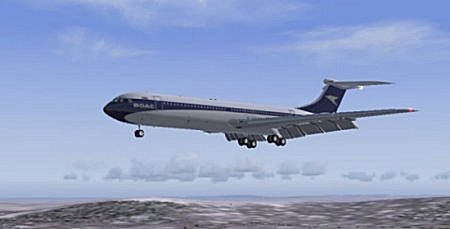
Talking of minimum specs did anyone manage to run FS9 with these specs?

Windows 2000 /XP - 128MB ram
                  98/ ME -  64Mb ram
450 Mhz processor
HD 1.8 GB
Video card 8Mb /3D

Those are directly off the box!!!!!!!
I wonder how many frames per week one would get with these" minimum" specs!!!!!
Vololiberista
Andiamo in Italia
Image
User avatar
vololiberista
Major
Major
 
Posts: 1042
Joined: Thu Feb 16, 2006 5:43 pm

Next

Return to FS 2004 - A Century of Flight

Who is online

Users browsing this forum: No registered users and 365 guests