Suche a mess >:( ???
 :-/
:-/ 



Flight Simulator and other chat
 by boyanpilot » Sun Mar 05, 2006 4:43 pm
:-/ 

by simonmd » Sun Mar 05, 2006 5:23 pm


by Viper22 » Sun Mar 05, 2006 5:24 pm

by boyanpilot » Mon Mar 06, 2006 2:21 am
by ozzy72 » Mon Mar 06, 2006 3:43 am


by BAW0343 » Mon Mar 06, 2006 9:59 am



by simonmd » Mon Mar 06, 2006 1:25 pm
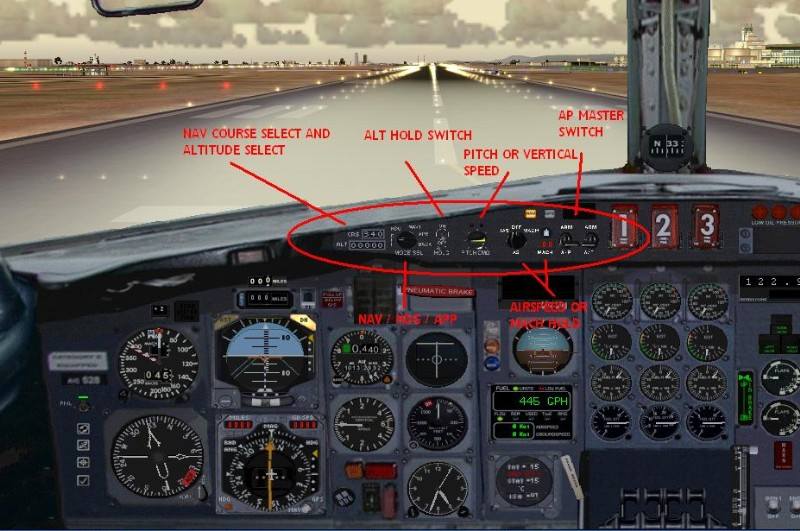
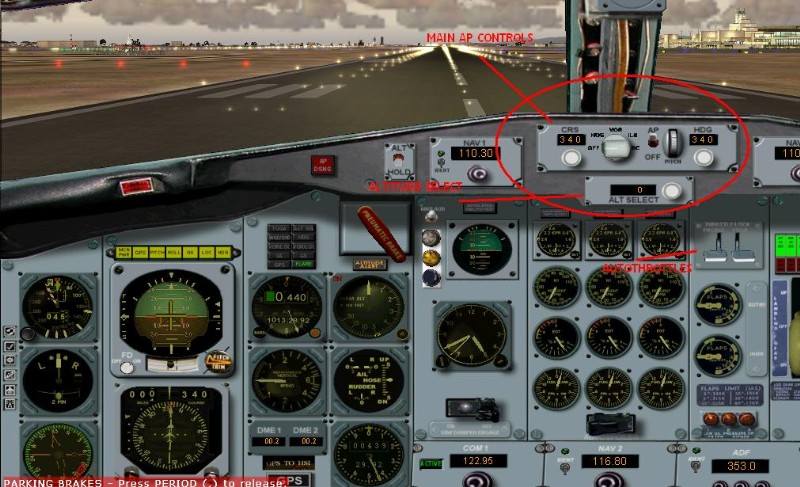
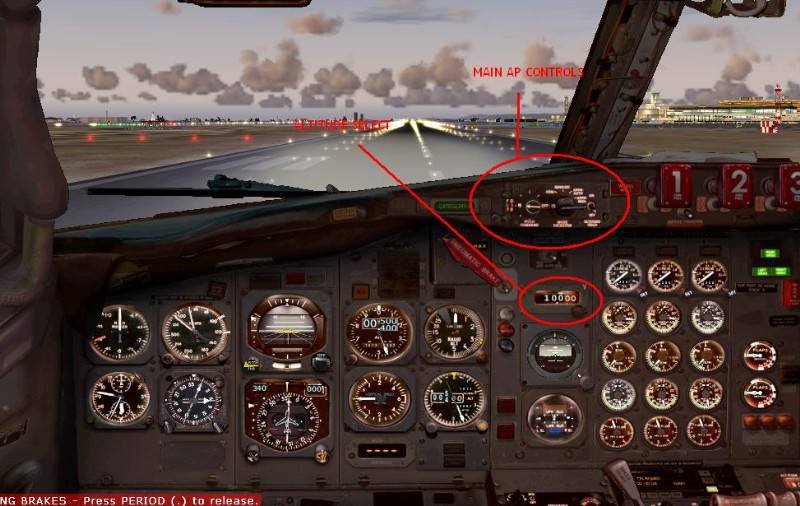
by garymbuska » Mon Mar 06, 2006 1:47 pm


by boyanpilot » Wed Mar 08, 2006 4:34 pm
by Saitek » Wed Mar 08, 2006 5:43 pm


Return to FS 2004 - A Century of Flight
Users browsing this forum: No registered users and 172 guests
