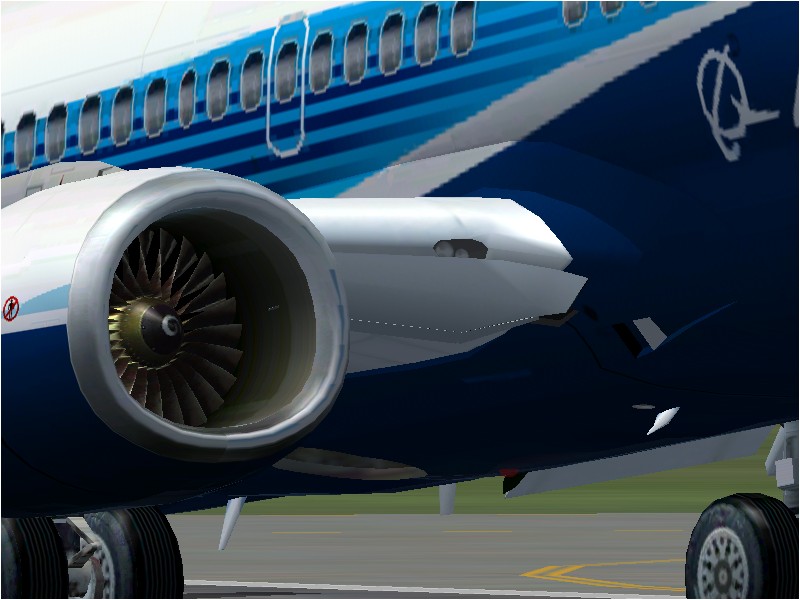
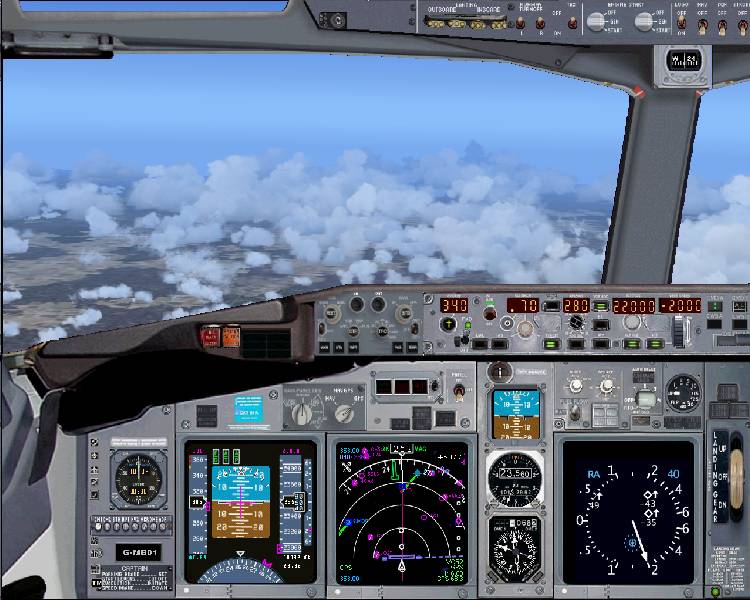
My New 737NG Panel!

Forum dedicated to Microsoft FS2004 - "A Century of Flight".

Re: My New 737NG Panel!

Postby Nexus » Fri Feb 17, 2006 10:27 pm

landing lights are located on the overhead panel, very close to the left front window.

And I guess the sound would be the trim wheel sound, and in the real cockpit it's rather loud and annoying...

Nexus
Major
Major
 
Posts: 3240
Joined: Fri Jul 18, 2003 4:18 pm

Re: My New 737NG Panel!

Postby sonic » Sat Feb 18, 2006 12:14 am

I was at work I just looked at the screenshots and such were is the radio, overhead stack guages. I see the normal map, throttle, and gps but didnt see them I'll look better and read the manual when I get home. ;D Looks really good from what I can see here how is it on Moachs 737? but I like his panel too Ok i'm torn.lol ;D
Last edited by sonic on Sat Feb 18, 2006 12:16 am, edited 1 time in total.
Specs
E6300, 3 gigs 800 Ram, 8800GT oc, 400gig Sata drive, Windows XP Pro 64 Bit..
sonic
Captain
Captain
 
Posts: 835
Joined: Wed Feb 02, 2005 8:52 pm

Re: My New 737NG Panel!

Postby gilesh » Sat Feb 18, 2006 3:50 am

HI
The landing lights are located in the main panel in the top middle of the panel. The wiring sound is probably the apu. You can turn this off by pressing the large red apu buttons on the overheard. It is a good idea to leave it on untill you pass through 2000ft.
User avatar
gilesh
Ground hog
Ground hog
 
Posts: 48
Joined: Thu Aug 25, 2005 9:40 pm

Re: My New 737NG Panel!

Postby Hussein Patwa » Sat Feb 18, 2006 4:19 am

Thanks!
Hussein Patwa
PatwaNet
MSFS Version: FS2004

My Addons:
PMDG: 737, 747
Level-D: 767
PSS: 777
Perfect Flight: A380
FSUIPC (Registered), FSPassengers, FS2Crew Pro 737, eDimensional Voice Buddy, UK2000, Just Traff
Hussein Patwa
2nd Lieutenant
2nd Lieutenant
 
Posts: 87
Joined: Sun Dec 18, 2005 5:01 pm
Location: Aberdeen, UK

Re: My New 737NG Panel!

Postby Nexus » Sat Feb 18, 2006 6:33 am

HI
. It is a good idea to leave it on untill you pass through 2000ft.


Or as they do in the real world, leave them on until passing 10.000ft or 18.000ft [US]
And why would the APU sound only be noticeable during turns, climbs and descents  ???
In the real aircraft you barely hear the APU when it's running.
Nexus
Major
Major
 
Posts: 3240
Joined: Fri Jul 18, 2003 4:18 pm

Re: My New 737NG Panel!

Postby gilesh » Sat Feb 18, 2006 7:35 pm

Yer you are probably right nexus. It probably is the trim. If no one like the sound I can try to remove it from the next version.
User avatar
gilesh
Ground hog
Ground hog
 
Posts: 48
Joined: Thu Aug 25, 2005 9:40 pm

Re: My New 737NG Panel!

Postby Hussein Patwa » Sat Feb 18, 2006 8:54 pm

Nah it's ok.  I think sounds make the plan more interesting, mostly on long flights you end up not sitting at the computer anyways as it's just looking at the GPS, watching the numbers scroll down, if you're lucky enough to have interactive addons you can serve passengers and chat live with ATC, but otherwise you just hear the engines and it's boring.  Keep it in, but maybe put a note in the Readme to say the whirring sound is an operational part of the aircraft and not a fault/failure alert.

Cheers.

Hussein.
Hussein Patwa
PatwaNet
MSFS Version: FS2004

My Addons:
PMDG: 737, 747
Level-D: 767
PSS: 777
Perfect Flight: A380
FSUIPC (Registered), FSPassengers, FS2Crew Pro 737, eDimensional Voice Buddy, UK2000, Just Traff
Hussein Patwa
2nd Lieutenant
2nd Lieutenant
 
Posts: 87
Joined: Sun Dec 18, 2005 5:01 pm
Location: Aberdeen, UK

Re: My New 737NG Panel!

Postby microlight » Sun Feb 19, 2006 3:09 pm

If you open up the panel.cfg file and edit this line in [window00]:

gauge45=TU_fpda_trim_sound,  188,547,10,9

just put a semicolon in front of if like this:

;gauge45=TU_fpda_trim_sound,  188,547,10,9

and the trim sound will go away.

Great panel, Giles - it's my default 737NG panel now. I've added a few more gauges (my own auto-land and auto-wing vortex gauges, Lee Hetherington's excellent TCAS and a real-time map view that gives frequencies etc.) among others) but it works really well.

;)
User avatar
microlight
Major
Major
 
Posts: 2076
Joined: Mon Aug 19, 2002 6:24 pm
Location: Southern UK

Re: My New 737NG Panel!

Postby gilesh » Sun Feb 19, 2006 7:36 pm

Hay Microlight
Could you please tell us some more info on thoes gauges as they seem like must haves for our next version (where you download them from ect.) V1.2 will have a built in auto land switch as well. I am currently working on V1.OS for POSKY for their new 737-800NG. V1.0s is basicly a V1.1 with enhanced bitmaps and a few different gauges (and a smaller file size). Once I have finished with V1.OS I will upload V1.1.
User avatar
gilesh
Ground hog
Ground hog
 
Posts: 48
Joined: Thu Aug 25, 2005 9:40 pm

Re: My New 737NG Panel!

Postby microlight » Mon Feb 20, 2006 5:24 am

Lee Hetherington's TCAS gauge can be got at Avsim; Talal Alhaj's Map View gauge is here on SimV (gauges p8).  IM me for details of the others.

This is what the panel lools like with the TCAS toggled to appear over the EICAS (green switch bottom right of the display). The autoland activation switch is in the autopilot CMD-B position.

Image

;)
User avatar
microlight
Major
Major
 
Posts: 2076
Joined: Mon Aug 19, 2002 6:24 pm
Location: Southern UK

Previous

Return to FS 2004 - A Century of Flight

Who is online

Users browsing this forum: No registered users and 145 guests