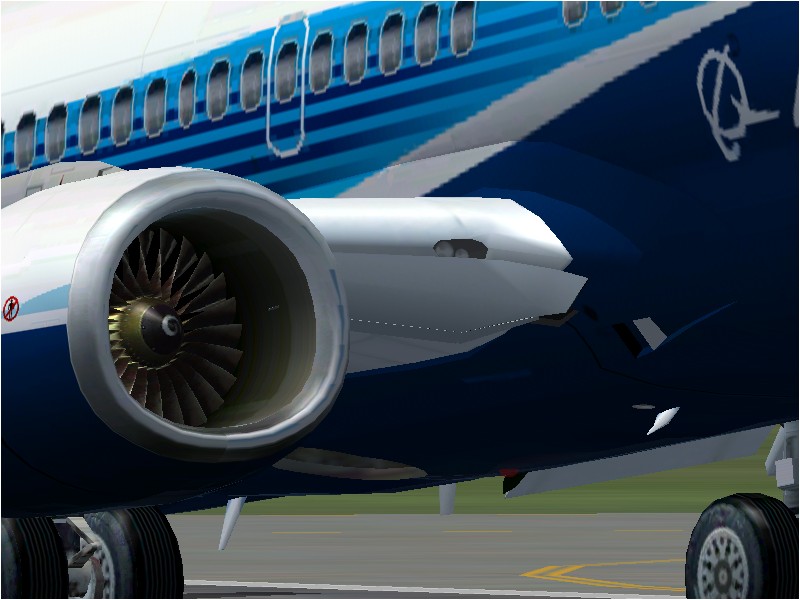
My New 737NG Panel!

Forum dedicated to Microsoft FS2004 - "A Century of Flight".

Re: My New 737NG Panel!

Postby microlight » Sat Jan 28, 2006 5:59 am

If there's a HUD in the real bird, then leave it there. The panel looks excellent and I'm looking forward to downloading it.

;)
User avatar
microlight
Major
Major
 
Posts: 2076
Joined: Mon Aug 19, 2002 6:24 pm
Location: Southern UK

Re: My New 737NG Panel!

Postby gilesh » Sat Jan 28, 2006 10:31 pm

I just finished adding a fully working warning system on to the new panel it now tells you eveything from pitot heat not being on to hydraulic failure.
User avatar
gilesh
Ground hog
Ground hog
 
Posts: 48
Joined: Thu Aug 25, 2005 9:40 pm

Re: My New 737NG Panel!

Postby DeepSpace » Sun Jan 29, 2006 6:15 am

If there's a HUD in the real bird, then leave it there. The panel looks excellent and I'm looking forward to downloading it.

;)


Exactly. If it's there in reality, I want it too  :P.
The panel looks great :).
DeepSpace
1st Lieutenant
1st Lieutenant
 
Posts: 428
Joined: Sat Jun 08, 2002 11:55 am
Location: Israel

Re: My New 737NG Panel!

Postby gilesh » Wed Feb 15, 2006 7:45 pm

;D Hi All, My 737NG V1,0 panel is finally uploaded and can be downloaded from here  http://www.simviation.com/cgi-bin/syb2.cgi?section=panels&file=GP737NGPan.zip
Sorry for the dealy in uploading the .cab files and my other project took a big delay. If you have any problems, questions etc. Just post here or send me an email and I am happy to answer them. Happy flying.
User avatar
gilesh
Ground hog
Ground hog
 
Posts: 48
Joined: Thu Aug 25, 2005 9:40 pm

Re: My New 737NG Panel!

Postby DeepSpace » Thu Feb 16, 2006 8:00 am

Great job :) except for 1 major problem that I noticed. Sometimes the Altitude Hold is messed up, and the aircraft starts to sink. Most of the time it happens while executing a turn and a descent using the altitude hold and the heading hold, and during ILS approaches using the APP AP.
DeepSpace
1st Lieutenant
1st Lieutenant
 
Posts: 428
Joined: Sat Jun 08, 2002 11:55 am
Location: Israel

Re: My New 737NG Panel!

Postby Hussein Patwa » Thu Feb 16, 2006 2:13 pm

Just a quick one.  first of all, congrats on your work, must have taken you a lot of time and effort.  You must really like flightsimming and be great with graphics.

Does your panel have tooltips for each control and display?  The reason I uninstalled the PMDG 737NG aircraft was that it was literally useless to me.  I'm partially sighted, and one of the reasons I am able to fly the default FS2004 aircraft is because they have tooltips and I can read those.  On the default 737NG, I can't read the control names.  If you don't currently have tooltips,  you might consider adding them, and maybe having a setting in your panel to turn them off?  Or maybe include one with tooltips and one without, as I imagine with the number of controls this bird has tooltips could make it very crowded for many people who don't need/want them.

Just a thought.

Hussein.
Hussein Patwa
PatwaNet
MSFS Version: FS2004

My Addons:
PMDG: 737, 747
Level-D: 767
PSS: 777
Perfect Flight: A380
FSUIPC (Registered), FSPassengers, FS2Crew Pro 737, eDimensional Voice Buddy, UK2000, Just Traff
Hussein Patwa
2nd Lieutenant
2nd Lieutenant
 
Posts: 87
Joined: Sun Dec 18, 2005 5:01 pm
Location: Aberdeen, UK

Re: My New 737NG Panel!

Postby Midnight_LS1 » Thu Feb 16, 2006 7:11 pm

[quote]Just a quick one.
-Chris
Active Camera Pro
MegaScenery NY
PSS 777-200LR
Aerosoft Scenery Manhattan
TrackIR3 Pro with Vector
ActiveSky 6
PMDG 747 'Queen of the Skies'
AlphaSim F-117
Midnight_LS1
1st Lieutenant
1st Lieutenant
 
Posts: 394
Joined: Mon Apr 05, 2004 2:30 pm

Re: My New 737NG Panel!

Postby gilesh » Thu Feb 16, 2006 7:17 pm

Hi, Thanks so much for your comments. Yep the panel does have tool tips on most functions when you run your curser over the function It will pop up a little box saying what that function does. The alt hold is ment to loose a bit of hight in a turn beacuse the real word aircraft also lose a bit of hight in the turn. But I will take a look at it to see if I can meake it more stable.  ;)
User avatar
gilesh
Ground hog
Ground hog
 
Posts: 48
Joined: Thu Aug 25, 2005 9:40 pm

Re: My New 737NG Panel!

Postby gilesh » Thu Feb 16, 2006 7:21 pm

With the alt hold when doing something like an ils approach does it sink below the glide slope and not control the desent? As it might have this problem as I noticed that when I was testing the ils hold I kida landed short of the rw at Sydney and into the water. I put it down to my poor flp settings but I will go and review thoes ap settings.
Last edited by gilesh on Fri Feb 17, 2006 5:18 am, edited 1 time in total.
User avatar
gilesh
Ground hog
Ground hog
 
Posts: 48
Joined: Thu Aug 25, 2005 9:40 pm

Re: My New 737NG Panel!

Postby Hussein Patwa » Thu Feb 16, 2006 7:51 pm

Thanks a lot. I guess I'll be re-installing my 737NG plane again and putting in your panel. I'm so looking forward to being able to do all the engine starts and things according to the manuals, and now I have a chance at perhaps being able to do most of it because I can see what the controls do.

Thank you so much.  I've loved airplanes for a while, and flightsim was a dream for me when I got it, especially so because so many other games are inaccessible to me.

OK enough melancholi from me.  Back to the skies!

Hussein.
Hussein Patwa
PatwaNet
MSFS Version: FS2004

My Addons:
PMDG: 737, 747
Level-D: 767
PSS: 777
Perfect Flight: A380
FSUIPC (Registered), FSPassengers, FS2Crew Pro 737, eDimensional Voice Buddy, UK2000, Just Traff
Hussein Patwa
2nd Lieutenant
2nd Lieutenant
 
Posts: 87
Joined: Sun Dec 18, 2005 5:01 pm
Location: Aberdeen, UK

Re: My New 737NG Panel!

Postby gilesh » Fri Feb 17, 2006 5:21 am

Hay Hussein
In the panel pack there is a manual to help you understand the functions as well. Just so people cand get the gist of how the systems work. (It is ment to simulate a 737NG as closely as possible)
Hope this helps.
User avatar
gilesh
Ground hog
Ground hog
 
Posts: 48
Joined: Thu Aug 25, 2005 9:40 pm

Re: My New 737NG Panel!

Postby DeepSpace » Fri Feb 17, 2006 7:04 am

With the alt hold when doing something like an ils approach does it sink below the glide slope and not control the desent?


Exactly, just like an uncontrolled descent..
Last edited by DeepSpace on Fri Feb 17, 2006 7:06 am, edited 1 time in total.
DeepSpace
1st Lieutenant
1st Lieutenant
 
Posts: 428
Joined: Sat Jun 08, 2002 11:55 am
Location: Israel

Re: My New 737NG Panel!

Postby Hussein Patwa » Fri Feb 17, 2006 12:37 pm

Cheers again for the tip.  Will re-install my PMDG tonight and then add your pane in.

Hussein.
Hussein Patwa
PatwaNet
MSFS Version: FS2004

My Addons:
PMDG: 737, 747
Level-D: 767
PSS: 777
Perfect Flight: A380
FSUIPC (Registered), FSPassengers, FS2Crew Pro 737, eDimensional Voice Buddy, UK2000, Just Traff
Hussein Patwa
2nd Lieutenant
2nd Lieutenant
 
Posts: 87
Joined: Sun Dec 18, 2005 5:01 pm
Location: Aberdeen, UK

Re: My New 737NG Panel!

Postby Tom_M » Fri Feb 17, 2006 3:12 pm

Great panel!

I want a rev counter HUD in my future car... :(
-Games PC-
AMD 3200+ (due for replacement)
1GB RAM
256MB 7600GS Overclocked
Tom_M
1st Lieutenant
1st Lieutenant
 
Posts: 396
Joined: Fri Aug 27, 2004 2:38 pm
Location: Local airport EGSX

Re: My New 737NG Panel!

Postby Hussein Patwa » Fri Feb 17, 2006 8:37 pm

This panel is great.  I finally was able to fly the 737NG.  Some icons don't have tooltips, like the buttons near the engine start switches, which meant I couldn't do the startup procedure, but nearly everything else was fine.  Aircraft handled like a charm, and I was able to complete my 1h 50min flight from Nice, France to Londow Heathrow, UK.  I even landed bang on the centre line of runway 9L and was stopped in time to turn off, a first for me.

What could be improved? Maybe made the GPS a little bigger, or resizeable so that as you widen it, the text gets bigger, also maybe a seperate pahel for all engine and fuel related guages so that they are bigger (i couldn't read the print on the guages very well), but these are minor things.

#s this flight was so good, my next job is to FSPassengers the flight and start earning some cash.

BTW where are the landing lights switches?  Also, what is the whirring sound that is played during turns, climbs and descents meant to signify?

Brilliant once again and thanks for your help thus far.

Hussein.
Hussein Patwa
PatwaNet
MSFS Version: FS2004

My Addons:
PMDG: 737, 747
Level-D: 767
PSS: 777
Perfect Flight: A380
FSUIPC (Registered), FSPassengers, FS2Crew Pro 737, eDimensional Voice Buddy, UK2000, Just Traff
Hussein Patwa
2nd Lieutenant
2nd Lieutenant
 
Posts: 87
Joined: Sun Dec 18, 2005 5:01 pm
Location: Aberdeen, UK

PreviousNext

Return to FS 2004 - A Century of Flight

Who is online

Users browsing this forum: No registered users and 199 guests