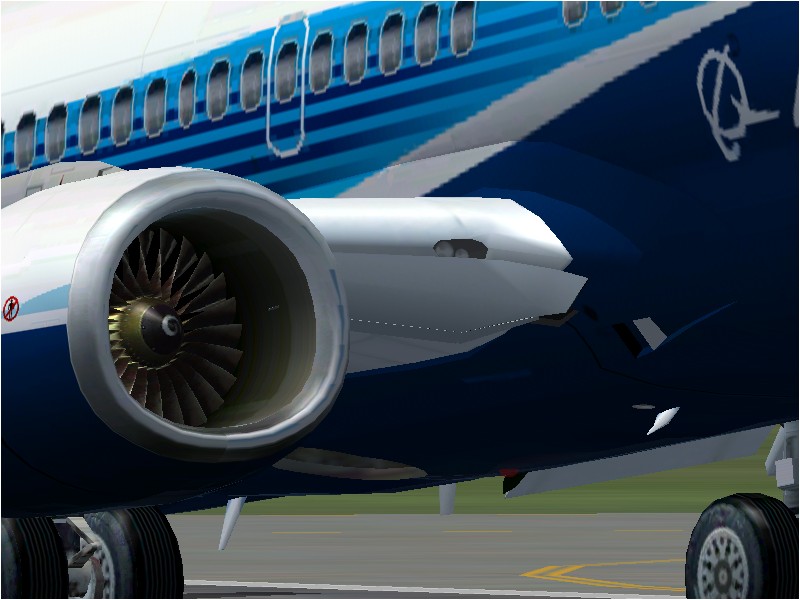
Panel gauges.

Forum dedicated to Microsoft FS2004 - "A Century of Flight".

Panel gauges.

Postby gilesh » Tue Jan 03, 2006 6:19 pm

Hi,
I am trying to change the location of gauges on a panel but I am not sure how. Are there any tools out there that are free that can do that.  I tried to do it in notepad but I cant really understand the positioning. Thanks for your help.

User avatar
gilesh
Ground hog
Ground hog
 
Posts: 48
Joined: Thu Aug 25, 2005 9:40 pm

Re: Panel gauges.

Postby killerbunny » Tue Jan 03, 2006 6:32 pm

Cfgedit is a free panel editor and its not too difficult to use

download it here : http://www.simviation.com/fsdesign_panels1.htm
Last edited by killerbunny on Tue Jan 03, 2006 6:33 pm, edited 1 time in total.
Image
User avatar
killerbunny
Major
Major
 
Posts: 2040
Joined: Thu May 27, 2004 4:22 pm
Location: Belgium

Re: Panel gauges.

Postby gilesh » Tue Jan 03, 2006 6:39 pm

Hi, Thanks for that I am just downloading it now. Do you know if it will work with fs2004? As it says fs2000 and cs. Thanks.
User avatar
gilesh
Ground hog
Ground hog
 
Posts: 48
Joined: Thu Aug 25, 2005 9:40 pm

Re: Panel gauges.

Postby killerbunny » Tue Jan 03, 2006 6:46 pm

Hi, Thanks for that I am just downloading it now. Do you know if it will work with fs2004? As it says fs2000 and cs. Thanks.


I use it to adjust FS2004 panels :)
Last edited by killerbunny on Tue Jan 03, 2006 6:52 pm, edited 1 time in total.
Image
User avatar
killerbunny
Major
Major
 
Posts: 2040
Joined: Thu May 27, 2004 4:22 pm
Location: Belgium

Re: Panel gauges.

Postby gilesh » Tue Jan 03, 2006 6:50 pm

Just trying it now it looks great. Now I can create my new 737NG panle thanks so much.
User avatar
gilesh
Ground hog
Ground hog
 
Posts: 48
Joined: Thu Aug 25, 2005 9:40 pm

Re: Panel gauges.

Postby killerbunny » Tue Jan 03, 2006 6:51 pm

Just trying it now it looks great. Now I can create my new 737NG panle thanks so much.


You're welcome :)

Officially, Cfgedit has been replaced by FS panel studio (payware) and on the website they say it doesn't work with FS2004.

But trust me, it does work, I use it all the time ;)
Image
User avatar
killerbunny
Major
Major
 
Posts: 2040
Joined: Thu May 27, 2004 4:22 pm
Location: Belgium

Re: Panel gauges.

Postby Hagar » Tue Jan 03, 2006 6:58 pm

It will work but can't read the later XML gauges used in FS2002/FS9. That shouldn't be a problem if you're familiar with manually editing Panel.cfg.
Image

Founder & Sole Member - Grumpy's Over the Hill Club for Veteran Virtual Aviators
Member of the Fox Four Group
My Google Photos albums
My Flickr albums
User avatar
Hagar
Colonel
Colonel
 
Posts: 30869
Joined: Wed Jun 19, 2002 7:15 am
Location: Costa Geriatrica

Re: Panel gauges.

Postby gilesh » Tue Jan 03, 2006 7:01 pm

Yer just finding out about its capabilitys. You can move the position of xml guges you just cant see them. Not too much of a prob. Gee my NG panel is looking good all ready. Thanks so much for your help. ;D
User avatar
gilesh
Ground hog
Ground hog
 
Posts: 48
Joined: Thu Aug 25, 2005 9:40 pm

Re: Panel gauges.

Postby Jakemaster » Tue Jan 03, 2006 8:05 pm

I cant see any gauges!  I tried opening the DC-3 panel to make some changes, and no gauges could be opened
Jakemaster
 

Re: Panel gauges.

Postby Hagar » Tue Jan 03, 2006 8:25 pm

That's cos they're XML gauges. Also the DC-3 cluster gauge is in the Panel folder.

PS. Paste a copy of Douglas_DC3.cab from the Douglas_DC3\panel folder into FS9\Gauges.
Last edited by Hagar on Tue Jan 03, 2006 8:30 pm, edited 1 time in total.
Image

Founder & Sole Member - Grumpy's Over the Hill Club for Veteran Virtual Aviators
Member of the Fox Four Group
My Google Photos albums
My Flickr albums
User avatar
Hagar
Colonel
Colonel
 
Posts: 30869
Joined: Wed Jun 19, 2002 7:15 am
Location: Costa Geriatrica

Re: Panel gauges.

Postby garymbuska » Tue Jan 03, 2006 8:50 pm

FSpanelStudio Is great and like said here does not have any problems with XML gauges. If you are serious about panel design the money spent is well worth it.
But that is just my opinion. 8)
Gary M Buska
SYSTEM Specs ASUS P8Z68 V/GEN 3 mother board: INTELL I7 2600k 3.48 ghz Quad core CPU with Sandy bridge: 12 Gigs of 1800hz ram:
GTX 950 OVER CLOCKED: 2 Gigs Ram Windows 10 Home 64 bit Operating system. 750W Dedicated modular power supply. Two Internal 1TB hard drives 1 External 1TB 3.2 USB hard drive. SAITEK Cessna flight Yoke with throttles.
CH Rudder Peddles 27 inch Wide screen Monitor
User avatar
garymbuska
Major
Major
 
Posts: 4415
Joined: Tue Dec 30, 2003 11:10 am
Location: Jacksonville, Florida


Return to FS 2004 - A Century of Flight

Who is online

Users browsing this forum: No registered users and 267 guests