Scenery Library

Forum dedicated to Microsoft FS2004 - "A Century of Flight".

Scenery Library

Postby ivormills » Wed Dec 21, 2005 10:22 am

Hi,

I have recently installed FS9. I have used FS2002 up until now and installed a lot of scenery, I assumed FS9 would be the same..........install scenery, start sim, go to scenery library....add scenery.  I can't find the scenery library.....maybe I have gone blind Lol.
Help says 'on main screen click settings/scenery library'. I do not have a settings option on the task bar, the only 'settings' are under 'options' and there is no scenery library listed. Am I missing something?

User avatar
ivormills
2nd Lieutenant
2nd Lieutenant
 
Posts: 180
Joined: Mon Mar 11, 2002 8:27 am
Location: South West England

Re: Scenery Library

Postby Mobayrasta1 » Wed Dec 21, 2005 10:35 am

You must click on settings on the main menu and then add on scenery tab will be at the bottom of the setting page.
Mobayrasta1
1st Lieutenant
1st Lieutenant
 
Posts: 388
Joined: Fri Jul 08, 2005 10:10 am
Location: NAS PATUXENT RIVER

Re: Scenery Library

Postby ivormills » Wed Dec 21, 2005 10:37 am

Sorry....I am blind!....Lol

But then how was I to know that Microsoft decided to move the scenery library to the main start menu......grrr
User avatar
ivormills
2nd Lieutenant
2nd Lieutenant
 
Posts: 180
Joined: Mon Mar 11, 2002 8:27 am
Location: South West England

Re: Scenery Library

Postby wji » Wed Dec 21, 2005 11:42 am

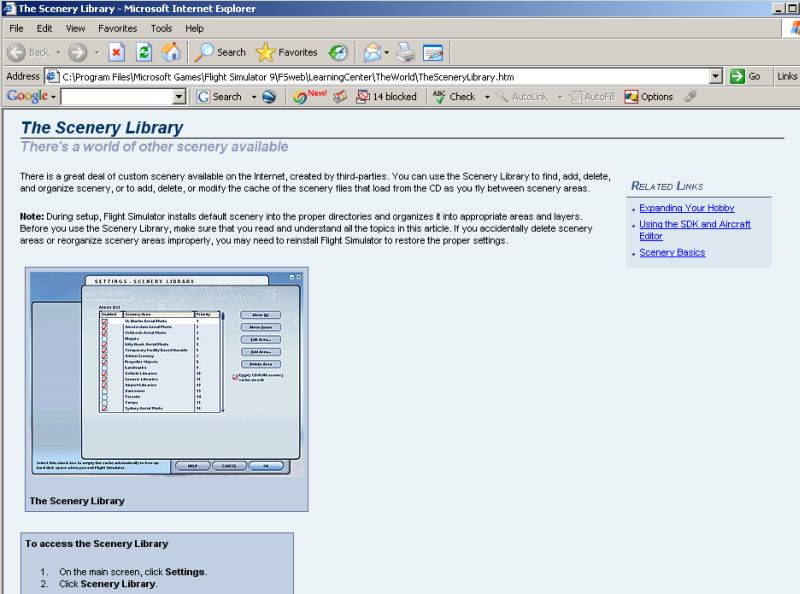
Perhaps by reading the FS9 Learning Center part titled The Scenery Library?

Image

May I suggest placing the FS9 Learning Center icon on your desktop for easy access to any questions related to FS9.

P.S. The next item on the new user's TODO list will be: Using the GPS which is a 46 page manual that should be printed out.

reference cited:
C:\Program Files\Microsoft Games\Flight Simulator 9\FSweb\LearningCenter\Navigation\UsingTheGPS.htm
Image PhotoShop 7 user
User avatar
wji
Major
Major
 
Posts: 1644
Joined: Tue May 04, 2004 11:27 am

Re: Scenery Library

Postby Hagar » Wed Dec 21, 2005 3:00 pm

Sorry....I am blind!....Lol

But then how was I to know that Microsoft decided to move the scenery library to the main start menu......grrr

It was on the FS2002 Start menu too but they removed it from the inflight menu bar. I assume this is because, unlike in FS2002, after activating new scenery you have to exit & restart FS9 for it to be recognised.
Image

Founder & Sole Member - Grumpy's Over the Hill Club for Veteran Virtual Aviators
Member of the Fox Four Group
My Google Photos albums
My Flickr albums
User avatar
Hagar
Colonel
Colonel
 
Posts: 30869
Joined: Wed Jun 19, 2002 7:15 am
Location: Costa Geriatrica


Return to FS 2004 - A Century of Flight

Who is online

Users browsing this forum: No registered users and 338 guests