Can't move eyepoint

Forum dedicated to Microsoft FS2004 - "A Century of Flight".

Can't move eyepoint

Postby Tweek » Sat Dec 10, 2005 4:42 am

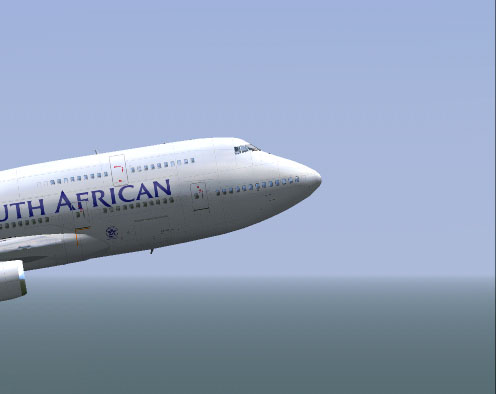
I've been trying to adjust the eyepoint on the POSKY Boeing 747, using the aircraft cfg, and nothing seems to be working.

This is the default setting for the viewpoint:

[views]
eyepoint=83.000, -2.000, 14.800

How would I go about getting this:
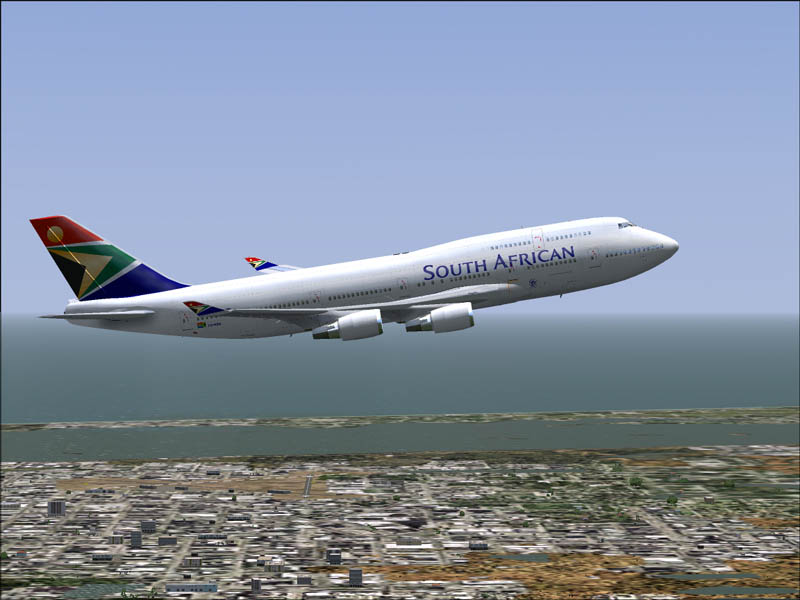
Image

...to this?:
Image

What part do I need to edit? By how much? Do I need to restart the sim, or the aircraft? Etc etc... :)

-Tweek
Tweek
 

Re: Can't move eyepoint

Postby Mr.Mugel » Sat Dec 10, 2005 6:01 am

As far as I know the viewpoint is the one for the VC only, not for the external views. I don
Mr.Mugel
 

Re: Can't move eyepoint

Postby simonmd » Sat Dec 10, 2005 9:36 am

Yes, the view point in the .cfg is just for the cockpit view. To be able to alter the outside view like that you'll need some sort of active camera plug in.
Image
This months's screenshot contest entry> http://www.simviation.com/cgi-bin/yabb2 ... 1197692798
User avatar
simonmd
Major
Major
 
Posts: 1847
Joined: Sun Nov 06, 2005 4:47 pm
Location: s wales, UK

Re: Can't move eyepoint

Postby Apex » Sat Dec 10, 2005 11:30 am

[views]
eyepoint

is for adjusting the virtual cockpit view.  

If it's the chase view you want to alter, when onscreen as in your shots:

Alt>Views>View options>Spot plane>Distance

will work.  You will have to re-do this each time you re-load a specific aircraft.  The 'Distance' parameter is set within the model file, not the aircraft.cfg file; I do not know any way to change it.
Apex
Major
Major
 
Posts: 1280
Joined: Sun Oct 19, 2003 10:33 pm

Re: Can't move eyepoint

Postby Gypsy_Baron » Sat Dec 10, 2005 5:33 pm

[views]
eyepoint

is for adjusting the virtual cockpit view.  

If it's the chase view you want to alter, when onscreen as in your shots:

Alt>Views>View options>Spot plane>Distance

will work.  You will have to re-do this each time you re-load a specific aircraft.  The 'Distance' parameter is set within the model file, not the aircraft.cfg file; I do not know any way to change it.


I seem to recall reading recently that the spot view distance
was related to the parking radius that is specified in MDL file.

That parameter can be adjusted using a program such as
Parking Manager.exe.

OK....I  just verified that in fact the parking radius does determine
the initial spot view distance as well as the aircraft's apparent distance
in the aircraft selection menu window.

I recently modified the parking radius on several AI aircraft as
well as my A6E to get around some aircraft collision problems
on carrier decks...my A6E and the AI traffic :)  Parking radius
is also linked to the "collision sensing" code.

   Paul
Image
User avatar
Gypsy_Baron
1st Lieutenant
1st Lieutenant
 
Posts: 467
Joined: Tue Oct 05, 2004 6:33 pm
Location: Daly City, California

Re: Can't move eyepoint

Postby Moach » Sun Dec 11, 2005 8:01 pm

now that was good to know :D :D

i've always wondered what defined the spot distance.... ;)

Moach
If nature wanted a man to fly - It would have given him more money
User avatar
Moach
Captain
Captain
 
Posts: 960
Joined: Thu Nov 28, 2002 3:22 pm
Location: Vancouver, BC


Return to FS 2004 - A Century of Flight

Who is online

Users browsing this forum: No registered users and 397 guests