A question....

Forum dedicated to Microsoft FS2004 - "A Century of Flight".

A question....

Postby cspyro21 » Tue Nov 08, 2005 4:10 pm

Well, it seems I didn't know where else to post this, so here goes:

If I were to save a screenshot as a jpeg, could I upload it to Simviation and, when using the 'insert image' button in a post, would I still need the .jpg extension?
Cheers,
Charlie  ;)

User avatar
cspyro21
Major
Major
 
Posts: 4987
Joined: Sun Aug 28, 2005 6:11 am

Re: A question....

Postby Souichiro » Tue Nov 08, 2005 4:16 pm

that's a very short answer...

Nope

;D

and the  ;D is extra

and so was the last sentence and this one.....
Image
User avatar
Souichiro
Ground hog
Ground hog
 
Posts: 0
Joined: Tue Aug 28, 2007 11:34 am

Re: A question....

Postby C » Tue Nov 08, 2005 4:17 pm

Well, it seems I didn't know where else to post this, so here goes:

If I were to save a screenshot as a jpeg, could I upload it to Simviation and, when using the 'insert image' button in a post, would I still need the .jpg extension?


I think, yes, if I understand your question... I often use the cheat of copying the exact filename I've used from the box where you select the file to upload...

[quote]Cheers,
Charlie
User avatar
C
Colonel
Colonel
 
Posts: 11977
Joined: Mon May 19, 2003 1:04 pm
Location: Earth

Re: A question....

Postby Hagar » Tue Nov 08, 2005 4:20 pm

Yes to both questions. Make sure the image complies with the forum requirements on the Image Upload page. Save the image with a name unique to you before uploading it. Bear in mind that the path used between the Insert Image brackets is case-sensitive - including the .jpg or .JPG file extension.

This is the path to your image to paste between the [img] brackets replacing the letters URL. http://www.simviation.com/yabbuploads/myimage.jpg

Add your own image file name to it instead of the name in italics & check that it's displaying properly by clicking on the Preview button before posting it. Make sure there are no spaces at either end of the [img] brackets. That's about all I can think of. More tips in the sticky topic in the Freeware Screenshots forum.
Last edited by Hagar on Tue Nov 08, 2005 4:21 pm, edited 1 time in total.
Image

Founder & Sole Member - Grumpy's Over the Hill Club for Veteran Virtual Aviators
Member of the Fox Four Group
My Google Photos albums
My Flickr albums
User avatar
Hagar
Colonel
Colonel
 
Posts: 30869
Joined: Wed Jun 19, 2002 7:15 am
Location: Costa Geriatrica

Re: A question....

Postby Souichiro » Tue Nov 08, 2005 4:21 pm

To prove my point (Eno once pointed this out to us)

Image

Image

No it isn't.....Check these shots properties


First is without the Jpg part so irmf1[/img]

the second one with so irmf2.jpg[/img]


both work
Last edited by Souichiro on Tue Nov 08, 2005 4:25 pm, edited 1 time in total.
Image
User avatar
Souichiro
Ground hog
Ground hog
 
Posts: 0
Joined: Tue Aug 28, 2007 11:34 am

Re: A question....

Postby TacitBlue » Tue Nov 08, 2005 4:22 pm

When you post a picture, it should look something like this:
{img}http://www.simviation.com/yabbuploads/screenshot1.jpg{/img}
Only with brackets-> [ intsead of these things->}
Image
A&P Mechanic, Rankin Aircraft 78Y

Aircraft are naturally beautiful because form follows function. -TB
User avatar
TacitBlue
Major
Major
 
Posts: 3856
Joined: Mon Nov 08, 2004 12:33 pm
Location: Saint Joseph, Missouri, USA

Re: A question....

Postby Hai Perso Coyone? » Tue Nov 08, 2005 4:23 pm

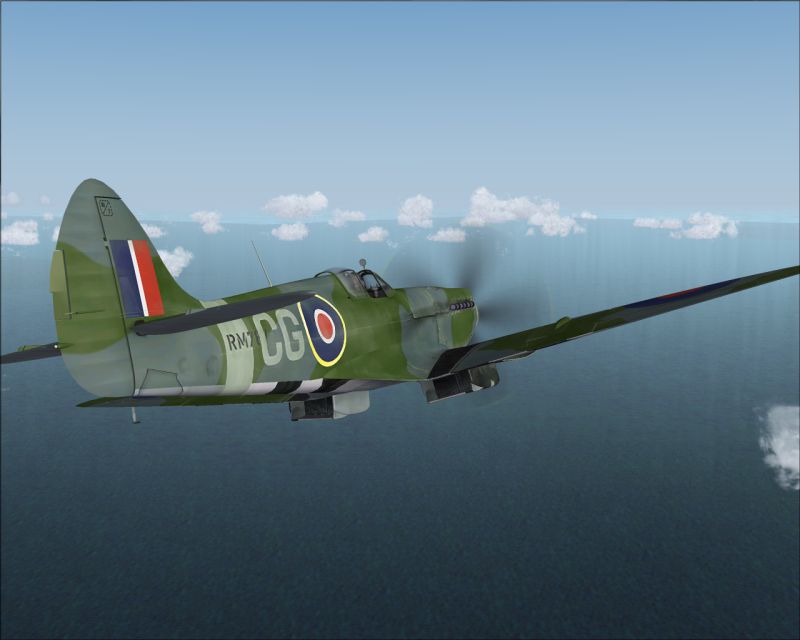
If it's Spit's you want, it's Spit's you'll get ;D
Image
User avatar
Hai Perso Coyone?
Ground hog
Ground hog
 
Posts: 0
Joined: Fri Jan 12, 2007 7:31 pm
Location: Rome, Italy

Re: A question....

Postby Hagar » Tue Nov 08, 2005 4:26 pm

No it isn't.....Check these shots properties


First is without the Jpg part so irmf1[/img]

the second one with so irmf2.jpg[/img]


both work

OK, I'll give you that but the correct way is to use the full extension. Surely that shouldn't be too difficult. ;)
Last edited by Hagar on Tue Nov 08, 2005 4:27 pm, edited 1 time in total.
Image

Founder & Sole Member - Grumpy's Over the Hill Club for Veteran Virtual Aviators
Member of the Fox Four Group
My Google Photos albums
My Flickr albums
User avatar
Hagar
Colonel
Colonel
 
Posts: 30869
Joined: Wed Jun 19, 2002 7:15 am
Location: Costa Geriatrica

Re: A question....

Postby cspyro21 » Tue Nov 08, 2005 4:28 pm

Oh darn you people!! I REALLY WANT THE RA SPIT!!!!!

Anyway, thanks for the tips guys!

The Cheeky Bu**er Charlie Mini-Charlie  ;D ;D

P.S.
OK, I'll give you that but the correct way is to use the full extension. Surely that shouldn't be too difficult.


I was just thinking whether it would increase the quality of the pictures or not, because if you saved it as a jpeg file adn uploaded it and used it as a .JPG image, would that be a doubly-JPEG'd image??

Moving on.......  ;D ;D
Last edited by cspyro21 on Tue Nov 08, 2005 4:33 pm, edited 1 time in total.
User avatar
cspyro21
Major
Major
 
Posts: 4987
Joined: Sun Aug 28, 2005 6:11 am

Re: A question....

Postby C » Tue Nov 08, 2005 4:30 pm

[quote]Oh darn you people!! I REALLY WANT THE RA SPIT!!!!!

Anyway, thanks for the tips guys!

The Cheeky Bu**er Charlie Mini-Charlie
User avatar
C
Colonel
Colonel
 
Posts: 11977
Joined: Mon May 19, 2003 1:04 pm
Location: Earth

Re: A question....

Postby Souichiro » Tue Nov 08, 2005 4:31 pm

OK, I'll give you that but the correct way is to use the full extension. Surely that shouldn't be too difficult. ;)


Nah but some people including me keep screwing up the jpg or JPG issues..This is a solution.....I also just use the jpg but he asked if it could be done ;)
Image
User avatar
Souichiro
Ground hog
Ground hog
 
Posts: 0
Joined: Tue Aug 28, 2007 11:34 am

Re: A question....

Postby cspyro21 » Tue Nov 08, 2005 4:35 pm

Charlie, I actually find it scary that you share my name AND have aaquired my life goal!!  ;D

From this moment on I shall be known as 'Mini-Charlie' in Charlie's prescence!!  ;D

Cheers,
Mini-Charlie
User avatar
cspyro21
Major
Major
 
Posts: 4987
Joined: Sun Aug 28, 2005 6:11 am

Re: A question....

Postby Hagar » Tue Nov 08, 2005 4:37 pm

Nah but some people including me keep screwing up the jpg or JPG issues..This is a solution.....I also just use the jpg but he asked if it could be done ;)

Maybe I shouldn't tell you this as it might give people ideas but if you leave the file extension off there's no way of checking the file size without downloading the image. This could lead to unscrupulous people posting oversized images.

I was just thinking whether it would increase the quality of the pictures or not, because if you saved it as a jpeg file adn uploaded it and used it as a .JPG image, would that be a doubly-JPEG'd image??

It must be in JPEG format. That's either .jpg or .JPG. That's the forum rules. You must use the correct case or the image won't show up.
Image

Founder & Sole Member - Grumpy's Over the Hill Club for Veteran Virtual Aviators
Member of the Fox Four Group
My Google Photos albums
My Flickr albums
User avatar
Hagar
Colonel
Colonel
 
Posts: 30869
Joined: Wed Jun 19, 2002 7:15 am
Location: Costa Geriatrica

Re: A question....

Postby C » Tue Nov 08, 2005 4:39 pm

From this moment on I shall be known as 'Mini-Charlie'


Potential for an amusing new avatar you have there! :)
User avatar
C
Colonel
Colonel
 
Posts: 11977
Joined: Mon May 19, 2003 1:04 pm
Location: Earth

Re: A question....

Postby cspyro21 » Tue Nov 08, 2005 4:41 pm

Potential for an amusing new avatar you have there!


you mean the 'Patriotic' avatar?  ;D ;D
User avatar
cspyro21
Major
Major
 
Posts: 4987
Joined: Sun Aug 28, 2005 6:11 am

Next

Return to FS 2004 - A Century of Flight

Who is online

Users browsing this forum: No registered users and 299 guests