Default aircraft carrier

Forum dedicated to Microsoft FS2004 - "A Century of Flight".

Re: Default aircraft carrier

Postby legoalex2000 » Fri Sep 02, 2005 12:57 pm

how many times have i told you, i used a 737 and took off from end to end.

>set brake
>max engines
>10

legoalex2000
 

Re: Default aircraft carrier

Postby Henry_Yeh » Fri Sep 02, 2005 1:24 pm

It works just fine, it's just I missed all wires in the first few attempts. :-[
Any download that adds meatballs & ILS to the default carrier?
Henry_Yeh
Ground hog
Ground hog
 
Posts: 18
Joined: Tue Aug 23, 2005 5:18 am

Re: Default aircraft carrier

Postby JetPilot » Sun Sep 04, 2005 7:32 am

If the default carrier doesnt work, get the carrier package and use with 3Wire, great fun.

www.simviation.com/fs2004scenery4.htm

To set up the arrestor cables catch area, you need to slew the aircraft around the deck and the press Shift+F12 while the option on 3Wire is selected but it is all in the manual.
JetPilot
2nd Lieutenant
2nd Lieutenant
 
Posts: 66
Joined: Fri Jul 15, 2005 2:04 pm
Location: Maidstone, UK

Re: Default aircraft carrier

Postby CAFedm » Mon Sep 05, 2005 4:13 am

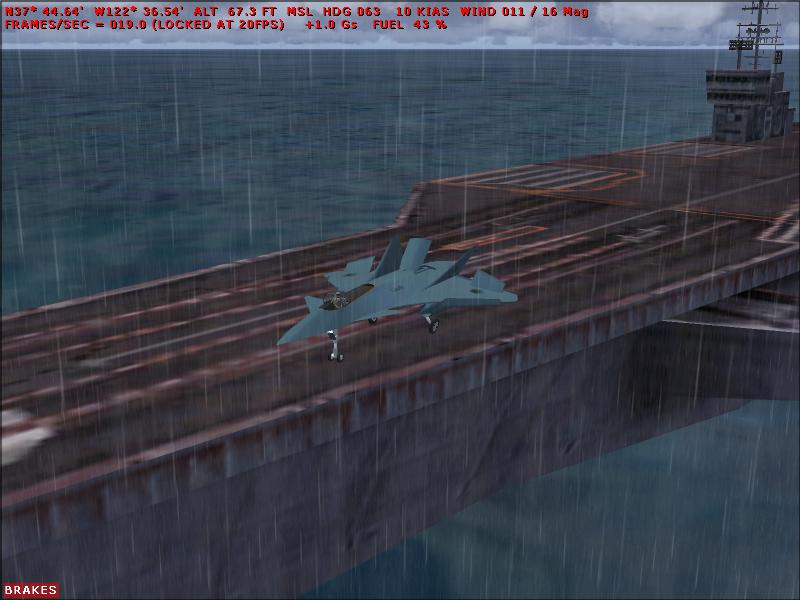
Another attempt to land without cables...this time it's no heavy (who's going to be first to successfully land an AN-124 here).  With a raging T-storm happening, this is definitely enough to raise blood pressure a bit.

Image
Brian
CAFedm
Captain
Captain
 
Posts: 619
Joined: Wed Nov 17, 2004 2:06 am
Location: Between CYXD & CYEG, Alberta

Previous

Return to FS 2004 - A Century of Flight

Who is online

Users browsing this forum: No registered users and 304 guests