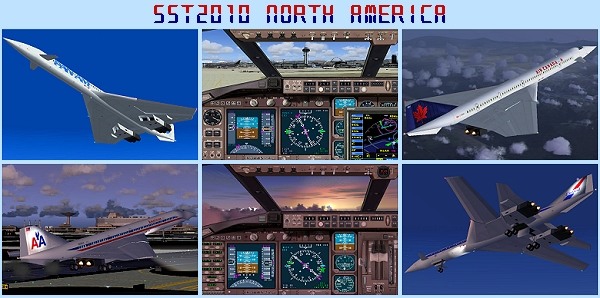
OK. I found it. Here's what it says in the instructions.
<<<<< Installation >>>>>
Simply unzip all the files right into FS2004 Aircraft folder.
Then copy paste fx_sst2010afterburner.fx and fx_sst2010smoke.fx
into FS2004\effects folder. From select aircraft menu, these 4
models show up under "A-ST SST2010 North America" at the top
column of the menu. A-ST for A Shigeru Tanaka production
I strongly suggest you ignore the first part & unzip the file to a Temp folder before manually pasting the sst2010northamerica folder into the FS9\Aircraft folder. The second part should be quite straighforward. Find the 2 FX files named fx_sst2010afterburner.fx and fx_sst2010smoke.fx & move them into the FS9\Effects folder.
I haven't installed the aircraft to check it out but it should now work as advertised. I assume the smoke effects function when the afterburners are selected. You might need to assign a key to this command from FS9.Settings/Assignments
I searched the complete downloaded file & can't find a file named afterburner.cfg. The effects should already be defined in Aircraft,cfg.


 Can anyone either run through the procedure to add effects (afterburner, smoke etc..), or direct me to a tutorial. I have tried seemingly every copy paste configuration imaginable, I still can't see the desired effect. Your help would be greatly appreciated


 "In theory, there is no difference between theory and practice. But, in practice, there is."