
Simviation Forums
Flight Simulator and other chat
Flight Simulator and other chat
 by flyboy 28 » Sat Nov 19, 2005 9:53 pm


by congo » Sun Nov 20, 2005 5:30 am
 Mainboard: Asus P5K-Premium, CPU=Intel E6850 @ x8x450fsb 3.6ghz, RAM: 4gb PC8500 Team Dark, Video: NV8800GT, HDD: 2x1Tb Samsung F3 RAID-0 + 1Tb F3, PSU: Antec 550 Basiq, OS: Win7x64, Display: 24&

by flyboy 28 » Mon Nov 21, 2005 8:58 pm
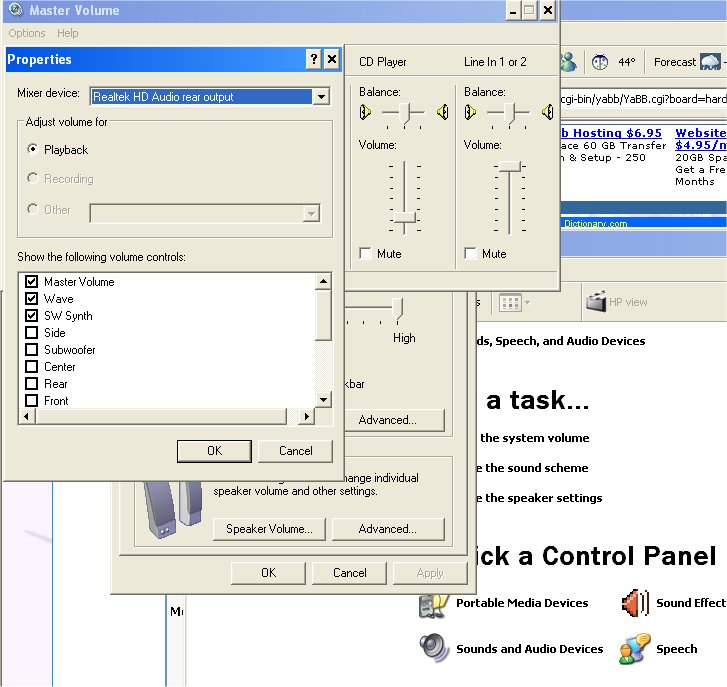
Start/control panel/sounds and audio devices.........Volume tab, advanced button, Options menu. Check advanced controls, then click properties. Select Recording. Make sure microphone is in the display list. Click ok. Check the select box under microphone. Click advanced, select microphone boost, set volume slider up 1/3 of the way from bottom as a start point.

by congo » Tue Nov 22, 2005 12:55 am
 Mainboard: Asus P5K-Premium, CPU=Intel E6850 @ x8x450fsb 3.6ghz, RAM: 4gb PC8500 Team Dark, Video: NV8800GT, HDD: 2x1Tb Samsung F3 RAID-0 + 1Tb F3, PSU: Antec 550 Basiq, OS: Win7x64, Display: 24&
Users browsing this forum: No registered users and 587 guests