Window View

FSX including FSX Steam version.

Window View

Postby Mackyboy » Thu Jan 22, 2015 3:41 pm

Hi all,
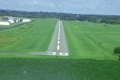
I've been looking at some FSX videos, and some of them have window views, its like your actually looking out of a window.
Can anyone tell me how to get this, if its freeware or payware, or can show me how to do it.

Many thanks
MB
Mackyboy
2nd Lieutenant
2nd Lieutenant
 
Posts: 82
Joined: Fri Jun 24, 2011 4:19 pm
Location: Co. Cavan, Ireland

Re: Window View

Postby OldAirmail » Thu Jan 22, 2015 5:22 pm

I've wondered that too and have some idea of how to do it, but have never gotten around to trying it.

I'm sure someone will chime in soon.
.. .
Get the most out of your controls - SPAD.neXt

Image
. . . . . .Any time, any plane, any weather.
. . . . . . . . . . . . . Prepar3d V4
User avatar
OldAirmail
Major
Major
 
Posts: 4814
Joined: Sun Feb 17, 2013 3:06 pm
Location: Concrete, WA ICAO - 3W5

Re: Window View

Postby Fishbed7701 » Thu Jan 22, 2015 5:33 pm

Most of the people typically creating those videos use editing effects on the video itself completely independent of the sim. They take the raw video they recorded from the sim and add the window effect over the video with video editing programs like Sony Vegas, etc..
User avatar
Fishbed7701
2nd Lieutenant
2nd Lieutenant
 
Posts: 220
Joined: Thu Jan 06, 2011 11:35 pm
Location: C77

Re: Window View

Postby garymbuska » Fri Jan 23, 2015 11:15 am

Fishbed7701 wrote:Most of the people typically creating those videos use editing effects on the video itself completely independent of the sim. They take the raw video they recorded from the sim and add the window effect over the video with video editing programs like Sony Vegas, etc..

This is the case the only other way to do the same thing would be to define the window at the time the aircraft is made. But even than I an not 100% sure you would see any thing at all.
There are programs out there like FSPANEL STUDIO that allow you to define different windows and views But I have never tried to see if you could actually create a window that allows you to look out of like you were a passenger. The only way to do this would be like the post states.
Maybe I will give it a try to see what happens what do I have to loose. Of course I will back up the plane I will attempt this on before I do anything. I will let you know if this is possible or not.
After second thought This might be possible to do I am sure most of you have seen some of the different spot views that are in FSX such as wing shots and shots as if you were under the aircraft looking out toward the nose of the plane My CRJ that I have uses that one. So defining a passenger view might not be that difficult after all.
<<s
Gary M Buska
SYSTEM Specs ASUS P8Z68 V/GEN 3 mother board: INTELL I7 2600k 3.48 ghz Quad core CPU with Sandy bridge: 12 Gigs of 1800hz ram:
GTX 950 OVER CLOCKED: 2 Gigs Ram Windows 10 Home 64 bit Operating system. 750W Dedicated modular power supply. Two Internal 1TB hard drives 1 External 1TB 3.2 USB hard drive. SAITEK Cessna flight Yoke with throttles.
CH Rudder Peddles 27 inch Wide screen Monitor
User avatar
garymbuska
Major
Major
 
Posts: 4415
Joined: Tue Dec 30, 2003 11:10 am
Location: Jacksonville, Florida

Re: Window View

Postby pegger » Fri Jan 23, 2015 11:37 am

Are you talking about the view like looking out a passenger window from the cabin?

If so, you need to find a plane with that portion of the interior actually modelled...like the virtual cockpit is.
Then you need to move a view definition (if one does not already exist) to be looking out that window.

If the interior is not modelled, you won't be able to just reposition a wing view for the desired effect. Just try moving your eye point back out of the VC, or in through the side of the plan from the wing view and you'll see what I mean.

The panel idea might be interesting though. Interested to see if that works.
pegger
2nd Lieutenant
2nd Lieutenant
 
Posts: 280
Joined: Sun Jul 13, 2008 1:53 am

Re: Window View

Postby Jetranger » Fri Jan 23, 2015 12:49 pm

you mean like this one in my video ???

couple quick shots out the passenger side window from inside the passenger cabin,,,

right before he Jumps out the back of the aircraft :D :? :shock:

[youtube]http://www.youtube.com/watch?v=vtKYPr80lAs[/youtube]
User avatar
Jetranger
Major
Major
 
Posts: 3232
Joined: Fri Sep 30, 2011 2:49 am
Location: Kansas City Missouri USA / KMKC

Re: Window View

Postby Mackyboy » Sun Jan 25, 2015 2:01 pm

Hi,
I found this video, it is a Thomas Ruth aircraft, so it can be done

http://www.youtube.com/watch?v=1jAzY3grtNY

MB
Mackyboy
2nd Lieutenant
2nd Lieutenant
 
Posts: 82
Joined: Fri Jun 24, 2011 4:19 pm
Location: Co. Cavan, Ireland

Re: Window View

Postby mrplanecrazzy » Sun Jan 25, 2015 3:53 pm

Intel(R) Core™ i7-4790K - ASUS Z97-A - NVIDIA GeForce GTX 780 - 250GB Samsung 840 EVO - 1.5TB Gaming Western Digital VelociRaptor 10,000RPM - Corsair 32GB (8GBx4) DDR3/2133MHz - 900 Watts -Apevia Warlock Power Supply LG 49" 4K Monitor 4096x2160
User avatar
mrplanecrazzy
2nd Lieutenant
2nd Lieutenant
 
Posts: 92
Joined: Tue Jul 01, 2014 9:55 pm
Location: KORL

Re: Window View

Postby Mackyboy » Tue Jan 27, 2015 10:13 am

Hi,
thanks for your help. The first link you recommended, I downloaded it, and tried it, but I must be doing something wrong, as it won't work. Can somebody else try it, to see if anybody else can get it to work.

Many thanks
MB
Mackyboy
2nd Lieutenant
2nd Lieutenant
 
Posts: 82
Joined: Fri Jun 24, 2011 4:19 pm
Location: Co. Cavan, Ireland


Return to Flight Simulator X (FSX) and Steam

Who is online

Users browsing this forum: No registered users and 676 guests