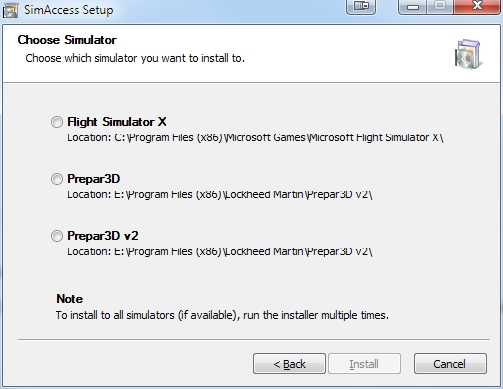
Dennyyoung wrote:Hope this is in the right place...
Does anybody know how to fix this problem...
FSX Deluxe Edition......, Windows 8 ........While running the program I get this message
Microsoft Flight Simulator has stopped
Working.
A problem caused the program to stop working correctly.
Windows will close the program and notify you if a solution is
available.
yeah right notify my a--
So...HELP ....SOS


Bass wrote:I dont have win8.
But, Paul, THIS IS NOT RIGHT!!
You should be able to change aircraft, scenery ect, when in flight![]()
If you cant do that, there's something terrible wrong with "wonderland"!
I have no clue as I have no wonder 8


Bass wrote:Try to put this into your main FSX folder
http://www.search-dll.com/dll-files/dow ... e.dll.html
If it don't help, just delete it.
As I said, I don't have wonder 8


Fozzer wrote:Bass wrote:Try to put this into your main FSX folder
http://www.search-dll.com/dll-files/dow ... e.dll.html
If it don't help, just delete it.
As I said, I don't have wonder 8
The "MAGIC" xxx.dll universal cure.......!
..been there before....looked at them....turned the page over......!
Most of those sort of programs look through your Registry and tell you that you have 10,000+ errors, and if you buy this wonderful program, we will fix your problems for you....including your Marital ones, etc..
...trust us!.......!
...NAH!.......!
Glary Utilities 4 (my original free version) finds and fixes all my registry, etc, problems? many times a day!
Paul....always suspicious of MAGIC programs...especially when there is a $ sign attached to them.......!


Dennyyoung wrote:Ok I'll try to reinstalled .....should I also disable administration ?
Thanks for the response....... Also would like to redo the airport where I fly out of Memphis ....parking spot and add FedEx airplanes and the original air carriers and in and out of the airport been having trouble doing that..... Tried to follow the procedures and putting the disk one in and load sdk.....but no luck


Pville211 wrote:I had similar issues with Windows 8.1 until I took ownership of the FSX files. What follows is a description of what that means and how to implement a fix that may resolve your issue.
Each new version of Windows introduced more complex networking and security features. Folder ownership became a bit of a challenge in Win 7, and that could usually be resolved by running program executables as the administrator (right-click, select Run as administrator). But after I upgraded to Win 8 even running as administrator sometimes hasn't been enough to prevent program crashes.
Win 8 introduced full integration with Microsoft SkyDrive (now being renamed to OneDrive after losing a trademark dispute). SkyDrive integration treats online folders like local folders, which requires a higher level of security for local folders. I suspect this led to stricter folder ownership requirements.
If the user does not own a folder then a program may see that a file exists but may not be able to do anything with it. Older programs like FSX may not comprehend this new situation. Thus, the program errors out, but the error message, if any, may be generic or may identify the issue as something different than what it actually is.
This is what fixed my issues with FSX:
1. Install FSX in a root folder (mine is installed in c:\fsx).
- Most apps and installers have had no problem automatically finding it.
2. Create a shortcut to run FSX as the administrator.
- Create a shortcut to ...\fsx\fsx.exe
- Right-click on the shortcut > Properties tab > Advanced button > check the box Run as administrator > OK > OK
3. Take ownership of the FSX folders.
- Easy instructions and a required file are at http://tinyurl.com/32hf32 (HowToGeek.com)
- At the bottom of the instructions, below the "Uninstall" description, is a link to "Download TakeOwnership."
- The download includes a small registry file that adds Take Ownership as a right-click option for your folders.
- Open the zip file and copy InstallTakeOwnership.reg to any folder or to the desktop.
- Double-click on the .reg file to install it.
- Open Windows Explorer (now called File Explorer).
- Right-click on your FSX folder and select Take Ownership.
4. Take ownership of FSX-related folders that are outside of the FSX program folders (ORBX, Flight1, etc.).


Return to Flight Simulator X (FSX) and Steam
Users browsing this forum: No registered users and 878 guests