Improving runway textures

FSX including FSX Steam version.

Improving runway textures

Postby Bass » Mon Nov 04, 2013 9:16 am

If you get a little tired of the poorly stuck runway textures in fsx, this might be a good idea.

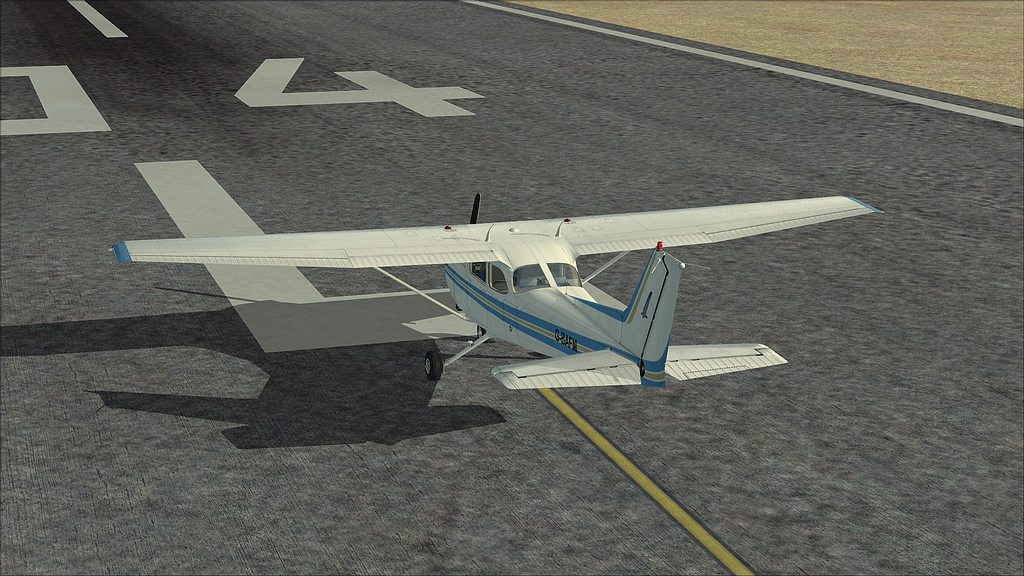
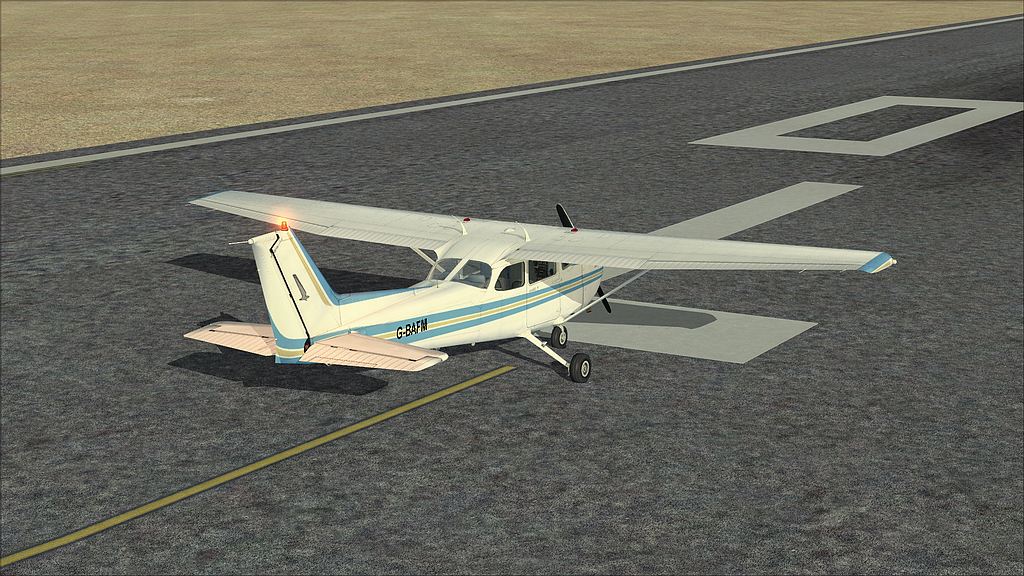
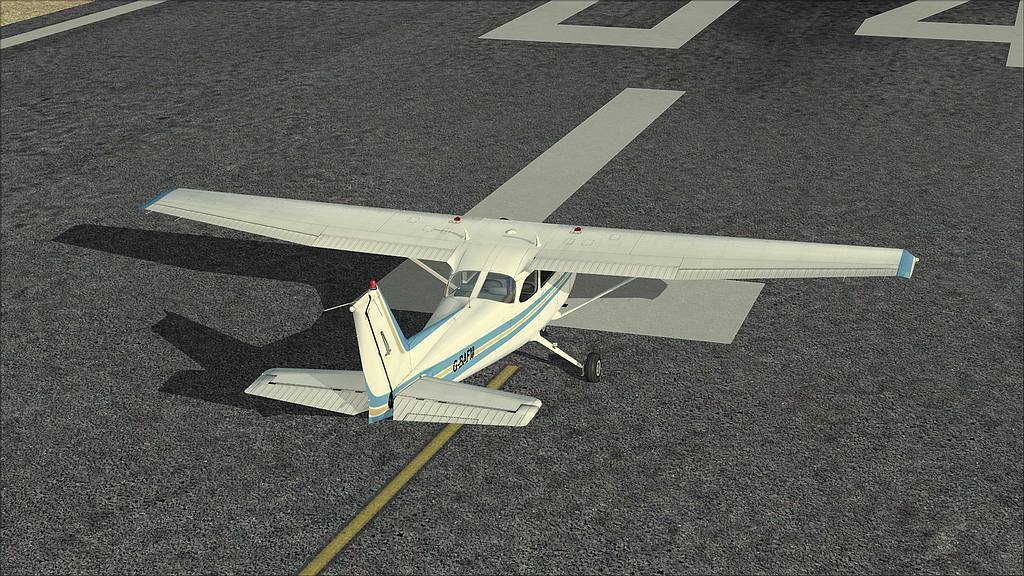
You'll get 3 different to work with, concrete, fine and rough tarmac.
I'm very pleased with all of them.

runway_detail_texture_set_by_fsx_workshop.zip
Made by Predrag Drobac

You can find the zip file at Avsim.
(Have searched SimV)

"Just try to be YOU"!............ Kurt 

System. GA-X58A-UD3R, i7-950QC, Corsair XMS3 18GB 2000, GTX 780 tf 3GB, Corsair CMPSU-850, 24 BenQ 120, TM Hotas cougar, win7 pro.
User avatar
Bass
Major
Major
 
Posts: 3043
Joined: Wed Feb 15, 2012 9:32 am
Location: Scandinavia

Re: Improving runway textures

Postby garymbuska » Mon Nov 04, 2013 10:15 am

Bass wrote:If you get a little tired of the poorly stuck runway textures in fsx, this might be a good idea.

You'll get 3 different to work with, concrete, fine and rough tarmac.
I'm very pleased with all of them.

runway_detail_texture_set_by_fsx_workshop.zip
Made by Predrag Drobac

You can find the zip file at Avsim.
(Have searched SimV)


There are several programs that will allow you alter just about all aspects of FSX. Programs like Active sky allows you to control how your weather is displayed it also allows changes to how your runways look during weather events.Than there are programs that allow you to alter how your scenery including airports are displayed plus many others some free some not. You have to remember that Goggle is your friend.
Trust me if you know where to look you can really alter the performance of FSX drastically. But keep in mind some of these programs can and will effect your frame rates. So you have to decide if your system is struggling to display FSX now adding some thing else can create a problem which will require more tweaking. So keep that in mind.


<<v
Gary M Buska
SYSTEM Specs ASUS P8Z68 V/GEN 3 mother board: INTELL I7 2600k 3.48 ghz Quad core CPU with Sandy bridge: 12 Gigs of 1800hz ram:
GTX 950 OVER CLOCKED: 2 Gigs Ram Windows 10 Home 64 bit Operating system. 750W Dedicated modular power supply. Two Internal 1TB hard drives 1 External 1TB 3.2 USB hard drive. SAITEK Cessna flight Yoke with throttles.
CH Rudder Peddles 27 inch Wide screen Monitor
User avatar
garymbuska
Major
Major
 
Posts: 4415
Joined: Tue Dec 30, 2003 11:10 am
Location: Jacksonville, Florida

Re: Improving runway textures

Postby Blaunarwal » Mon Nov 04, 2013 10:18 am

I think it's worth a try. The examples look dramaticly better. Maybe you wont see, when landing (moving). Maybe it has a fps impact. Thanks for the hint.
Dan
User avatar
Blaunarwal
2nd Lieutenant
2nd Lieutenant
 
Posts: 134
Joined: Sun Oct 24, 2010 1:42 am
Location: LSZH

Re: Improving runway textures

Postby Bass » Mon Nov 04, 2013 10:22 am

garymbuska wrote:
Bass wrote:If you get a little tired of the poorly stuck runway textures in fsx, this might be a good idea.

You'll get 3 different to work with, concrete, fine and rough tarmac.
I'm very pleased with all of them.

runway_detail_texture_set_by_fsx_workshop.zip
Made by Predrag Drobac

You can find the zip file at Avsim.
(Have searched SimV)


There are several programs that will allow you alter just about all aspects of FSX. Programs like Active sky allows you to control how your weather is displayed it also allows changes to how your runways look during weather events.Than there are programs that allow you to alter how your scenery including airports are displayed plus many others some free some not. You have to remember that Goggle is your friend.
Trust me if you know where to look you can really alter the performance of FSX drastically. But keep in mind some of these programs can and will effect your frame rates. So you have to decide if your system is struggling to display FSX now adding some thing else can create a problem which will require more tweaking. So keep that in mind.


<<v


Thank you Gary, i'll keep that in mind O0
I'm just trying to help.....

(Dont mind my fps, i need to get them lower :lol: )
"Just try to be YOU"!............ Kurt 

System. GA-X58A-UD3R, i7-950QC, Corsair XMS3 18GB 2000, GTX 780 tf 3GB, Corsair CMPSU-850, 24 BenQ 120, TM Hotas cougar, win7 pro.
User avatar
Bass
Major
Major
 
Posts: 3043
Joined: Wed Feb 15, 2012 9:32 am
Location: Scandinavia

Re: Improving runway textures

Postby Bass » Mon Nov 04, 2013 12:26 pm

Ok, i'll show you the differencies on my system.

Pick your choice.

concrete
Image

fine
Image

rough
Image

I hope you dont mind, Gary ;)
"Just try to be YOU"!............ Kurt 

System. GA-X58A-UD3R, i7-950QC, Corsair XMS3 18GB 2000, GTX 780 tf 3GB, Corsair CMPSU-850, 24 BenQ 120, TM Hotas cougar, win7 pro.
User avatar
Bass
Major
Major
 
Posts: 3043
Joined: Wed Feb 15, 2012 9:32 am
Location: Scandinavia


Return to Flight Simulator X (FSX) and Steam

Who is online

Users browsing this forum: No registered users and 1039 guests