Smoke on!

Flight Simulation Screenshots displaying your Flight Simulation Experience. MSFS, FSX, Prepar3D, XPlane and other Flight Simulators. Focus is your Flight Simulator Experience. Please upload to Simviation (Button at top right)

Smoke on!

Postby JakesF14 » Mon Sep 14, 2009 1:16 am

some pics while creating my own airshow  :-)

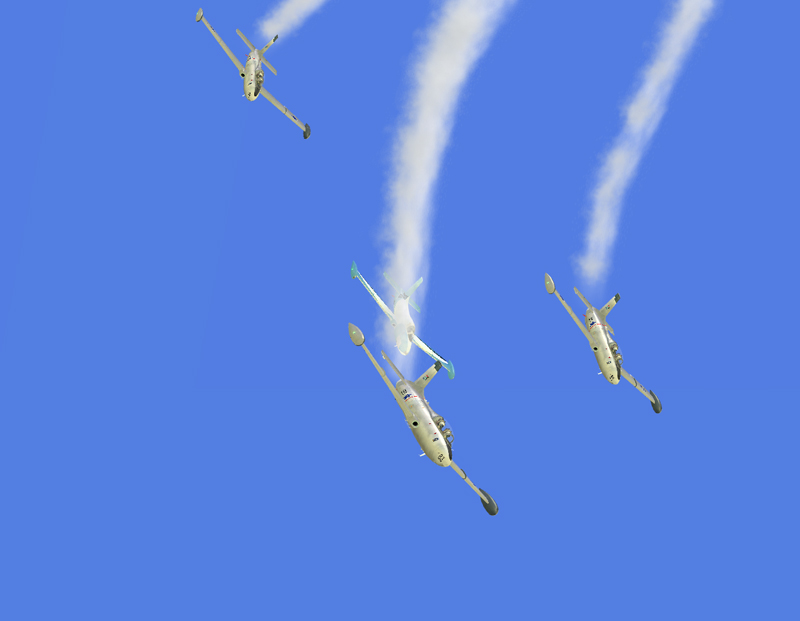
1) The stall turn
Image


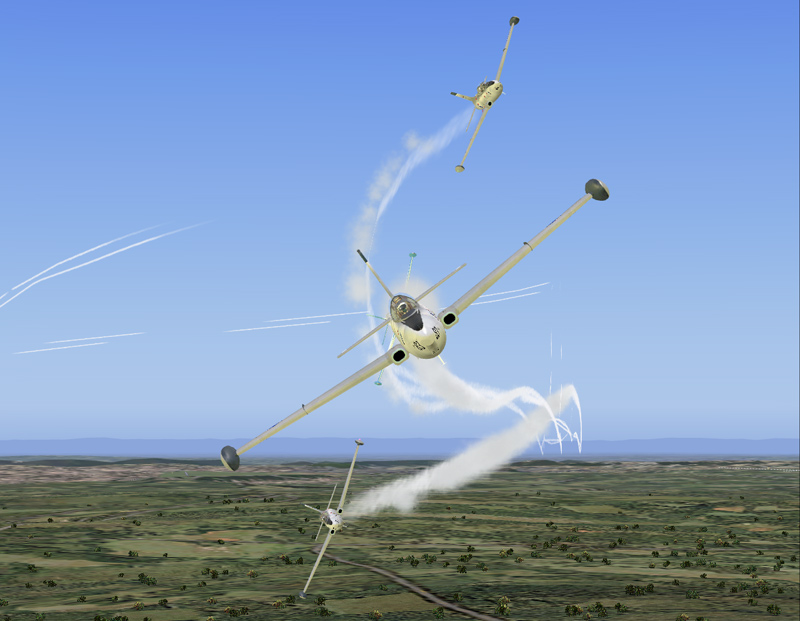
2) Down the loop
Image


3) The split
Image


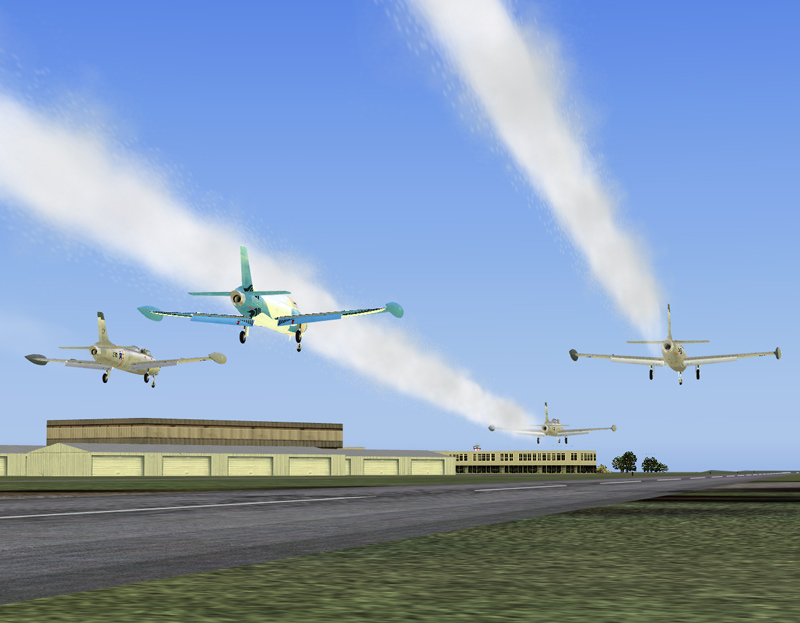
4) the slow pass
Image
Image
User avatar
JakesF14
Major
Major
 
Posts: 1866
Joined: Wed May 13, 2009 5:42 am
Location: South Africa

Re: Smoke on!

Postby FuturePilot » Mon Sep 14, 2009 9:26 am

Did you use FS-Recorder for this?
ASUS M4A89GTD, 16GB 1333MHz DDR3 RAM, 160GB 10,000 RPM HDD + 1TB 7200 RPM HDD, AMD Phenom II x4 965BE 3.4
User avatar
FuturePilot
Major
Major
 
Posts: 1553
Joined: Wed Apr 08, 2009 9:47 pm
Location: MD, TN, and Grand Cayman

Re: Smoke on!

Postby Daube » Mon Sep 14, 2009 9:56 am

The second shot is great !
Yes I think he used Recorder. I tried doing some air stunts with it, but it's MUCH more difficult than I initially thought. Congratulations for such a nice looking formation !
User avatar
Daube
Lieutenant Colonel
Lieutenant Colonel
 
Posts: 6611
Joined: Wed Oct 05, 2005 8:34 am
Location: Nice (FR)

Re: Smoke on!

Postby JakesF14 » Mon Sep 14, 2009 12:21 pm

Did you use FS-Recorder for this?

Yip,did use FsRecorder. There is a way to edit .frc file ,duplicate the first recording,and just add time offset,and position offset.
Image
User avatar
JakesF14
Major
Major
 
Posts: 1866
Joined: Wed May 13, 2009 5:42 am
Location: South Africa

Re: Smoke on!

Postby EJW » Mon Sep 14, 2009 5:19 pm

Oh yeah! ;D
EJW
Major
Major
 
Posts: 2760
Joined: Sun Apr 12, 2009 7:06 am
Location: Lincolnshire, UK

Re: Smoke on!

Postby FuturePilot » Tue Sep 15, 2009 9:50 am

Did you use FS-Recorder for this?

Yip,did use FsRecorder. There is a way to edit .frc file ,duplicate the first recording,and just add time offset,and position offset.


Oh, I was wondering how you got more than one plane in there! 
ASUS M4A89GTD, 16GB 1333MHz DDR3 RAM, 160GB 10,000 RPM HDD + 1TB 7200 RPM HDD, AMD Phenom II x4 965BE 3.4
User avatar
FuturePilot
Major
Major
 
Posts: 1553
Joined: Wed Apr 08, 2009 9:47 pm
Location: MD, TN, and Grand Cayman

Re: Smoke on!

Postby hhomebrewer » Tue Sep 15, 2009 11:23 am

time offset and position offset.

So you fly the sequence once, then apply these offsets to create what we see?
I am homebrewer. I had 633 posts when for some unknown reason, my account disappeared...
AMD Phenom II X4 940 (Deneb), Asus M3N72-D motherboard, 2 x nVidia 8800GTS @640MB RAM, 1 x Seagate Barracuda 500Gb HDD (storage), 1 x Western Digital Black 250Gb
User avatar
hhomebrewer
Captain
Captain
 
Posts: 600
Joined: Sat Aug 22, 2009 8:44 pm
Location: United States of Good Beer

Re: Smoke on!

Postby JakesF14 » Tue Sep 29, 2009 7:04 am

time offset and position offset.

So you fly the sequence once, then apply these offsets to create what we see?


That is right! have a look on FS Recorder website, there is a little program that convert .frc files to txt and vice versa. then you simply copy the contents, and paste in the same text file, adding offsets and also time ofsets. I like to use a little time ofset like 0.5s as wel, just to make the simulation more realistic.
when downloading the converter, there is a great manual as well as samples.! enjoy!

:D
Image
User avatar
JakesF14
Major
Major
 
Posts: 1866
Joined: Wed May 13, 2009 5:42 am
Location: South Africa


Return to Simulation Screenshots Showcase

Who is online

Users browsing this forum: No registered users and 659 guests