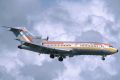
Just testing this little PC

Flight Simulation Screenshots displaying your Flight Simulation Experience. MSFS, FSX, Prepar3D, XPlane and other Flight Simulators. Focus is your Flight Simulator Experience. Please upload to Simviation (Button at top right)

Just testing this little PC

Postby francsal » Tue Jul 21, 2009 10:25 pm

Hello everybody!

It's been quite a while since the last time I posted here.... back

Last edited by francsal on Wed Jul 22, 2009 9:26 pm, edited 1 time in total.
****X-Plane 12 / MSFS2020/2024**** Ryzen 5 9600X, RX 9070, 32GB RAM ****
User avatar
francsal
Captain
Captain
 
Posts: 724
Joined: Thu Jan 15, 2004 3:58 pm
Location: Guatemala

Re: Just testing this little PC

Postby tcco94 » Wed Jul 22, 2009 1:44 am

You've got some really good shots here but the jaggies hurt it ALOT.

Turn on the AA and you will have some great shots. 8-) Nice clouds.

Welcome Back! :)
Last edited by tcco94 on Wed Jul 22, 2009 1:44 am, edited 1 time in total.
User avatar
tcco94
Major
Major
 
Posts: 3946
Joined: Mon Apr 07, 2008 1:41 am
Location: Bay Area, California

Re: Just testing this little PC

Postby Fozzer » Wed Jul 22, 2009 2:32 am

The beauty of FS 2004, is that it will run smoothly on something as simple as a Sinclair Spectrum/Timex Computer....;)... ;)... ;D...!

Have fun in our neck of the woods... [smiley=thumbsup.gif]...!

Paul...G-BPLF..FS 2004..FS Navigator...and a simple Desktop computer... 8-)...!
Win 8.1 64-bit. DX11. Advent Tower. Intel i7-3770 3.9 GHz 8-core. 8 GB System RAM. AMD Radeon HD 7700 1GB RAM. DVD ROM. 2 Terra Byte SATA Hard Drive. Philips 17" LCD Monitor. Saitek Cyborg X Fly-5 Joystick. ...and a Briggs and Stratton Petrol Lawn Mower.
User avatar
Fozzer
Colonel
Colonel
 
Posts: 27370
Joined: Thu Jan 31, 2002 3:11 pm
Location: Hereford. England. EGBS.

Re: Just testing this little PC

Postby EJW » Wed Jul 22, 2009 11:40 am

Nice! I love Aeroflot!
EJW
Major
Major
 
Posts: 2760
Joined: Sun Apr 12, 2009 7:06 am
Location: Lincolnshire, UK

Re: Just testing this little PC

Postby Brando14100 » Wed Jul 22, 2009 1:18 pm

You've got some really good shots here but the jaggies hurt it ALOT.

Turn on the AA and you will have some great shots. 8-) Nice clouds.

Welcome Back! :)


If your system can't handle it for flying, at least turn it on for the shots.

8-)
Brando14100
 

Re: Just testing this little PC

Postby francsal » Wed Jul 22, 2009 9:24 pm

Thanks for the comments!!

I wish I could be able to turn AA on... but this "nice" GFX card doesn not support AA... good old Intel 950...  :-/

I was pretty amazed by the quality of the clouds, too, considering they're the default clouds. I haven't even tried to install any addons, since I really doubt my netbook would support the extra load.


The beauty of FS 2004, is that it will run smoothly on something as simple as a Sinclair Spectrum/Timex Computer....;)... ;)... ;D...!

Have fun in our neck of the woods... [smiley=thumbsup.gif]...!

Paul...G-BPLF..FS 2004..FS Navigator...and a simple Desktop computer... 8-)...!


Definitely, Fozzer! You know, I even tried FSX on this thing, and even though it ran at about 13 fps, it was with practically every slider to the left. I was able to increase the bitmap quality, but nothing more. 0 autogen, 0 traffic, 0 effects... not worth the trouble.
FS9, on the other hand, is giving me a somewhat more pleasant experience, with some traffic, some autogen.. just enough to make it a bit more vivid!

And, again, what really surprises me, is to be able to do it on an Intel Atom CPU!!! I'm really getting in love with this little thing!  8-)


Thanks again for the comments!

cheers!

Franc.
****X-Plane 12 / MSFS2020/2024**** Ryzen 5 9600X, RX 9070, 32GB RAM ****
User avatar
francsal
Captain
Captain
 
Posts: 724
Joined: Thu Jan 15, 2004 3:58 pm
Location: Guatemala


Return to Simulation Screenshots Showcase

Who is online

Users browsing this forum: No registered users and 711 guests