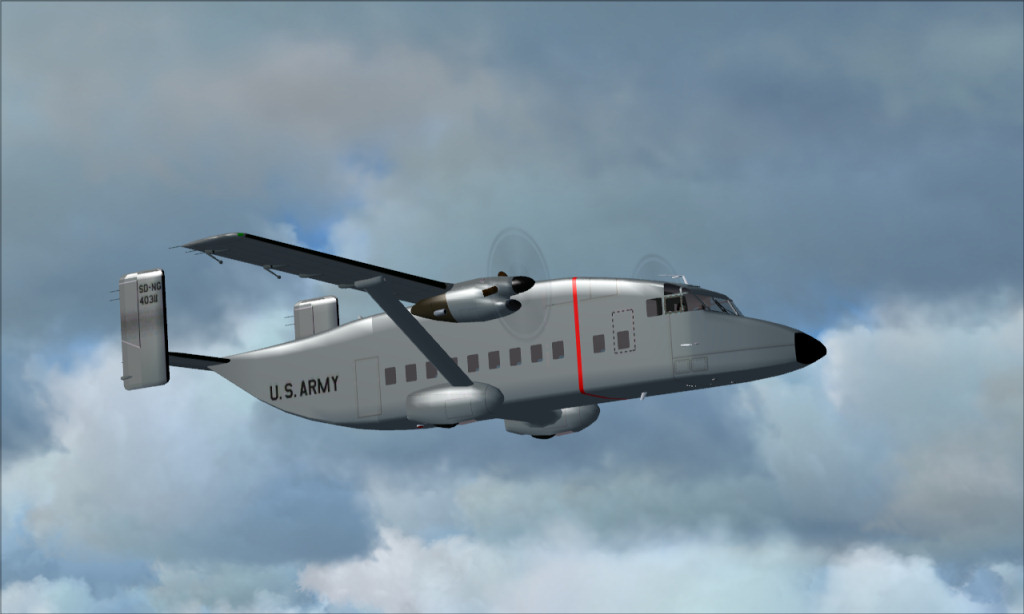
C-23 Sherpa in flight

Flight Simulation Screenshots displaying your Flight Simulation Experience. MSFS, FSX, Prepar3D, XPlane and other Flight Simulators. Focus is your Flight Simulator Experience. Please upload to Simviation (Button at top right)

Re: C-23 Sherpa in flight

Postby Hagar » Wed Jul 08, 2009 1:45 am

ok, here is an updated one with the compression turned way down
Image

Sean

At 80.7 Kb it still comes out at way below the forum limit of 150 Kb. Which software are you using to save your shots?

Nice shot. BTW

Last edited by Hagar on Wed Jul 08, 2009 1:46 am, edited 1 time in total.
Image

Founder & Sole Member - Grumpy's Over the Hill Club for Veteran Virtual Aviators
Member of the Fox Four Group
My Google Photos albums
My Flickr albums
User avatar
Hagar
Colonel
Colonel
 
Posts: 30869
Joined: Wed Jun 19, 2002 7:15 am
Location: Costa Geriatrica

Re: C-23 Sherpa in flight

Postby Daube » Wed Jul 08, 2009 8:04 am

Sorry for the late answer, and thank you Hagar for providing the explanations.
Yes, the JPEG compression is adjustable. The higher the compression, the smaller the filesize and the quality. You have to select the lowest possible compression that would give a filesize as close as possible to the forum limit (150 kb).
I definitely recommend PAINT.NET. It's freeware and very complete.
My method is quite simple: I open the original screenshot taken by FS (BMP format), I resize it to 1024 pixels width, and then I save it in JPEG format. Once I do that, there is a slider to adjust the quality.
The quality is the contrary of the compression: the higher the quality, the lower the compression and vice-versa.
User avatar
Daube
Lieutenant Colonel
Lieutenant Colonel
 
Posts: 6611
Joined: Wed Oct 05, 2005 8:34 am
Location: Nice (FR)

Re: C-23 Sherpa in flight

Postby jack_ryan » Wed Jul 08, 2009 9:11 am

My process is:

1.  capture the image using Paint Shop Pro 9 at native width and size.
2.  Save it as a jpeg at normal size with no compression.
3.  scale and crop to 1024 across
4.  save again a copy of the image at the smaller size
5.  upload to simv.
6.  profit! (sorry the underpants gnomes made me say that)

Anyway thats my process.

Sean
Image
User avatar
jack_ryan
2nd Lieutenant
2nd Lieutenant
 
Posts: 172
Joined: Tue Jul 19, 2005 10:23 am
Location: Phoenix, AZ

Re: C-23 Sherpa in flight

Postby Hagar » Wed Jul 08, 2009 5:38 pm

[quote]My process is:

1.
Last edited by Hagar on Wed Jul 08, 2009 6:03 pm, edited 1 time in total.
Image

Founder & Sole Member - Grumpy's Over the Hill Club for Veteran Virtual Aviators
Member of the Fox Four Group
My Google Photos albums
My Flickr albums
User avatar
Hagar
Colonel
Colonel
 
Posts: 30869
Joined: Wed Jun 19, 2002 7:15 am
Location: Costa Geriatrica

Re: C-23 Sherpa in flight

Postby U4EA » Tue Jul 14, 2009 11:39 am

Been away for a spell.   Thanx to all for the tips! :)
U4EA
 

Previous

Return to Simulation Screenshots Showcase

Who is online

Users browsing this forum: No registered users and 583 guests