
Incredible Details

Flight Simulation Screenshots displaying your Flight Simulation Experience. MSFS, FSX, Prepar3D, XPlane and other Flight Simulators. Focus is your Flight Simulator Experience. Please upload to Simviation (Button at top right)

Incredible Details

Postby Dr.bob7 » Sat Feb 07, 2009 3:51 pm

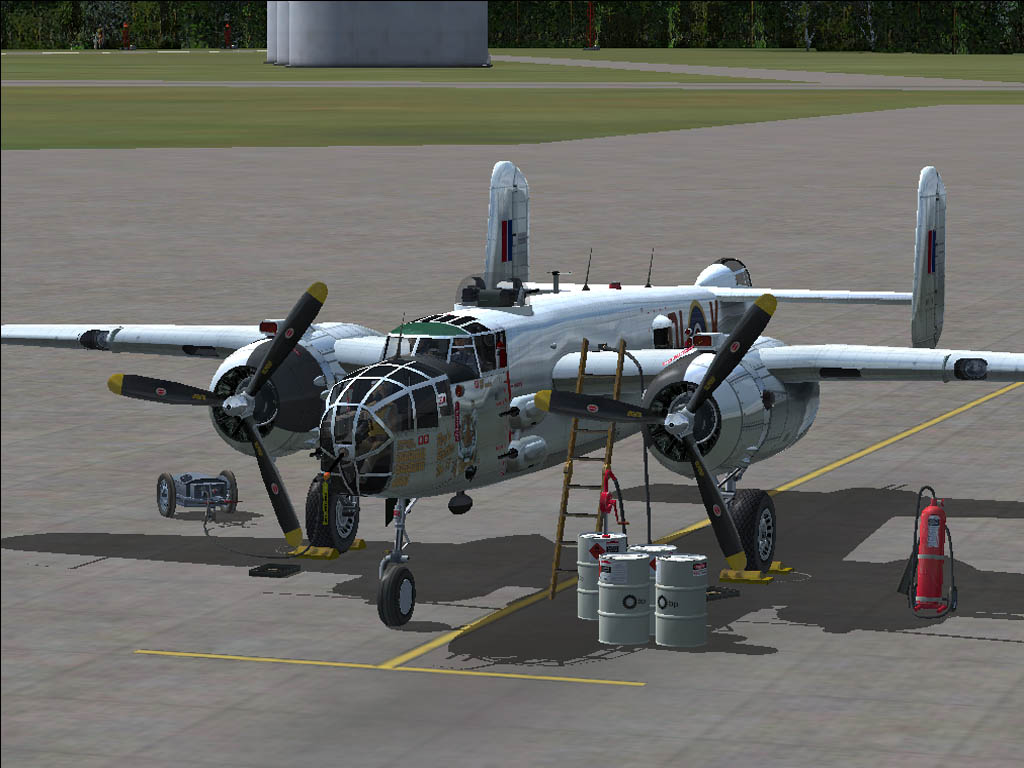
This package has amazed me so far! such incredible detail. The AA was actually good for once but compression decided to murder this shot =\

Image
Last edited by Dr.bob7 on Sat Feb 07, 2009 3:51 pm, edited 1 time in total.
Dr.bob7
Major
Major
 
Posts: 1364
Joined: Sat Sep 15, 2007 11:03 pm
Location: Castle Rock Colorado

Re: Incredible Details

Postby 87HondaShadow » Sat Feb 07, 2009 3:55 pm

To say the least, yeah, compression killed (if not raped) this shot.

But, here is some advice, get Paint.NET, use the oil paints option, and there you go.  :)
Last edited by 87HondaShadow on Sat Feb 07, 2009 4:05 pm, edited 1 time in total.
Err 30kb limit?
User avatar
87HondaShadow
1st Lieutenant
1st Lieutenant
 
Posts: 373
Joined: Sun Nov 02, 2008 8:08 pm

Re: Incredible Details

Postby skoker » Sat Feb 07, 2009 4:02 pm

To say the least, yeah, compression killed (if not raped) this shot.
Killed, raped, and left it for dead in a ditch...
Image
User avatar
skoker
Major
Major
 
Posts: 4260
Joined: Wed Feb 27, 2008 8:19 pm
Location: 1G3

Re: Incredible Details

Postby 87HondaShadow » Sat Feb 07, 2009 4:09 pm

[quote]To say the least, yeah, compression killed (if not raped) this shot.

But, here is some advice, get Paint.NET, use the oil paints option, and there you go.
Err 30kb limit?
User avatar
87HondaShadow
1st Lieutenant
1st Lieutenant
 
Posts: 373
Joined: Sun Nov 02, 2008 8:08 pm

Re: Incredible Details

Postby Wii » Sat Feb 07, 2009 4:34 pm

Beautiful bird! Jaggies kill. Here is a tip: if your computer can't handle full time AA, just turn it on for the screenshot and turn it off afterwards.

PS, oil painting, way worse. ;D Especially if the topic is "Incredible Detail" not "Incredible Blurryness"
User avatar
Wii
Major
Major
 
Posts: 2727
Joined: Wed Jun 13, 2007 2:33 pm
Location: Space

Re: Incredible Details

Postby lunitic_8 » Sat Feb 07, 2009 5:21 pm

Beautiful bird! Jaggies kill. Here is a tip: if your computer can't handle full time AA, just turn it on for the screenshot and turn it off afterwards.

PS, oil painting, way worse. ;D Especially if the topic is "Incredible Detail" not "Incredible Blurryness"
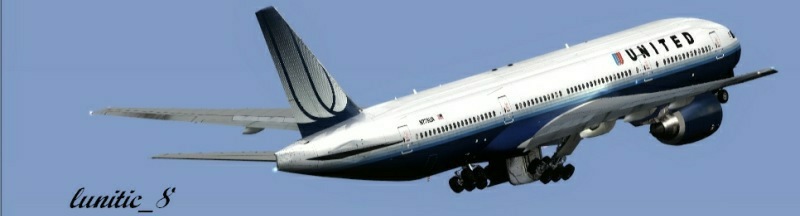
;D ;D
Image

I7-7700HQ | GTX 1060 | 16GB DDR4-2400MHz | 1TB HDD + 256GB SSD
User avatar
lunitic_8
Major
Major
 
Posts: 3163
Joined: Sun Sep 28, 2008 8:05 pm
Location: Houston, Texas (KHOU)

Re: Incredible Details

Postby Mictheslik » Sun Feb 08, 2009 4:05 pm

To be honest I don't think compression did murder this shot....otherwise how come I can compress things equally as detailed and not get that level of jaggies....it looks like AA may have turned off inadvertantly, as compression does not cause that kind of spectacle ;)

If I'm wrong, send me the original and I'll see what I can do ;)

.mic
Last edited by Mictheslik on Sun Feb 08, 2009 4:06 pm, edited 1 time in total.
[center]Image
User avatar
Mictheslik
Lieutenant Colonel
Lieutenant Colonel
 
Posts: 5517
Joined: Wed Mar 30, 2005 11:32 am
Location: Bristol, England


Return to Simulation Screenshots Showcase

Who is online

Users browsing this forum: No registered users and 453 guests